 HappyHorse Model
Character Consistency in AI Video: Techniques That Work
If your AI character looks perfect in one clip and like a different person in the next, the fix is usually a tighter workflow—not more random prompting.
The pattern shows up everywhere once you start paying attention. Your first image nails the face, the second one changes the jawline, the third swaps the body proportions, and by clip four the outfit is drifting too. The most reliable fix is not piling on more adjectives. It’s locking identity early and treating consistency like a production pipeline. That’s the same takeaway repeated across creator workflows, Reddit discussions, and tutorials: define the person first, then generate scenes around that person.
You can see how strong the demand is from the kind of resources people keep sharing. Youri van Hofwegen’s YouTube video, How to Actually Make 100% Consistent AI Characters, has 54,376 views and was published 2 months ago, which tells you this is an active, practical problem creators are trying to solve right now. A Medium guide by James 99 from Feb. 2026 is built specifically around keeping one character consistent across 5 different AI video clips. That multi-clip angle matters, because a character that survives one good still image is not the same thing as a character that survives a sequence.
If you’re using a hosted tool, an image to video open source model, or testing an open source ai video generation model locally, the logic stays the same. Whether you run ai video model locally with a custom stack, compare a happyhorse 1.0 ai video generation model open source transformer setup, or work with a commercial platform under an open source ai model license commercial use review, the winning method is still stable references, fixed identity prompts, controlled visuals, and disciplined iteration.
Build a Character Lock System Before You Generate Video
Why character locking comes before animation
The biggest shift that actually improves results is simple: lock the character first, not the video. That exact idea shows up repeatedly in workflow advice, and it matches what works in practice. If the base identity is unstable, motion only magnifies the problem. Every pan, pose change, and expression gives the model another chance to reinvent the face, body, hair, or wardrobe.
That’s why your first deliverable should not be a dramatic scene. It should be a plain, controlled, highly readable character image that defines who this person is. Think of it as your identity anchor. Before you ask for walking, acting, dancing, or cinematic camera movement, you want one frame where the model clearly understands the character’s facial structure, approximate age, body type, hair shape, styling, and clothing.
A lot of creators keep trying to solve consistency by prompt experimentation alone, but the more dependable method is workflow-based. Several source snippets frame this directly as a production issue: build the person once, save the assets, and reuse them. That approach is more repeatable than constantly rewriting descriptions from memory and hoping each generation “understands” the same person.
What to include in a simple character bible
A lightweight character bible does not need to be fancy. It just needs to remove ambiguity. Create a single document, note, or folder sheet with fixed traits that never change unless you deliberately approve a redesign. Start with face shape: oval, square, heart-shaped, long, soft jaw, strong jaw, high cheekbones. Add age range, because “young woman” can drift widely, while “late 20s” or “mid-30s” gives the model a narrower lane. Lock hairstyle by both color and structure: dark auburn bob with blunt bangs, not just “red hair.” Record eye color, skin tone, body type, and signature styling details.
Then lock wardrobe. Do not write “casual jacket” in one clip and “streetwear coat” in the next if it’s supposed to be the same look. Note exact outfit pieces, colors, textures, shoes, jewelry, and accessories. Add style cues too: realistic cinematic, soft editorial, anime-inspired cel shading, documentary natural light, whatever matches the project. If you want continuity, these descriptors should stay stable.
Choose one hero image as the master reference. This is the image every later prompt, shot, and variation points back to. Only save backup variants after the identity is already stable. Good backups might include a second angle, a full-body version, or a neutral standing pose, but they should all clearly match the hero image first.
This is where the best ai video character consistency techniques start to feel less mysterious. Consistency is not magic. It’s define identity once, document it, and reuse the same approved assets in every clip.
Use Strong Reference Images as Your Main AI Video Character Consistency Technique

What makes a reference image usable
The most repeated practical advice across sources is to save a strong reference image and reuse it every time. That sounds obvious, but a lot of reference images are weak. A usable reference image needs clear facial features, visible hair shape, readable clothing, and as little visual noise as possible. If the lighting is moody, the pose is extreme, or the background is cluttered, the model has to guess too much.
Start with a clean portrait where the face is fully readable. Avoid heavy motion blur, exaggerated expressions, hard shadows across the eyes, oversized props, or complicated scene dressing. A good reference should answer basic identity questions instantly: What does the jawline look like? Where is the hairline? How wide is the nose bridge? What is the exact outfit silhouette? If the image doesn’t answer those clearly, it won’t anchor later generations well.
Controlled reference shots work better because they reduce conflicting signals. One Reddit-sourced tip specifically recommends more controlled reference shots with the same lighting setup and neutral expressions. That advice is gold. Stable lighting helps the model recognize the same facial planes from clip to clip. Neutral expressions keep the face from warping around a smile, shout, or dramatic angle before the identity is established.
How many reference images to save for repeatable results
A small, disciplined set of references beats a giant folder of loosely related images. Save four core assets first: a front portrait, a three-quarter portrait, a full-body shot, and an outfit detail crop. That set gives you enough coverage for most multi-clip continuity without introducing too much variation.
The front portrait is your strongest identity anchor. The three-quarter portrait helps the model understand how the face turns in space. The full-body shot locks proportions, posture, and outfit silhouette. The outfit detail crop protects wardrobe continuity when the model starts swapping lapels, sleeves, fabrics, or accessories. If the project is long-form, you can add a side profile later, but only after the first four match cleanly.
Reference-led generation usually outperforms text-only prompting because faces and bodies are visual problems first. Text can describe “sharp cheekbones, hazel eyes, shoulder-length black hair,” but an image shows exact spacing, volume, and proportions in one shot. That’s why this is one of the most reliable ai video character consistency techniques across tools and workflows.
This applies whether you’re using a hosted system or an open source transformer video model. If you’re testing an image to video open source model, you’ll usually get better continuity by feeding a stable image set than by trying to force precision from text alone. The same logic applies if you run ai video model locally: your model may be flexible, but your references still need to be clean, controlled, and reusable.
Write Repeatable Prompts That Preserve Identity Across Clips
The fixed details you should never rewrite
Prompt drift is real, and most of it comes from rewriting details you should have frozen on day one. If a trait defines the character, keep the wording exact every time. That means hair color, haircut, eye color, facial structure, body type, outfit, accessories, and any signature style markers. If your character has “dark brown wavy shoulder-length hair with a center part,” don’t later write “deep chestnut loose curls” just because it sounds fresh. The model may treat that as a new person.
The same rule applies to face structure. If the original look is “oval face, soft jawline, straight nose, wide-set hazel eyes,” keep those phrases fixed. Rewording can subtly alter proportions. The outfit block should also stay identical unless the whole point of a clip is a wardrobe change. Even then, keep every non-wardrobe identity anchor untouched.
One source snippet puts it plainly: keep the same prompt details for hair, outfit, and related traits. That sounds simple, but it’s where a lot of continuity breaks. People get bored with repetition and start adding style flourishes. Unfortunately, “freshening up” the prompt often freshens the character right out of recognizability.
How to separate identity traits from scene traits
The easiest fix is to split prompts into two layers. Layer one is your identity anchor block. Layer two is your scene block. The identity anchor never changes unless you approve a redesign. The scene block can change from clip to clip.
A reusable framework looks like this:
Identity anchor: female, late 20s, oval face, soft jawline, wide-set hazel eyes, straight nose, medium lips, fair neutral skin tone, dark brown wavy shoulder-length hair with center part, slim athletic build, black leather jacket, white crew-neck shirt, dark jeans, silver hoop earrings, realistic cinematic style.
Scene block: walking through a rainy neon street at night, medium shot, slight side angle, natural stride, subtle wind in hair, wet pavement reflections, restrained expression.
For the next clip, you keep the entire identity anchor identical and only swap the scene block:
Scene block: sitting in a sunlit diner booth, medium close-up, looking out window, calm expression, warm morning light, shallow depth of field.
That structure is especially useful when you’re trying to keep one character consistent across 5 or more clips, exactly the kind of continuity target highlighted in James 99’s Feb. 2026 Medium guide. It prevents you from accidentally mixing scene language into the identity itself.
Watch out for synonym drift and style overload. If you keep adding words like hyper-detailed, glossy, ultra-fashion, stylized beauty, porcelain skin, or cinematic glamour, you may push the model into a different face texture or “plastic” finish. Some of the best ai video character consistency techniques are boring on purpose: same identity block, same wording, only one variable changed at a time.
Control Lighting, Camera Angle, and Styling to Reduce Character Drift
Visual variables that most often break consistency
Even with strong references and fixed prompts, visual variables can still break continuity fast. The biggest troublemakers are lighting direction, camera distance, lens feel, expression intensity, and pose complexity. If your first reference is a neutral 50mm-feel portrait in soft daylight and your next clip is a dramatic low-angle wide-lens shot with hard red-blue lighting, you are asking the model to preserve identity under very different conditions.
Matching lighting setup across your references helps the model hold onto core facial landmarks. The same goes for camera distance. If your anchor images are all medium-close portraits, then jumping straight into extreme wide shots with unusual perspective can stretch facial and body cues. Keep your early generations visually conservative so the identity gets reinforced before you branch out.
Neutral expressions matter more than most people expect. A source snippet specifically recommends neutral expressions, and that is one of the most practical tips in the whole workflow. A relaxed mouth, level brows, and straightforward pose give the model a clean read on the face. Dramatic acting can come later. First, prove the person is stable when they are simply standing, turning, or looking at camera.
When stylization helps and when it causes a plastic look
Stylization can help if it is consistent and restrained. A defined visual style—film noir, watercolor, anime, polished 3D, documentary realism—can actually reduce drift if every asset follows the same treatment. The problem starts when stylization overprocesses the character. One source snippet links the “plastic look” to overprocessing or over-stylization, and that tracks with what we see in real outputs: skin gets waxy, eyes become too glassy, facial texture disappears, and identity gets weaker instead of stronger.
If realism matters, avoid stacking too many beauty-enhancing or surface-smoothing modifiers. If stylization matters, keep it consistent from the first reference onward rather than changing the rendering language mid-project. Switching from naturalistic portrait styling to glossy fashion rendering is often enough to make the same character feel like a cousin instead.
Use a step-by-step order for variation. First lock the face. Once the face holds steady, lock the body proportions with full-body references. Then test wardrobe changes one at a time. Only after that should you introduce heavier style shifts or more complex motion. This order saves time because it isolates failures. If the face breaks while the wardrobe stayed the same, you know the issue is not the clothing block.
This also helps when working with an open source ai video generation model or comparing a happyhorse 1.0 ai video generation model open source transformer setup against another tool. Models differ, but consistency improves when your lighting, framing, and styling variables are introduced gradually instead of all at once.
Edit and Re-Prompt Without Losing the Original Character
Safe iteration rules for multi-scene projects
Once you have a stable base character, the next challenge is editing without accidentally replacing them. A source snippet on consistent AI characters highlights a workflow built around creating a base character, then editing and re-prompting without losing the original look. That’s exactly the right mindset. Your goal is not to regenerate a fresh result every time. Your goal is to preserve anchors while changing specific scene variables.
Start every new scene from the approved master reference plus your fixed identity block. Then make one targeted change. Change the background first, or the pose first, or the mood first—but not all three plus wardrobe and lens style at the same time. If something breaks, you need to know what caused it.
For multi-scene projects, save versions aggressively. Approved stills, test clips, alternate outfits, and prompt revisions should all be archived in organized folders. A simple naming system works: CHAR_A_master_front_v1, CHAR_A_fullbody_v2, CHAR_A_clip03_diner_approved, CHAR_A_outfitB_reference. This is faster than trying to remember which random export had the right face.
How to update outfits and backgrounds while keeping the same person
Background changes are usually safer than identity changes, so treat them as your first variation layer. Keep the face block, hair block, body block, and outfit block identical while testing new environments. Once the face survives different settings, you can introduce pose variation. After that, test scene mood changes like rainy, warm sunrise, studio, nightclub, or office fluorescent.
Wardrobe changes require more care. Keep every non-wardrobe identity anchor identical and swap only the clothing section. It helps to preserve silhouette logic too. If your character is slim and tailored in one scene, shifting to a bulky oversized outfit may make the whole body read differently even if the face is right. Save an outfit detail crop for each approved costume so the model sees fabric, trim, and accessories clearly.
Use a simple approval checklist after every iteration:
- Face match
- Body match
- Hair match
- Outfit match
- Overall style match
If any category fails, do not move on and “fix it later.” That is how drift compounds across a sequence. Go back to the last approved asset and re-run from there.
For more advanced workflows, layer-based scene composition can help. One source mentions using layer functionality to position character assets precisely. That can be extremely useful when one approved character render needs to appear across multiple settings without reinterpreting the entire person from scratch. Whether you use a commercial tool or review an open source ai model license commercial use setup for production, preserving approved assets is usually safer than regenerating from zero.
A Practical AI Video Character Consistency Workflow From First Image to Final Clip
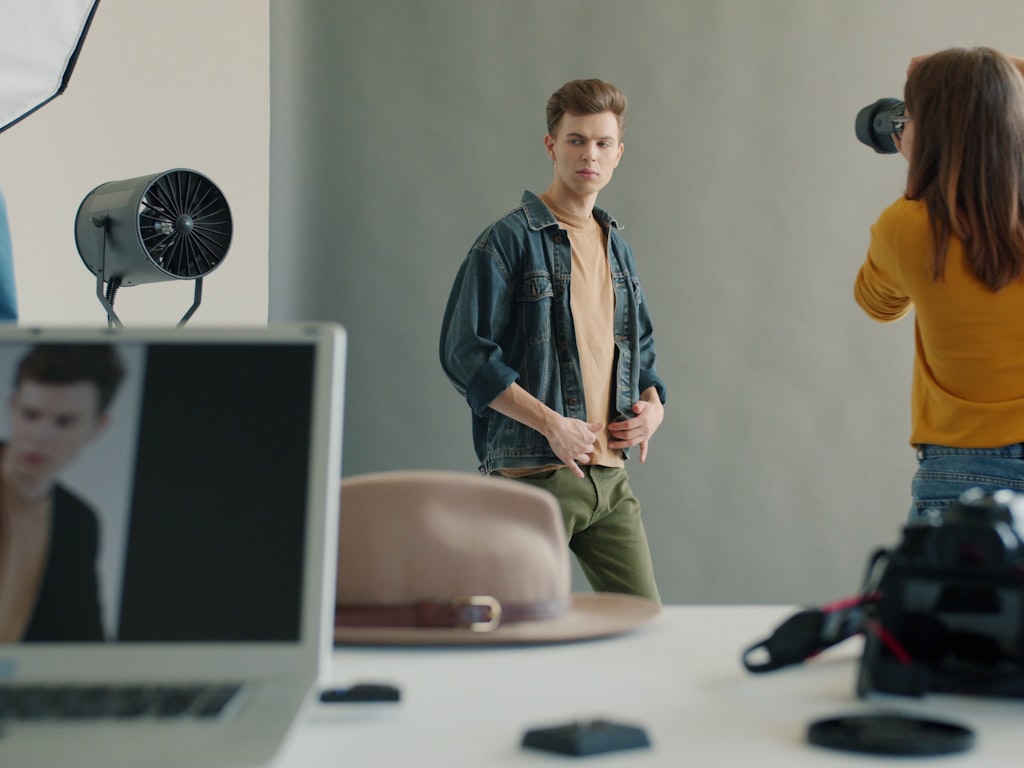
The 7-step process for multi-clip consistency
Here’s the workflow that actually holds up across multiple clips.
Step 1: Create the hero image. Generate or select one clean, neutral, highly readable image that defines the character. Use stable lighting, clear facial visibility, and a simple pose.
Step 2: Build the character bible. Write down fixed identity traits: face shape, age range, skin tone, eye color, hairstyle, body type, wardrobe, accessories, and style cues. This becomes the permanent source of truth.
Step 3: Save controlled references. Export or generate a front portrait, three-quarter portrait, full-body shot, and outfit detail crop. Keep lighting, framing, and expression controlled.
Step 4: Write the fixed prompt block. Create one identity anchor prompt and do not rewrite it casually. Keep wording exact for all fixed details.
Step 5: Generate short test clips. Don’t start with your final sequence. Make small proof-of-consistency clips first: head turn, walk cycle, seated shot, medium portrait. Confirm face and body retention.
Step 6: Iterate carefully. Change one variable per round: background, then pose, then wardrobe, then style, then more complex motion. Reuse the same references every time.
Step 7: Archive approved assets. Save final references, approved prompts, clips, and outfit variants in organized folders so future scenes start from known-good material instead of guesswork.
That workflow aligns with the strongest repeated findings from the research. Character consistency starts before video generation. Strong reference images matter. Controlled lighting matters. Exact prompt reuse matters. And consistency is mostly a workflow discipline problem.
Quick troubleshooting when a character starts changing
If the face drifts, go back to the strongest front portrait and simplify. Remove extra style modifiers, reduce dramatic lighting, and restore the original identity block exactly. If body shape changes, reintroduce the approved full-body reference and avoid loose wardrobe language that can alter silhouette. If the outfit swaps unexpectedly, use the outfit detail crop and rewrite the clothing block with exact colors, fabrics, and accessories.
If styling becomes inconsistent between clips, compare your prompt endings. Tiny changes like “editorial,” “glossy,” “documentary,” or “hyper-real” can pull the render in different directions. Keep your style tag stable until identity is completely reliable. If the output starts looking waxy or synthetic, reduce overprocessing and heavy beauty language to avoid the plastic look.
Folder organization makes a bigger difference than people expect. Build a clear structure: references, approved stills, prompt blocks, test clips, final clips, outfits. You’ll move much faster when you can instantly grab the approved three-quarter portrait instead of regenerating because you lost track of it.
If you’re experimenting with an open source transformer video model or trying to run ai video model locally, this archive-first habit matters even more. Local and open stacks can be powerful, but they also make it easy to test too many variables at once. Keep your best references and prompt blocks pinned. If you’re evaluating a happyhorse 1.0 ai video generation model open source transformer workflow, or any image to video open source model, don’t judge it from chaotic inputs. Give it a locked character package first.
The shortlist of methods that consistently work in practice is not complicated: strong reference images, locked prompt details, controlled lighting, and disciplined re-prompting. Those are the ai video character consistency techniques that keep paying off from the first still to the final clip.
Conclusion
Reliable character continuity comes from production discipline more than prompt cleverness. Lock identity early with a hero image and a simple character bible. Save controlled references with neutral expressions, stable lighting, and clean framing. Reuse exact prompt details for fixed traits, then separate scene instructions so only the environment or action changes. When you iterate, change one variable at a time and approve each step before moving forward.
That’s the real backbone of ai video character consistency techniques that hold up across multiple scenes. Strong references beat vague text. Consistent lighting beats dramatic randomness. Fixed identity blocks beat prompt improvisation. And careful re-prompting beats starting over. When the character is defined once and protected all the way through the workflow, your clips finally start looking like the same person on purpose.