 HappyHorse Model
AI Video in Advertising: How Brands Are Using It to Scale Faster Marketing
Brands are using ai video advertising marketing to produce more ad variations, adapt creatives for every platform, and personalize campaigns without rebuilding every video from scratch. That shift matters because paid social, YouTube, and performance creative now move too fast for the old “one hero ad, one edit cycle, one launch” model. Teams need fresh hooks, new aspect ratios, shorter cuts, audience-specific messaging, and faster testing loops.
What’s working right now is not full autopilot. The strongest use case is speed: turning one concept into many usable versions, then refining them with human review. Google Ads points directly at this reality by positioning AI-powered advertising solutions as tools that help with the creation and adaptation of videos for YouTube’s wide range of ad formats and viewing environments. Motion’s workflow guidance points the same way: use AI early to surface customer pain points, then use tailored scripting and production tools to accelerate output.
The result is a more practical system. You define the message, build guardrails, generate variants, adapt them for platform behavior, and keep a human on approvals. That’s how smart teams are scaling faster without sacrificing brand fit or performance discipline.
What AI Video Advertising Marketing Actually Looks Like Today

The main jobs AI handles in ad production
Right now, AI is doing three jobs especially well in advertising production: speeding up creative development, personalizing messaging, and producing multiple ad variants for testing. That’s the practical center of ai video advertising marketing today. Instead of asking AI to invent an entire campaign strategy alone, teams are using it to compress production timelines and create more shots on goal.
The first major use case is faster creative production. Motion’s step-by-step workflow highlights this clearly by starting with research support, not just generation. Its example includes using GigaBrain to quickly find customer pain points, then using a Custom GPT to create tailored ad scripts. That sequence matters because it keeps the creative anchored to real objections, desires, and product use cases before anyone renders scenes or records voiceovers.
The second use case is personalization. MIT Initiative on the Digital Economy framed the question the right way: the key issue is not just whether AI can make personalized video ads, but whether those ads actually inspire potential customers to click. That should shape how campaigns are built. Personalization is valuable only when it improves response, so teams should personalize around meaningful audience differences such as use case, problem awareness, price sensitivity, or urgency.
The third use case is rapid variant generation. Creatify’s product page claims users can “Generate unlimited advertising variations in minutes.” That is a product claim, not an independent benchmark, but it reflects where the market is clearly moving: multivariate creative production at a pace manual workflows cannot match. In real campaign terms, that means different hooks, thumbnails, first lines, voiceovers, CTAs, lengths, and scene orders generated from one base concept.
Google Ads adds another practical layer: AI-powered solutions can assist with creation and adaptation across YouTube’s wide range of ad formats and viewing environments. That means resizing, trimming, changing pacing, adjusting overlays, and building cuts that fit skippable placements, shorter formats, and different watch contexts instead of exporting one video and pushing it everywhere.
Where human review still matters most
Human review still decides whether any of this is publishable. The strongest current use case is workflow efficiency and adaptation across formats, not fully autonomous advertising. Brand teams still need to approve claims, tone, product accuracy, legal language, offer framing, and whether the visual output actually looks credible.
LTX Studio’s guidance is especially useful here: start with clear brand guidelines, use saved elements to maintain consistency, and review and refine AI outputs before publishing. That is the difference between scalable creative assistance and sloppy automation. If your ad includes pricing, testimonials, regulated language, or before-and-after implications, human QA is non-negotiable.
The safest expectation is to treat AI as a creative assistant with guardrails. Give it brand colors, logo rules, approved product angles, prohibited claims, audience segments, and platform specs. Then let it help generate options. The strategy, approvals, and final judgment still belong to the team.
How to Build an AI Video Advertising Marketing Workflow From Research to Final Ad

A simple 5-step production process
The cleanest workflow starts before scripting. Step one is defining brand rules. Create a short operating brief that includes approved value propositions, banned phrases, legal claims guidance, visual standards, logo usage, CTA styles, and platform specs. LTX Studio’s recommendation to set clear brand guidelines before generation is one of the biggest time savers because it reduces revision loops later.
Step two is identifying customer pain points. Motion’s example is useful because it treats AI as a research layer first. Use tools such as GigaBrain or other research assistants to pull recurring complaints, desired outcomes, comparison questions, and objections from communities, reviews, support tickets, and sales call notes. Turn those findings into a simple matrix: pain point, desired result, proof needed, and likely offer angle. If your ad starts here, your script will sound more relevant immediately.
Step three is generating scripts. Motion specifically references using a Custom GPT to create tailored ad scripts, and that’s a smart move when you feed it the right inputs. Give the model one audience segment, one pain point, one product promise, one proof point, and one CTA goal at a time. Ask for three to five script angles rather than one. Keep each script short enough to survive paid traffic: a fast hook, a clear visual beat, and one core conversion action.
Step four is producing variants. This is where AI video tools, voice tools, image generation, editing assistants, and template systems work together. Build one base concept, then generate alternate hooks, alternate first scenes, different product demos, and multiple CTAs. Use modular editing so you can swap sections instead of remaking the ad. This is also where some teams explore an open source ai video generation model or an image to video open source model for internal experimentation, especially when they want control over assets or to run ai video model locally. If you go that route, check the open source ai model license commercial use terms before touching paid campaigns, because licensing restrictions can derail deployment fast. Searches around happyhorse 1.0 ai video generation model open source transformer and open source transformer video model show how much interest there is in controllable, flexible production stacks, but for campaign work the licensing and output quality still need close review.
Step five is review before launch. This is where strategy comes back in. Compare each variant against platform requirements, brand fit, and conversion intent. Remove anything that looks uncanny, drifts from product truth, or weakens the offer.
Tools and tasks to assign at each stage
Assign research tools to uncover customer language, scripting tools to generate first drafts, production tools to create scenes and voiceovers, and editing tools to resize and localize outputs. Keep one human owner for each decision gate. A direct-use approval checklist looks like this:
- Messaging approval: Who confirms the pain point, promise, and CTA are accurate?
- Visual approval: Who checks product depiction, logo use, brand colors, and realism?
- Claims approval: Who validates guarantees, pricing, savings, testimonials, and regulated statements?
- Tone approval: Who ensures the ad sounds like the brand and not generic AI copy?
- Platform edit approval: Who confirms aspect ratio, text safety zones, subtitle formatting, and CTA timing for each destination?
When teams skip this ownership model, AI output tends to drift. When they keep it, the workflow gets dramatically faster without becoming chaotic.
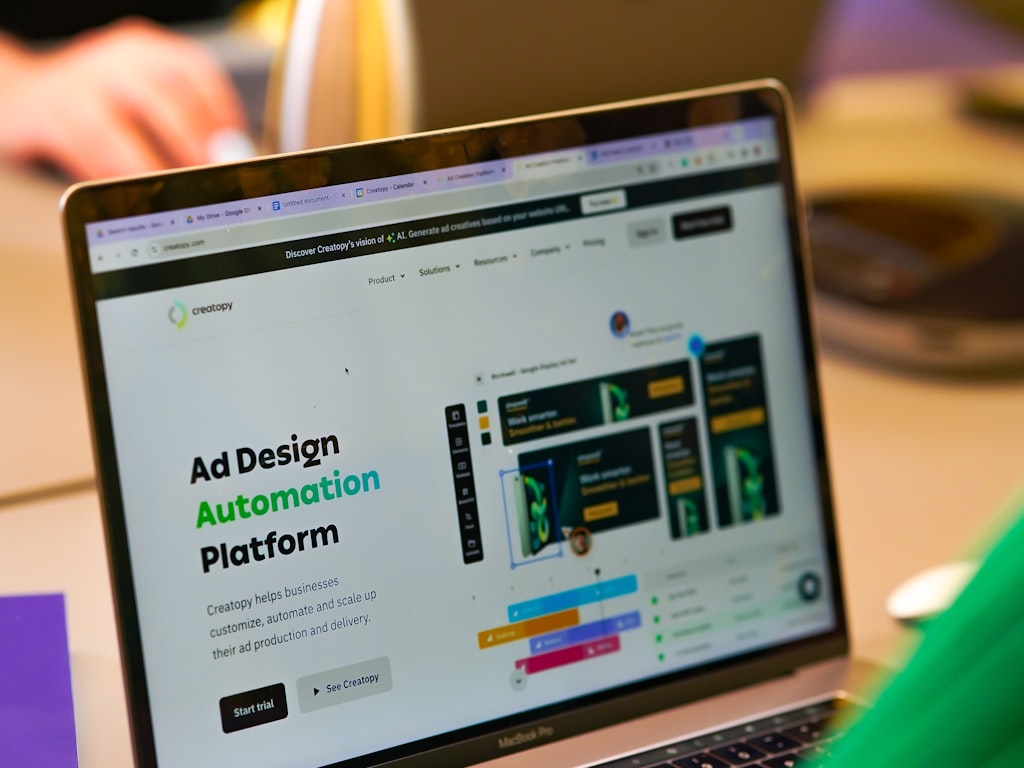
Using AI Video Advertising Marketing to Create More Ad Variations for Testing
What to vary in each creative version
The biggest advantage of AI in paid creative is variant volume. Instead of spending days producing one polished ad and hoping it wins, you can create many testable versions in the same production window. That’s why ai video advertising marketing is becoming a testing system, not just a content generation trick.
The best variables to change are the ones most likely to affect click response and conversion quality. Start with the hook. Generate versions that lead with a problem, an aspiration, a surprising proof point, a founder-style statement, or a direct offer. Then vary the offer framing: free trial, bundle, discount, demo, limited-time incentive, or value comparison.
After that, vary the visuals. Swap product-only scenes for lifestyle scenes, UGC-style framing, text-led cuts, quick demos, or animated explainers. Voiceovers are another strong lever. Test a calm expert tone against a faster direct-response read. Try male and female voices if that matches your audience testing plan. Length also matters: produce a 6–10 second cut for top-of-funnel scrolling environments, a 15–20 second cut for feed and short-form, and a longer proof-heavy version for warmer traffic.
Creatify’s claim that users can “Generate unlimited advertising variations in minutes” is not independent validation, but it does capture the direction of the tool market. The goal is not to create infinite random ads. The goal is to create structured variations that isolate meaningful creative variables fast enough to learn before the market shifts.
How to structure tests without wasting budget
To test efficiently, build a modular asset library first. Store reusable components in folders or templates: opening hooks, pain-point lines, proof scenes, product closeups, testimonials, benefit overlays, CTA cards, and brand end frames. Then create ads by swapping modules instead of remaking full videos. This makes refreshes faster and keeps your winning elements reusable.
A practical framework is to group tests by platform, audience intent, and conversion signal. For platform, compare versions built for YouTube, TikTok-style short form, feed placements, and sound-off environments separately. For audience intent, split by cold, warm, and high-intent retargeting. For conversion signal, track not only clicks but also hold rate, thumb-stop rate, landing page engagement, add-to-cart quality, and final conversion efficiency.
Run one core message across several modular executions. Example: same product benefit, but different hooks for “save time,” “reduce cost,” and “avoid mistakes.” Keep one variable dominant per test cluster so you can interpret results. If you change hook, offer, visuals, and voiceover all at once, you will get noise instead of learning.
Use budget in tiers. Start with low-cost screening to eliminate weak hooks quickly. Move surviving variants into a second round with stronger spend. Then create follow-up edits from winners: shorter versions, stronger proof overlays, and clearer CTAs. AI speeds up this loop because the time between insight and new creative shrinks from days to hours.
How Brands Adapt AI Video Ads for YouTube, Social, and Different Viewing Environments

Format changes that improve performance
A strong ad concept rarely fails because the message is bad everywhere. More often, it fails because the execution doesn’t match the environment. Google Ads explicitly notes that AI-powered advertising solutions can assist with the creation and adaptation of videos for YouTube’s wide range of ad formats and viewing environments. That’s a reminder to design for context, not just for the script.
On YouTube skippable inventory, the opening seconds must work before the skip decision. That means the hook appears immediately, product relevance is visible fast, and the CTA or value proposition is not buried. AI tools help by generating alternate intros, rearranging scene order, and adapting pacing without rebuilding the entire ad. For short-form placements, speed matters even more. Tight scene changes, larger text, and instant visual tension tend to perform better than slower cinematic intros.
Feed-based environments need a different treatment. Users are scanning, not settling in. Use larger captions, bolder product framing, and early pattern interrupts. In sound-off contexts, subtitles and text overlays are not optional. The video has to communicate the offer and desired action visually even before audio starts. AI editing systems can help generate subtitle tracks, resize text-safe compositions, and create alternate versions with stronger on-screen copy.
Platform-specific edits to make before launch
Before launch, change the aspect ratio to fit the placement instead of letterboxing one master cut everywhere. Vertical for mobile-first short form, square or vertical for many feeds, and horizontal or adaptable formats for YouTube and connected viewing. Then adjust hook speed. Short-form usually benefits from an immediate first frame that shows conflict, result, or product use. Feed cuts often need stronger visual punch in the first second. Skippable YouTube cuts need the value proposition visible almost immediately.
Text overlays should change too. In fast-scrolling environments, front-load the key benefit in large readable text. In warmer-audience retargeting ads, use overlays to reinforce proof, urgency, or objections handled. Add subtitles for any placement where sound may be off by default or ignored. Tighten scene length on mobile placements where attention is volatile. Delay long branding sequences; bring in branding through product visuals, color systems, or subtle logo presence instead of a slow opener.
CTA timing should also vary by environment. On short-form social, introduce the action early and restate it at the end. On skippable YouTube, show intent cues sooner because some viewers will leave before a full close. In feed ads, use both on-screen text and spoken CTA if audio is available.
The best teams reuse one core message while building platform-native executions. A single “same cut everywhere” approach wastes the biggest efficiency gain AI offers: adaptation at scale. One message, many native versions, each shaped for the viewing environment it has to win in.
Writing Better Scripts and Visual Prompts for AI Video Advertising Marketing

How to write scripts that feel natural in AI video
AI-generated ads work better when the script is built for visual communication, not long spoken persuasion. LinkedIn guidance in the research notes points to a useful truth: concise lines and highly visual scenes work better than long dialogue, which can feel unnatural in AI-generated video ads. That should shape every draft.
A reliable script framework is: pain point, desired outcome, proof, offer, CTA. Keep each line short and tied to a visual. For example: “Still wasting hours editing ad creatives?” then show a cluttered editing timeline. “Launch more variants in less time.” then show quick output swaps. “Used by teams that need faster testing loops.” then show dashboards or version comparisons. “Start with a ready-to-test package today.” then end with the CTA.
Write one idea per line. Avoid stacked claims in a single sentence. Use spoken language people actually say. Replace “Our innovative solution revolutionizes your workflow” with “Make more ad versions without rebuilding every cut.” That kind of line survives AI voiceover better, reads more naturally on captions, and maps cleanly to visuals.
For ai video advertising marketing, scripting should also anticipate modular testing. Write alternate hooks, alternate proof lines, and alternate CTA endings as separate blocks. That lets you swap script segments quickly without rewriting the whole ad.
When to use realistic footage versus animation
Use realistic footage when product credibility depends on seeing the real item, real interface, or realistic context of use. Demos, app walkthroughs, packaging, and before/after process visuals usually benefit from realism. But be honest about output quality. If realistic AI generation creates facial oddities, strange hands, inconsistent products, or motion artifacts, the ad loses trust instantly.
That’s where stylized animation or cartoon treatment can perform better. The LinkedIn research snippet specifically notes that cartoon animation may be a better fit when realism is hard to achieve. Stylized visuals can feel intentional rather than broken, especially for explainers, abstract value propositions, and products that are hard to film. They also make prompt consistency easier because the system does not have to mimic reality perfectly.
For prompts, be concrete. Specify scene composition, pacing, product focus, branding elements, and emotional tone. Example: “Vertical 9:16 ad scene, fast-paced first two seconds, close-up of product in use, clean bright lighting, bold text overlay space in upper third, brand colors blue and white, upbeat efficient tone, clear hand motion, no cluttered background.” That prompt gives the generator decisions it can actually execute.
Add guardrails too: “Keep product logo accurate, avoid extra fingers, maintain same packaging design across scenes, prioritize readable text areas, no cinematic slow intro.” The more precise the prompt, the fewer revisions you need.
Best Practices Brands Can Use to Improve AI Video Advertising Marketing Results
Creative and targeting signals that help campaigns learn
The best-performing teams are not relying on one fixed ad. They are building a flexible creative system that gives platforms more useful signals. Research on PPC best practices points to modular asset libraries, intent orchestration instead of rigid keyword dependence, and value-based signals to train the algorithm more effectively. That combination matters because campaign optimization improves when the system can match different messages to different intent patterns.
Start with modular assets. Build a library of hooks, demos, testimonials, benefit scenes, overlays, and CTA cards tagged by audience awareness level and product angle. Then map those assets to intent. Cold audiences often need problem recognition or curiosity. Warm audiences may need proof or objection handling. High-intent audiences usually need offer clarity, urgency, and friction reduction. This is stronger than serving the same polished ad to everyone and hoping the algorithm figures it out.
Value-based signals also deserve more attention. If your platform setup allows optimization around higher-quality actions, feed it those actions. Don’t stop at cheap clicks if the real business outcome is qualified leads, subscriptions, or repeat-purchase customers. Ad systems learn from the signals you provide, so connect creative testing to meaningful conversion quality whenever possible.
Ad Age’s warning not to “throw fixed plans at a moving target” applies directly here. Markets shift, fatigue hits, competitors copy angles, and seasonal behavior changes. AI gives you speed, but speed only helps if you use it iteratively. Keep refreshing winners, not just replacing losers. Build follow-up variants from what the market is already responding to.
A launch checklist for higher-quality AI ads
A strong launch process starts with brand control. LTX Studio’s guidance is clear: set brand guidelines before generation, use saved elements for consistency, and review all AI outputs rather than publishing automatically. Put that into an operational checklist:
- Asset library setup: Store approved logos, fonts, colors, product images, voice options, CTA cards, and proof assets.
- Messaging consistency: Approve core claims, offers, pain points, and prohibited language before script generation begins.
- Audience logic: Match variants to cold, warm, retargeting, or product-category intent groups.
- Script QA: Check every script for clarity, natural phrasing, visual compatibility, and claim accuracy.
- Visual QA: Verify product accuracy, scene continuity, subtitle readability, text-safe placement, and platform dimensions.
- Human review: Assign final signoff for messaging, legal claims, branding, and platform edits.
- Performance tracking: Monitor click response, watch behavior, landing page engagement, conversion rate, and audience-specific lift.
- Iterative refreshes: Create new cuts from winning modules every time fatigue or performance drop appears.
Keep the business outcome tied to production decisions. If a faster hook improves thumb-stop rate but lowers conversion quality, revise the message. If a personalized version improves click response for one segment, expand that angle into more variants. If a platform-native cut outperforms the universal version, build more native edits instead of pushing one master file.
The smartest use of ai video advertising marketing is not chasing novelty. It is creating more relevant creative, faster, then using human judgment and campaign data to improve every round.
Conclusion
The teams getting the most from AI video are not handing over strategy and hoping for magic. They are using AI-assisted production to move faster, generate more useful ad variants, and adapt creative for the places those ads actually run. Google Ads points to adaptation across YouTube formats and viewing environments. Motion’s workflow shows the value of using AI in research and scripting before production begins. LTX Studio reinforces the need for brand guardrails and human review. Even the market’s boldest product claims around unlimited variations only make sense when those variations are structured for testing.
That is the practical playbook now: start with brand rules, ground the message in real customer pain points, create modular scripts and assets, adapt the creative by platform, and review every output before launch. When that system is in place, AI stops being a gimmick and becomes a real performance advantage. You get faster cycles, more tailored ads, better testing coverage, and a creative engine that improves over time instead of stalling after one campaign launch.