 HappyHorse Model
Using AI Video for Product Demos and E-Commerce
AI video gives e-commerce teams a faster way to turn product pages and landing pages into conversion-focused demo experiences instead of relying on static images alone. When a shopper can see texture, motion, setup, scale, before-and-after context, or a quick usage sequence, the product usually becomes easier to understand and easier to trust. That matters because product demos are not decoration; they answer buying questions that static assets often miss.
The most useful shift is that AI now fits several parts of the workflow, not just flashy text-to-video experiments. You can clean up footage you already shot, add scenes or branded context around existing assets, or build simple motion-first demos from stills when a full production cycle is too slow. Eko’s guide to AI-powered product videos breaks this into three practical uses: improve existing footage, add context or style, and animate or generate simple product videos. That is exactly how most e-commerce teams should think about it.
The win is speed with purpose. If you are launching new SKUs, refreshing PDPs, testing paid landing pages, or localizing creative for different segments, AI can shorten the path from idea to demo. Used well, it helps customers understand the product faster and helps teams test more angles without rebuilding the entire content pipeline each time.
What AI Video for Product Demo Ecommerce Actually Means

The 3 practical ways AI is used in product video workflows
When people hear AI video, they often picture fully generated cinematic clips. For e-commerce, the more practical definition is much simpler: use AI to improve what you already have, add useful context, or create lightweight demo sequences that explain the product clearly. Eko’s framework is the cleanest way to think about it because it mirrors what actually happens in a production queue. The three working modes are: cleaning up or improving existing footage, adding style or contextual scenes, and animating or generating simple product videos.
The first use case is enhancement. If you already have phone-shot clips, studio product spins, UGC, or influencer footage, AI can stabilize shots, sharpen visual quality, remove backgrounds, reframe vertical and horizontal versions, generate captions, and polish audio. This is the fastest route when the product is already in hand and the goal is speed. A lot of teams miss this and assume they need a full rebuild, when a cleaned-up existing clip is often enough for a product page or paid test.
The second use case is adding context or style. This is ideal when the product itself is well photographed, but the asset lacks a use-case environment. A skincare bottle can be placed into a premium bathroom scene. A kitchen gadget can be shown in a lifestyle countertop sequence. A bag can be styled into travel, office, or gym settings. You keep the real product representation but frame it in a way that helps shoppers picture ownership.
The third use case is simple generation or animation. This works when you only have stills, packshots, 3D renders, or need to explain a basic sequence quickly. You can animate close-ups, create feature callouts, build a lightweight before-and-after sequence, or turn image sets into a short demo. This is where terms like image to video open source model or open source ai video generation model start becoming relevant, especially for teams experimenting with lower-cost workflows.
When to improve footage vs generate simple scenes
The right starting point usually comes down to assets, budget, and urgency. If you already have decent footage, improve it. That is the shortest path to a reliable PDP or landing page demo. If you have strong still images but no video, generate simple scenes or motion graphics around them. If you are launching quickly and need multiple variants for bundles, colorways, or catalog updates, lightweight generation can fill gaps before a bigger shoot happens.
For ai video product demo ecommerce work, the point is not novelty. The point is showing fit, function, quality, and outcome more clearly. Use enhancement for launches with live inventory, use contextual scenes for paid landing pages and storytelling, and use simple generated sequences for catalog refreshes, seasonal pushes, or testing a message before investing in a bigger production. If a shopper understands the product faster, conversion has a better chance to improve.
How to Plan an AI Video Product Demo Ecommerce Strategy Before Production
Start with the conversion goal, not the visuals
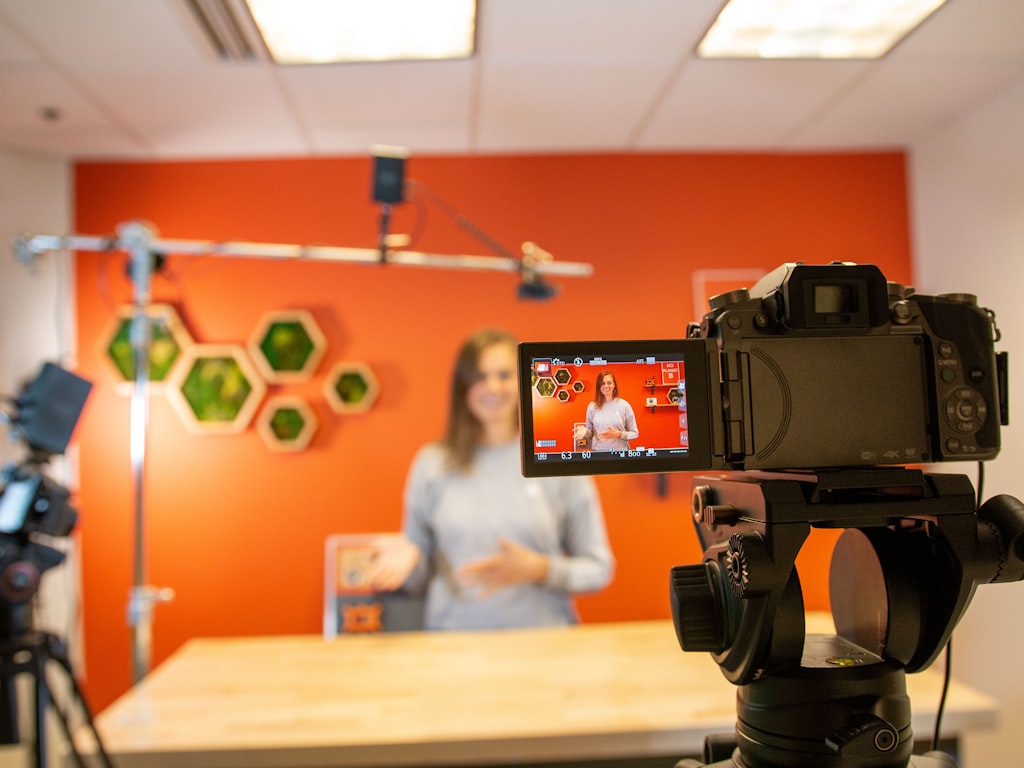
The fastest way to waste time on a product demo is to start with effects, voiceovers, and scene ideas before deciding what the video needs to accomplish. One measurable goal should drive the entire build. Pick the outcome first: product-page conversion rate, add-to-cart rate, lead capture, demo requests, bundle uptake, or a reduction in pre-purchase questions. Once that metric is fixed, every scene has a job.
This matters because one of the biggest documented mistakes in demo creation is jumping straight into visuals and voiceovers without a strategy. That warning is not theoretical. It shows up constantly in real e-commerce production: a team gets excited about a tool, generates beautiful clips, and then realizes the video never addressed why buyers hesitate. A strong demo answers questions in order. What is it? Who is it for? What problem does it solve? How does it work? Why trust it? What should I do next?
The easiest planning method is to map buyer questions to video sections before writing a script. If your product is a beauty tool, common questions might be skin type compatibility, visible result timeframe, battery life, and how to clean it. If it is consumer electronics, buyers may care about setup time, durability, compatibility, and feature differences versus alternatives. If it is a bundle, they may need to know what is included and whether buying together saves money. Those questions should become chapter points in the demo.
A simple workflow for sales and marketing alignment
This is where alignment between sales and marketing becomes a competitive advantage. Research on product demonstration videos points to a high-converting 6-step process and stresses getting teams set up correctly. A practical version for e-commerce looks like this: goal, audience, script, assets, generation, testing. Keep it that simple and force each step to produce one clear output.
Start with goal: choose the business metric. Then audience: define segment, traffic source, awareness level, and buying intent. Next script: write to objections and use cases, not just features. Then assets: list what already exists, including clips, stills, reviews, UGC, spec sheets, and packaging visuals. Generation comes next: decide what AI should enhance, animate, or create. Testing is last: choose the first comparison, such as static images versus video on a paid landing page.
Bring sales into the process early if the product has even a semi-consultative buying journey. They know the repeated objections, the phrasing buyers use, and where demos lose people. Marketing can turn that into clearer hooks, stronger sequencing, and tighter CTAs. This is especially important for ai video product demo ecommerce projects where speed can tempt teams to skip planning. A fast production cycle is only valuable if it is built around the right buyer questions and a measurable conversion target.
How to Create AI Video Product Demo Ecommerce Content That Converts
A step-by-step structure for product demo videos
A reliable product demo structure keeps teams from overproducing and underexplaining. The best working sequence for most e-commerce videos is: hook, problem, product in action, key features, proof, and call to action. This order mirrors how people evaluate a purchase when they are scrolling quickly but still need confidence.
Start with a hook in the first few seconds. Lead with the clearest value or most visible transformation. For a cleaning device, show the result immediately. For apparel, show fit and movement on body before anything else. For electronics, show the end state on a desk, in hand, or connected to the rest of the setup. The hook should answer, “Why should I care right now?”
Move into the problem. Name the friction the buyer already recognizes: cluttered counters, slow setup, poor fit, weak battery life, skin irritation, wasted space, or confusing workflows. Then show the product in action. This is where video consistently does work static images cannot do. One product demo case study reports landing page conversion jumped after a professional-looking demo video was added, and the takeaway was direct: video converted better than static images for that product demo scenario. Even without a cited percentage in the snippet, the lesson is practical—motion can communicate usefulness faster than stills when the demonstration is clear.
Then cover key features, but only in service of the buying decision. Do not list every spec. Show the 3 to 5 features that answer objections. Add proof next: review snippets, star ratings, “seen in” logos, quick UGC clips, or a short visual comparison. End with a clear CTA tied to the page goal: shop now, choose your size, compare bundles, start your trial, or request a demo.
Prompting and personalization tips that keep demos relevant
Prompting works better when it stays simple. One repeated AI video mistake is overcomplicating prompts, and that usually produces generic or unstable output. Give the model a product, environment, shot type, motion cue, and intended feeling. For example: “Close-up product demo of a matte black espresso grinder on a clean kitchen counter, morning light, slow push-in, show bean loading and grounds texture, premium but realistic.” Then refine from there.
Personalization matters just as much. Different traffic sources need different emphasis. Cold paid traffic may need problem-first framing. Branded search visitors may want feature comparison. Returning users may only need a shorter proof-led version. Match scripts to audience preferences and analytics instead of using one master cut everywhere.
Category-specific variants help a lot. Fashion demos should focus on movement, fit, fabric drape, and size context. Electronics should prioritize setup, compatibility, ports, sound, battery, or speed. Beauty should show texture, application, routine placement, and realistic result framing. SaaS-enabled commerce products need workflow clarity and outcome screenshots. Bundles should explain what is included, use order, and savings logic. If you are testing open-source approaches, tools connected to an open source transformer video model or even a niche option like happyhorse 1.0 ai video generation model open source transformer may be useful for prototyping, but the script and audience fit still determine whether the demo converts.
Best Formats for AI Video Product Demo Ecommerce Pages and Campaigns
Product page demos, landing page videos, and social cutdowns
Different placements need different demo behavior. On a product detail page, the video should answer immediate purchase questions quickly. Keep it tight, silent-friendly, and feature-forward. Show dimensions, use case, texture, installation, and outcome. A PDP demo often works best between 15 and 45 seconds, especially if the page already carries the rest of the product information.
Homepage hero video is different. It should sell category value and brand promise, not just one SKU. Use broader emotional framing and category cues there, then send visitors deeper into product-specific demos later. Paid ad landing pages need the most discipline because the video has to match the promise of the ad click. If the ad says “sets up in 60 seconds,” the demo should show setup immediately. If the ad focuses on “sensitive skin safe,” put routine and ingredient reassurance front and center.
Email embeds and marketplace listings also deserve attention. In email, use a thumbnail or GIF-style preview that clearly signals what the video explains. On marketplaces, adapt to the platform’s formatting rules and put the most differentiating visual in the opening seconds. A marketplace shopper often compares products side by side, so the video should surface the strongest distinction fast.
Social cutdowns should come from one core demo, not a separate production path. Pull a 6-second hook, a 15-second problem-solution edit, a creator-style explanation, and a square or vertical variant. That keeps message consistency while giving paid social and organic teams enough room to test.
When to use interactive demos instead of standard video
Standard linear video is enough when the product is straightforward and the main task is visual understanding. That includes apparel, home goods, personal care, basic electronics accessories, and many impulse or mid-consideration products. Interactive demos become more useful when the buying journey is complex, educational, or configurable.
That is why tools like Supademo have expanded beyond simple walkthroughs. Supademo says its interactive product demos are trusted by 200k+ businesses to drive revenue, adoption, and training. That combination matters. If a shopper needs to choose among plans, configurations, workflow paths, or implementation steps, interactive formats can adapt better than a fixed video. The same applies after purchase, where support, onboarding, and training all benefit from guided exploration.
Supademo’s Demo Agents also point to where this is going. They are described as operating 24/7 to discover, qualify buyers, and surface the right content in real time. For e-commerce teams selling configurable products, subscription flows, or software-connected physical products, that turns the demo from a static asset into a useful qualification layer. A smart operating model is to create one strong linear AI demo first, then repurpose it into interactive versions for sales enablement, onboarding, support, and post-click education.
Tools, Workflow, and Automation for AI Video Product Demo Ecommerce Teams
A lean production stack for faster demo output
A lean stack wins because every extra tool adds delay. Most teams only need five functions: scripting, visual generation or enhancement, editing, captions, and publishing. Keep the workflow simple enough that one person can move a concept from draft to testable asset in a day or two.
For scripting, use a shared document with a fixed template: hook, objection, demo sequence, proof, CTA. For visual generation, choose one primary route based on your assets. If you already have clips, use AI enhancement and editing first. If you have still images, pair design assets with a generator that can produce lightweight motion. Community workflows often mention combinations like CapCut, Midjourney, and an AI video generator for basic product demos, which is useful as a rough stack model even if every brand will customize the exact tools.
For teams exploring lower-cost experimentation, open-source options can be valuable, especially when control, privacy, or iteration speed matters. You may look at an open source ai video generation model, an image to video open source model, or an open source transformer video model depending on whether you need still-to-motion, short scene generation, or more technical flexibility. If you plan to run ai video model locally, check hardware requirements, model stability, and output consistency before building workflow assumptions around it. Also verify the open source ai model license commercial use terms carefully so your creative is safe for actual e-commerce deployment.
Using AI-assisted and interactive demo tools 24/7
AI video works best when it sits inside the broader commerce machine rather than as a one-off content experiment. Itransition’s 2026 AI use case data gives a good benchmark for that broader shift: marketing content generation is at 59%, predictive analytics at 50%, and dynamic code generation at 41%. That means video generation is arriving in an environment where AI is already helping teams plan, produce, analyze, and optimize across the funnel.
This is also why Deloitte’s Tech Trends 2026 framing matters. The shift is from experimentation to impact. For demo production, that means the workflow should connect content output to business metrics, not just asset volume. Build one master demo, then localize variants for language, audience, and channel. Test thumbnails, opening hooks, and CTA overlays. Refresh assets on a schedule tied to product updates, seasonal campaigns, or performance decline.
Always-on assistance is another layer worth using. Interactive demo systems and AI agents can keep serving product education after hours, when live sales coverage is thin. Supademo’s 24/7 Demo Agents are a strong example of this direction because they can discover, qualify buyers, and surface the right content in real time. For ai video product demo ecommerce teams, that makes the demo library more useful across landing pages, support centers, onboarding flows, and sales follow-up, all from the same core content engine.
How to Measure and Improve AI Video Product Demo Ecommerce Performance
Metrics to track after launch
Once the demo is live, track business performance first and engagement second. The most useful KPIs are video play rate, watch time, click-through rate, add-to-cart rate, conversion rate, demo completion, and assisted revenue. If the page goal is lead capture or demo requests instead of direct purchase, swap in form completion and qualified lead rate. Every metric should map back to the original objective selected before production.
Play rate tells you whether placement and thumbnail are doing their job. Watch time shows whether the opening seconds are relevant enough to keep attention. Click-through rate and add-to-cart rate reveal whether the video is moving users closer to purchase. Conversion rate is the ultimate page-level signal. Demo completion matters more for longer educational videos or interactive sequences, and assisted revenue helps show influence even when the final conversion happens later or elsewhere.
This is where the broader market shift from experimentation to impact becomes useful guidance. Deloitte’s 2026 trend framing argues that successful organizations are moving past experimentation and toward measurable impact. The same standard should apply here. Do not report that you produced twenty AI videos and call it progress. Report that the PDP version with a 22-second feature-first demo increased add-to-cart rate against the static control, or that the interactive version improved qualified demo requests for the configurable bundle page.
A testing plan for continuous conversion gains
A simple optimization loop will usually outperform sporadic redesigns. Start with one baseline comparison: AI demo versus static images, or new AI demo versus your prior demo version. Then test one variable at a time. Begin with the opening hook, because that affects play rate and watch time more than anything else. Next test length. Shorter is not always better; clearer is better. If the product needs explanation, a tighter 40-second demo may beat a vague 15-second cut.
Then test feature order. Put the strongest objection-killer earlier and see what happens. On some pages, showing ease of use first beats showing premium materials first. On others, proof may need to come before deeper feature explanation. CTA placement is another high-leverage variable. Some demos work best with a verbal or on-screen CTA near the end; others benefit from an earlier prompt once the core value is visible.
Audience-specific variants are where gains often compound. Build separate versions for paid cold traffic, branded traffic, returning visitors, and cart recoveries. For complex journeys, compare linear video against interactive demos to see which path actually drives more revenue or downstream adoption. Supademo’s positioning around revenue, adoption, and training is useful here because it reminds teams to measure beyond top-of-funnel views. If one version generates slightly lower watch time but materially better onboarding completion or support deflection, that may still be the stronger business asset. The best ai video product demo ecommerce workflow keeps that loop running continuously: launch, measure, compare, refine, repeat.
Conclusion

The strongest product demos are not the flashiest ones. They are the ones that answer buyer questions fast, show the product clearly, and remove friction before the click to buy. AI makes that process faster by helping teams improve existing footage, add context around current assets, or generate simple video sequences when speed matters most.
The smartest move is to stay selective. Start with a conversion goal, script around real objections, choose the lightest production path that can explain the product well, and then test against static images, older demos, and interactive formats. That is how AI video becomes a reliable part of the e-commerce engine instead of a creative side project.
If the demo helps shoppers understand what they are buying, why it fits their needs, and what to do next, it is doing its job. Keep that standard, keep measuring impact, and the gains tend to compound with every iteration.