 HappyHorse Model
AI Video Generation API Comparison: Pricing and Speed in 2026
AI video API costs can look similar on paper, but the real buying decision comes down to what you pay per usable clip, how fast jobs finish, and whether the API can keep up with your workflow. That gap between sticker price and actual production cost is where most teams get surprised. A vendor that looks cheap at first can get expensive once queue delays, retries, draft rerolls, and monthly caps start stacking up. If you are comparing tools for a product, agency pipeline, or internal automation, the smartest move is to benchmark cost, latency, and throughput together from day one.
AI video generation API pricing comparison: what buyers should measure first
Cost per generation vs monthly subscription
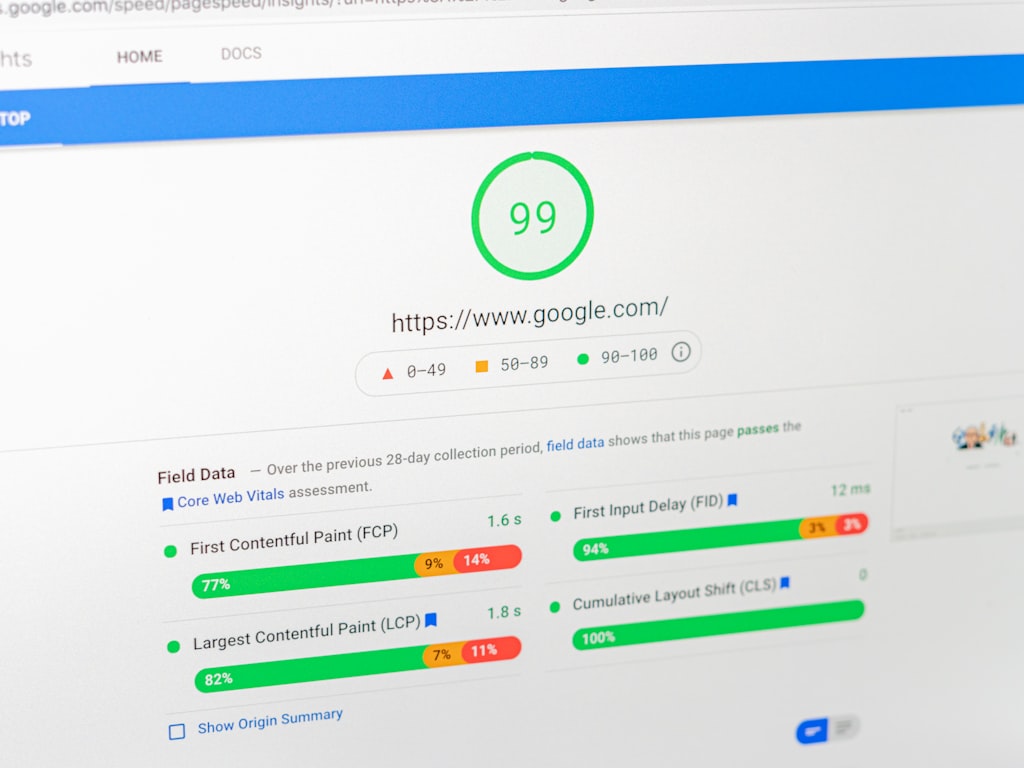
The fastest way to make sense of an ai video generation api pricing comparison is to separate two pricing models: per-generation API billing and creator-style monthly subscriptions. API billing is usually cleaner for product teams because every output has a direct unit cost. Subscriptions look simpler, but they can hide practical limits such as draft-only exports, capped generations, quality tiers, or soft throttles that affect actual output volume.
A useful benchmark here is Kling API pricing. Reported pricing puts Kling at $3.53 per generation, and that is about 50% more expensive than MiniMax. That makes Kling a solid mid-range reference point. It is not bargain-bin cheap, but it is also not sitting in the premium extreme. When I compare vendors, I like using Kling as the “middle lane” anchor: if another API costs much less, I ask what I am giving up in quality, consistency, or speed; if it costs much more, I want a very clear gain in usable output or turnaround.
Monthly subscriptions can work well for light usage, but they often create confusion because the plan page is designed for creators, not procurement teams. A “50 videos per month” plan may sound generous until you realize half of those clips are drafts, revisions, or failed prompts. Cost per generation is only part of the equation. Cost per accepted clip is what actually matters.
Speed, throughput, and queue time are part of total cost
Nominal pricing alone is misleading if the service cannot finish jobs quickly enough for your real workflow. A low-cost model that takes too long, rate-limits aggressively, or forces frequent retries can easily cost more in labor and missed turnaround than a pricier but smoother API. That is especially true when your team is generating many short variants for ads, product demos, or social creative testing.
The minimum comparison set should include five things: per-generation cost, monthly minimums, generation caps, output quality, and turnaround time. If one vendor is cheaper per clip but takes twice as long and queues jobs during peak hours, your effective cost rises because the team waits longer and reruns more work. If another vendor has a low monthly entry plan but weak throughput, it may still be unsuitable for production.
A simple shortlist framework saves engineering time before integration. First, estimate how many generations you expect each week. Second, define what counts as a usable output. Third, test average latency over multiple prompts, not one lucky run. Fourth, verify rate limits and concurrency. Fifth, calculate real cost using rerolls and rejected outputs. That process quickly tells you whether a tool belongs in prototype testing only, or whether it can handle a launch without becoming the bottleneck.
Pricing tiers side by side: cheapest entry points and mid-range options

Free plans and low-cost starting tiers
For low-cost testing, Luma Dream Machine remains one of the clearest entry points. Its free plan includes 8 draft-mode videos per month, which is enough to validate a basic workflow or compare prompt behavior without spending anything. The Lite plan costs $9.99 per month and raises the limit to 50 videos. That is attractive if you need a controlled way to test prompting, style consistency, or rough storyboards before moving to an API-first setup.
Those low-entry plans are useful, but they need context. Draft-mode outputs can be perfect for exploration and completely wrong for production. If you are building a tool where users expect client-ready exports, a free or Lite tier should be treated as a research sandbox, not as your long-term cost baseline. A lot of budget mistakes happen because teams extrapolate production economics from draft-mode quotas.
Community picks regularly mentioned for affordable testing include Kling AI, Runway ML, Pollo AI, and Leonardo AI. That repeated mention is useful as market signal, especially when you want to quickly build a shortlist of budget-aware options. I would still separate “good for trying” from “ready for shipping.” Community recommendations help identify tools worth testing, but they are not a substitute for measuring cost per accepted clip under your own prompts.
When low monthly pricing is actually enough
Low monthly pricing is enough when your workload is narrow and predictable. If you are prototyping a creative feature, preparing occasional client concepts, or validating whether users even want AI video in your app, a subscription can be more efficient than full API integration. You pay a small amount, generate enough samples to prove the use case, and avoid building engineering infrastructure too early.
The key is not to confuse creator-facing subscriptions with API-style pricing. Subscription pages are optimized around simplicity: monthly fee, total generations, maybe faster mode on higher tiers. API pricing is optimized around usage, limits, and integration behavior. If you are generating content manually a few times a week, creator plans can be plenty. If your app needs programmatic triggers, burst capacity, or reliable queue processing, subscription economics stop being the right lens.
For practical fit, I break it down like this. Prototyping: start with free plans and low-cost subscriptions such as Luma Lite, then test one mid-range API benchmark like Kling. Client work: use plans that support predictable output counts and fast enough iteration for revisions. Recurring app usage: move quickly into API-style pricing models and measure volume economics early. That distinction keeps you from choosing a tool because the landing page looks cheap, only to realize later that the production path is a different product entirely.
AI video generation API pricing comparison at scale: what happens when volume increases

Why subscriptions can get expensive fast
Scale changes everything. A subscription that feels harmless for experiments can become expensive the moment a team starts doing real creative iteration. Drafts become rerolls, rerolls become revisions, and revisions multiply again when stakeholders ask for alternate cuts. That is why every serious ai video generation api pricing comparison needs a scale scenario, not just a single-clip benchmark.
Reported subscription testing in 2026 shows how quickly monthly spend can rise: Higgsfield at $150.14, Google Flow at $249, Leonardo at $350.21, Freepik at $416.64, and Krea at $457.14. Those numbers are useful because they break the myth that subscription equals cheap. Once output volume grows, subscriptions can rival or exceed what many teams expect from direct API usage.
The reason is simple: subscriptions are often priced around ideal usage, not messy real workflows. In actual production, teams do not generate one clip and move on. They create version one, notice artifacting, reroll with a revised prompt, generate another length, test a different motion path, and then produce localized variants. The apparent monthly bargain disappears once every “final clip” actually takes multiple generations to reach approval.
How to estimate monthly spend before launch
A good prelaunch estimate uses low, medium, and high volume scenarios. For low volume, think of a small internal workflow or a side product that generates a few clips per day. Medium volume looks more like active client work or one app feature with regular usage. High volume means campaigns, user-generated requests, or automated content pipelines where generation runs all day.
The practical formula is straightforward: expected generations × average cost per usable output + rerun overhead + queue overhead. That phrase “usable output” matters. If a model produces one approved clip for every three generations, your effective clip cost is three times the nominal generation cost before you even account for delays. Then add a rerun factor for retries, failed prompts, and alternate versions. Finally add queue overhead if slow throughput forces jobs into peaks that extend turnaround.
Here is how to use it. Start with expected monthly generations. Multiply by the acceptance rate you observed in testing. If Kling is your benchmark at $3.53 per generation, and your workflow needs 2.5 generations on average to get one approved clip, your effective generation spend per accepted output is already much higher than the sticker price suggests. If the same workflow also triggers extra rerolls under client review, your spend climbs again.
This is why “cheap for testing” and “cheap at scale” are completely different labels. A tool can feel affordable when you are making five samples for yourself and become painful when a product team, a paid media team, and a client success team all depend on it at once. The more your workflow involves drafts, rerolls, and versioning, the more aggressively you should model volume before launch.
Speed comparison: turnaround time, rate limits, and throughput for production workflows

Why rate limits matter as much as price
When teams compare APIs, price gets most of the attention, but rate limits decide whether the workflow actually feels usable. If an API is inexpensive but imposes low RPM ceilings, weak concurrency, or inconsistent queue behavior, the bargain disappears the first time you push traffic through it. Throughput is what turns pricing into something operational.
That is why I treat rate limits, concurrency, and latency as core buying criteria. If your launch creates bursty demand, a low ceiling can jam the entire experience. Research on API rate limiting makes this point clearly: predictable throughput and quotas matter as much as nominal per-generation price. A service can be cost-efficient on paper and still fail your use case because jobs pile up at the exact moment users are most active.
The practical example from queueing discussions is a 15 RPM cap. That sounds manageable until you map it to actual requests. At 15 requests per minute, one spike in user activity can create a backlog almost immediately, especially if users expect near-real-time results. If your UX promises quick feedback, low RPM is not a minor technical detail; it is a product constraint.
Interactive generation vs batch generation
Different video tools serve different speed profiles. Interactive workflows need fast iteration: prompt, preview, adjust, repeat. Batch workflows can tolerate longer runs if the system can process larger jobs reliably in the background. Matching that profile to your use case is more important than chasing the lowest listed price.
Framepack is a great example of this tradeoff. It can generate up to 2 minutes of video in one shot, but it takes a while. That makes it less appealing for rapid creative iteration and much more sensible for “set it and walk away” production. If you are assembling long-form sequences overnight, that is a valid advantage. If you need ten ad variants before lunch, it is probably the wrong fit.
Here is a simple decision guide. Ad testing: favor low latency and higher concurrency because you will generate many short variations. Social content: prioritize acceptable speed plus reasonable cost, since volume tends to be moderate but iteration matters. Product demos: consistency and predictable turnaround are usually more important than the absolute cheapest clip. Long-form batch generation: slower systems can still win if they support bigger outputs and stable overnight throughput.
If you also evaluate an open source ai video generation model, speed becomes even more nuanced. Some teams use an image to video open source model or an open source transformer video model to avoid API costs, especially when they want to run ai video model locally. That can work, but local inference trades vendor queue time for your own infrastructure bottlenecks, hardware cost, and maintenance effort. Even promising options such as the happyhorse 1.0 ai video generation model open source transformer trend are only worth exploring if latency, GPU access, and the open source ai model license commercial use terms fit your deployment.
Best AI video API picks by use case: cheapest testing, fastest iteration, and balanced value

Best for prototypes and side projects
For prototypes and side projects, the best pick is usually the tool that gets you enough signal at the lowest commitment. Luma Dream Machine stands out here because the free plan offers 8 draft-mode videos per month, and the $9.99 Lite plan gives 50 videos. That is enough room to test prompting styles, rough motion ideas, and basic user flows without sinking real budget into a full integration.
If the goal is inexpensive exploration, I would also keep a shortlist of community-mentioned options like Runway ML, Pollo AI, Leonardo AI, and Kling AI. These are the names that repeatedly come up when people want affordable testing. The trick is to treat them as candidates, not assumptions. For a prototype, that is fine. You want to move quickly, compare output style, and see whether the product concept survives contact with actual generated video.
This is also the stage where local and open-source experiments can make sense. If you have in-house GPU capacity and a technical team comfortable with model ops, an open source ai video generation model or image to video open source model can be useful for feature validation. But I would only go down that path if you know exactly why you are doing it. For most prototypes, hosted tools get you to a yes-or-no answer much faster.
Best for teams that need balanced pricing and speed
For balanced value, Kling is one of the most useful reference points because the numbers are concrete. At $3.53 per generation, and about 50% more expensive than MiniMax, it lands in a practical middle ground. That makes it a strong baseline when you need to judge whether paying more actually buys you better usable output and whether paying less introduces too many compromises in quality or speed.
Teams that need balance should also widen the shortlist beyond the obvious creator tools. The broader 2026 vendor landscape includes FAL.AI, Replicate, OpenAI, Runway, and more, all relevant if you are buying for API integration rather than casual creation. This matters because procurement is rarely about one perfect model. It is usually about finding the best fit for your volume, latency target, and engineering stack.
A quick decision matrix helps. Lowest budget: start with Luma and budget-aware alternatives like Pollo AI or Runway ML, then confirm whether quality is sufficient. Fast iteration: prioritize vendors with better concurrency, clearer rate limits, and lower latency rather than the absolute lowest clip cost. Balanced pricing and speed: benchmark Kling against one cheaper option and one premium option. Heavy integration needs: shortlist API-oriented vendors such as FAL.AI, Replicate, OpenAI, and Runway based on auth, docs, throughput, and observability.
That is the practical shape of an ai video generation api pricing comparison that actually helps teams buy well. You are not just ranking vendors. You are matching them to use cases with realistic constraints: budget, acceptable latency, expected volume, and integration effort.
How to control AI video API costs and avoid slowdowns after integration
Queueing and retry strategies for rate-limited APIs
The easiest way to lose money after integration is to ignore queue design. If your vendor has meaningful rate caps, you need async processing from the start. A practical and proven setup is an async queue with Redis and BullMQ, which lets you accept requests immediately, schedule them within vendor limits, and process results without hammering the API.
That matters because even a modest cap like 15 RPM can reshape the whole user experience. If your app sends requests directly and users hit the service at the same time, you either fail requests or stall the interface. With a queue, you can smooth bursts, enforce retry logic, and give users accurate status updates. This is not just an engineering improvement. It directly affects cost because bad retry behavior can burn extra generations and turn temporary failures into duplicate work.
Retry policy should be explicit. Separate transport errors from generation failures. Use idempotency keys where possible. Back off progressively instead of instantly replaying failed jobs. Track how many retries each prompt triggers and roll that into your cost model. If a vendor looks cheap but your logs show constant backoffs and reruns, the real economics are worse than the plan page suggests.
A simple rollout plan for choosing the right vendor
A clean rollout plan saves months of rework. Start by testing 2 to 3 APIs in parallel. Do not use one prompt and call it done. Use a realistic batch of prompts that match your product: short ads, talking-head scenes, demos, motion graphics, whatever you actually need. Measure cost per accepted output, not just cost per attempt.
Next, record average latency, plus best-case and worst-case timing. Then compare rate limits, concurrency, and queue behavior under load. If one API is fast for a single request but collapses under a burst, that is a procurement problem, not a minor technical footnote. Also document monthly caps, export restrictions, and support responsiveness. These details matter once a workflow is live and deadlines are real.
The buyer checklist I keep is simple:
- Is pricing transparent at the per-generation level?
- Are monthly caps and draft-mode limitations clearly documented?
- What does a retry cost, and how often do retries happen?
- What are the RPM, concurrency, and burst limits?
- How does the API behave when the queue backs up?
- Can support actually help when production traffic starts scaling?
If you are also comparing API vendors with self-hosted options, add one more line: does the open source ai model license commercial use actually permit your product scenario? That single legal detail can matter more than any benchmark. The same goes for whether you can realistically run ai video model locally without crippling throughput or overbuying hardware. Open-source models and hosted APIs can both be excellent choices, but the cheaper-looking path is only cheaper if your ops burden stays under control.
The best buying decisions come from measured workflows, not plan-page optimism. Test a few tools, queue everything properly, and make cost-per-usable-clip your north star. That is how you avoid getting trapped by low entry pricing or slow production behavior later.
Conclusion

The best AI video generation API is the one that matches your actual priority. If you want the lowest entry cost, Luma Dream Machine is an easy place to start with 8 free draft-mode videos per month and a $9.99 Lite plan for 50 videos. If you need a balanced midpoint, Kling’s $3.53 per generation gives you a practical benchmark because it sits in the middle of the market and is about 50% more expensive than MiniMax. If you care most about throughput and operational reliability, rate limits, queue behavior, and concurrency should drive the decision at least as much as clip price.
The main lesson from any solid ai video generation api pricing comparison is that list price is not the same as production cost. Usable output rate, rerolls, queue delays, and monthly caps change the economics fast. Subscriptions can work beautifully for testing and small creative workflows, but scale can push monthly spend much higher than expected, as the reported 2026 subscription results show with tools like Higgsfield, Google Flow, Leonardo, Freepik, and Krea.
Pick 2 to 3 vendors, test them on your real prompts, measure cost per accepted clip, and stress-test the workflow under actual load. That process will tell you very quickly whether you need the cheapest testing option, the fastest iteration engine, or the best balance of pricing and throughput for scale.