 HappyHorse Model
The Complete AI Video Production Workflow in 2026
In 2026, the fastest AI video teams are not chasing one-click magic—they are building structured, repeatable workflows that turn scripts into publish-ready videos with fewer handoffs and better control.
What the ai video production workflow 2026 looks like now
Why AI video is now workflow-first
The big change in 2026 is simple: AI video has stopped being judged by demos and started being judged by production reliability. A March 12, 2026 report syndicated through Bluffton Today / EIN Presswire described the market as becoming “more structured, more selective, and less experimental,” and that lines up exactly with what is happening in real production. The question is no longer whether a model can generate a flashy clip. The real question is whether the output is stable enough for internal review, whether the workflow supports revision without waste, and whether a team can repeat the process every week without rebuilding it from scratch.
That shift matters because most video work is not a single prompt. It is a chain of decisions: who the video is for, what it needs to say, how scenes are split, what voice is used, what visual style stays consistent, and how the final asset gets exported across channels. Teams care about consistency, fewer tool switches, and review-ready drafts far more than novelty. If the first cut looks impressive but breaks brand style, mispronounces product names, or falls apart when resized for vertical, it is not a production tool. It is a toy.
The 6-stage production model teams actually use
The practical model most teams use now has six stages: planning, scripting, scene generation, voice and visuals, refinement, and export/distribution. The planning stage locks the objective, audience, runtime, and publishing channel. The scripting stage turns that into scene-friendly copy. Scene generation handles the first draft, often from pasted text with automatic scene splitting. Then voice and visuals get upgraded with better narration, avatars, image-to-video shots, stock, or product imagery. Refinement is where pacing, branding, subtitles, transitions, and accuracy are cleaned up. Export and distribution package the same master into channel-specific versions.
This workflow-first mindset also matches the fastest script-to-video path now common across tools. Several practical guides point to the same pattern: paste text into an AI video generator and let it auto-split scenes. One tutorial even frames the process as converting a script to video in six minutes with Synthesia, while another describes pasting the script, adjusting a couple of parameters, and getting a full generated video in minutes. The speed is real, but the real advantage is structure. Once the process is fixed, iteration gets faster every week.
That is why the strongest ai video production workflow 2026 is built like an assembly line, not a casino. One stage feeds the next. Each decision reduces cleanup later. When you think in workflow terms instead of single-tool terms, it becomes much easier to produce explainers, training modules, campaign assets, and YouTube videos with consistent quality.
Step 1: Plan the video brief and script for an ai video production workflow 2026
How to write scripts that AI tools can turn into scenes quickly
The fastest way to speed up production is to slow down for ten minutes at the brief stage. Before generating anything, lock six items: goal, audience, runtime, style, CTA, and distribution channel. A good brief can be as short as one page. Example: Goal: book demo calls. Audience: IT managers at mid-size companies. Runtime: 75 seconds. Style: clean product explainer with screen callouts. CTA: schedule a walkthrough. Channel: LinkedIn paid plus sales email embed. That single setup decision changes scene length, voice style, text density, aspect ratio, and how aggressively you sell.
Once the brief is set, script-to-video becomes the fastest path because current tools can auto-split pasted text into scenes. That means your script should be written for scene generation, not for a human editor reading a long block. Keep each scene to one idea. Use short paragraphs of one to three lines. Add visual cues inside brackets so the generator has direction, such as [dashboard close-up], [customer using mobile app], or [on-screen statistic]. If a phrase must appear as text, mark it clearly with a cue like ONSCREEN: Cut reporting time by 42%.
A reliable scripting template looks like this:
Hook: one sharp problem or outcome in the first 5 seconds
Context: who this is for and what they are dealing with
Solution: what the product, process, or lesson changes
Proof: feature, example, metric, or demonstration
CTA: one next action only
For short-form ads, write 6 to 8 scenes at 5 to 8 seconds each. For product demos, use 8 to 12 scenes with explicit screen moments and labels. For internal training, keep modules between 60 and 120 seconds and script in lesson blocks: objective, action, warning, recap. For YouTube explainers, write a stronger hook, open loops early, and place visual changes every 4 to 7 seconds to avoid static pacing.
The best formats for explainers, training, and marketing videos
Some formats convert to AI scenes better than others. Explainers work best when each scene answers one question: what is it, why now, how it works, what to do next. Training videos work best with command-style narration and clear onscreen steps, for example: “Open the settings panel. Select team permissions. Toggle reviewer access.” Marketing videos need shorter narration, stronger visuals, and more explicit CTA moments.
A practical scene-friendly scripting format is:
Scene 1: Problem hook
Scene 2: Why the old way fails
Scene 3: Introduce the product or workflow
Scene 4: Show it in action
Scene 5: Highlight the result
Scene 6: CTA
When writing narration, keep sentence length tighter than normal. Aim for spoken lines that land in 2 to 4 seconds. If a sentence runs long, split it into two scenes. Add pronunciation notes for product names and acronyms before the voice pass. Mark emphasis with capitals sparingly and use punctuation to control pacing. A line like “Three updates. One dashboard. Zero manual chasing.” will cut better than a long paragraph with the same meaning.
The best scripts in an ai video production workflow 2026 are not just persuasive. They are mechanically easy for tools to parse. That means fewer generation mistakes, cleaner scene boundaries, and much less cleanup later.
Step 2: Build the first cut with script-to-video and scene auto-assembly
How to go from script to first draft in minutes
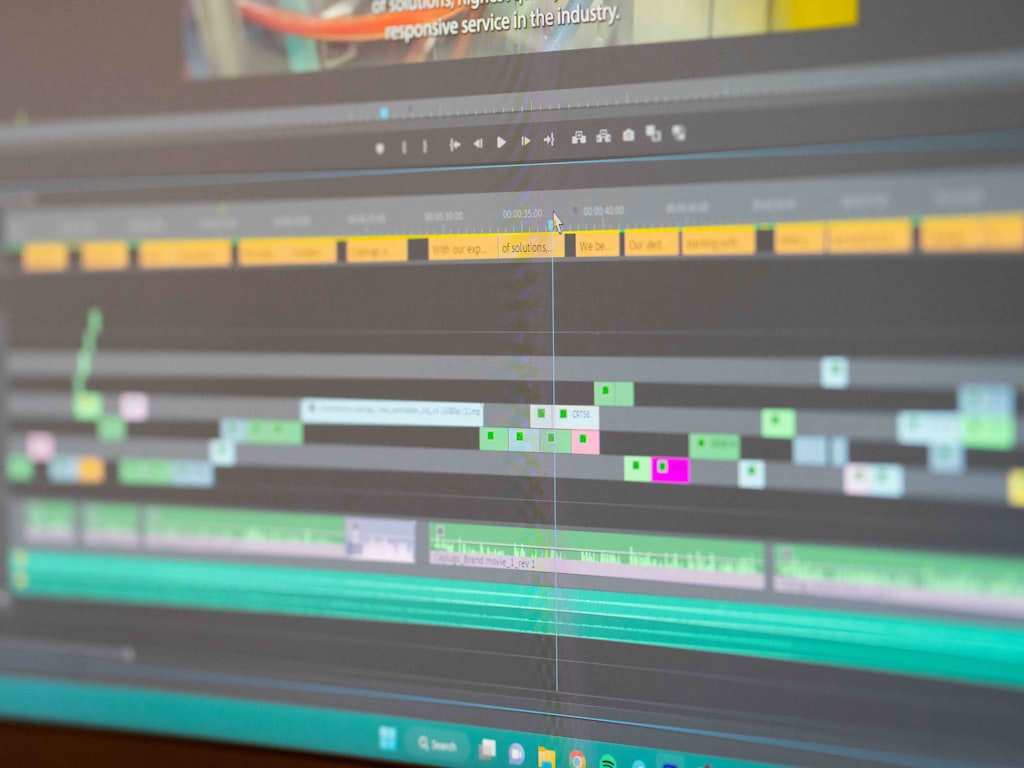
The first cut should be fast and disposable. Paste the script into your chosen platform, let it auto-create scenes, and then spend your time adjusting structure instead of manually building a timeline from zero. This follows the same pattern highlighted in multiple script-to-video tutorials: text in, scenes auto-split, video out in minutes. That speed matters because first drafts are for checking flow, not for final polish.
Start by importing the full script and reviewing how the platform split scenes. Most tools will over-segment dense copy and under-segment broad statements, so fix that immediately. Merge scenes that feel choppy. Split scenes carrying more than one visual idea. Then check default scene duration against narration length. A common problem is visuals changing too quickly for the voice, especially when the generator builds around text blocks instead of spoken pacing. Add one or two extra seconds where product screens, process diagrams, or CTA frames need reading time.
Next, choose the visual assembly method that fits the project instead of forcing one style across everything. If the video is instructional, an avatar-led format often wins because it keeps delivery clear and stable. That is why Synthesia-style outputs still work well for training, onboarding, compliance, and internal explainers. If the video is broader and more visual, stock-driven assembly like the InVideo AI approach can generate a fast rough cut for YouTube, sales enablement, or social content. If brand control matters more than speed, image-to-video is usually better because it starts from approved stills, product shots, storyboard frames, or key art.
When to use avatar video, stock-driven generation, or image-to-video
Use avatar video when a consistent presenter matters more than cinematic motion. Great fit: internal training, onboarding, HR updates, product tutorials, multilingual sales enablement. Use stock-driven generation when the goal is speed, range, and decent coverage without much custom art direction. Great fit: quick explainers, list videos, first-pass campaign concepts, and top-of-funnel content. Use image-to-video when framing, products, or characters must stay controlled across scenes. Great fit: e-commerce, branded ads, app walkthroughs, founder stories, and product explainers where random stock clips make the message feel generic.
A useful first-draft review checklist catches the mistakes that waste the most time later:
- Is the pacing natural when heard aloud?
- Does each scene actually match the narration?
- Are there repeated stock motifs or duplicate camera moves?
- Do colors, logos, and typography feel on-brand?
- Are product claims shown accurately?
- Is there enough visual variety every 4 to 8 seconds?
For social clips, prioritize bold hooks and visual rhythm. For YouTube videos, make sure the first 30 seconds promise a payoff. For e-commerce, product visibility should beat abstract motion every time. For sales enablement, clarity beats style. The goal of the first cut is not beauty. It is structural confidence: the story works, the scene order works, and the visuals are close enough that refinement is worth doing.
Step 3: Choose the right tool stack instead of forcing one platform to do everything
A practical multi-tool pipeline for production
The most effective teams in 2026 are much less interested in finding one tool that does everything. That shift shows up repeatedly in workflow discussions. One creator noted after a month of testing that they no longer look for a single platform and now rely on a workflow. Another YouTube-based process lays it out clearly: build the video in InVideo AI, replace the voice with ElevenLabs, polish before export, then move into optimization tools like VidIQ for the upload stage. That assembly-line logic is exactly why production is getting faster.
A practical pipeline looks like this:
- Planning and script: Docs, Notion, or your internal template
- First assembly: InVideo AI, Synthesia, or another script-to-video editor
- Voice replacement: ElevenLabs or your preferred TTS for pronunciation and tone control
- Visual upgrades: image-to-video tool, stock replacement, product screenshots, or brand assets
- Polish: subtitles, timing, transitions, logo checks, CTA overlays
- Optimization and upload: title, thumbnail, metadata, variants, scheduling
This split works because each tool usually has one job it does better than the others. Assembly tools are good at auto-building scenes. Voice platforms are better at emotional control and voice consistency. Image-to-video tools are better when you need directed motion from approved frames. Optimization platforms help after the video is already solid.
Where open source AI video models fit into the workflow
Open models can fit into this pipeline, but they work best when control matters enough to justify complexity. If you need a highly directed visual style, an open source ai video generation model may be useful for R&D, custom scene creation, or internal experimentation before content enters the main production lane. The same is true for an image to video open source model when you want to animate product stills, concept frames, or character images under tighter control than a hosted app allows.
There is growing interest around terms like open source transformer video model, happyhorse 1.0 ai video generation model open source transformer, and the broader question of whether to run ai video model locally. The answer usually comes down to three factors: speed, control, and legal clarity. Hosted tools win on speed and team usability. Local or self-managed models win when you need more customization, data privacy, or model-level experimentation. But local deployment adds setup overhead, hardware cost, and maintenance responsibility.
For commercial teams, use a simple decision framework:
- Choose hosted tools when turnaround time, ease of use, and collaboration matter most.
- Choose local or open workflows when you need model customization, internal security, or unique visual outputs that hosted tools cannot deliver.
- Check licensing first before using any model commercially. The phrase open source ai model license commercial use should be on your checklist, not buried in legal cleanup later.
The strongest ai video production workflow 2026 usually mixes both worlds. Hosted platforms handle repeatable production. Open tools handle edge cases, advanced control, or experiments worth operationalizing later.
Step 4: Refine visuals, voice, and motion for control and consistency
How to improve output with image-to-video and directed edits
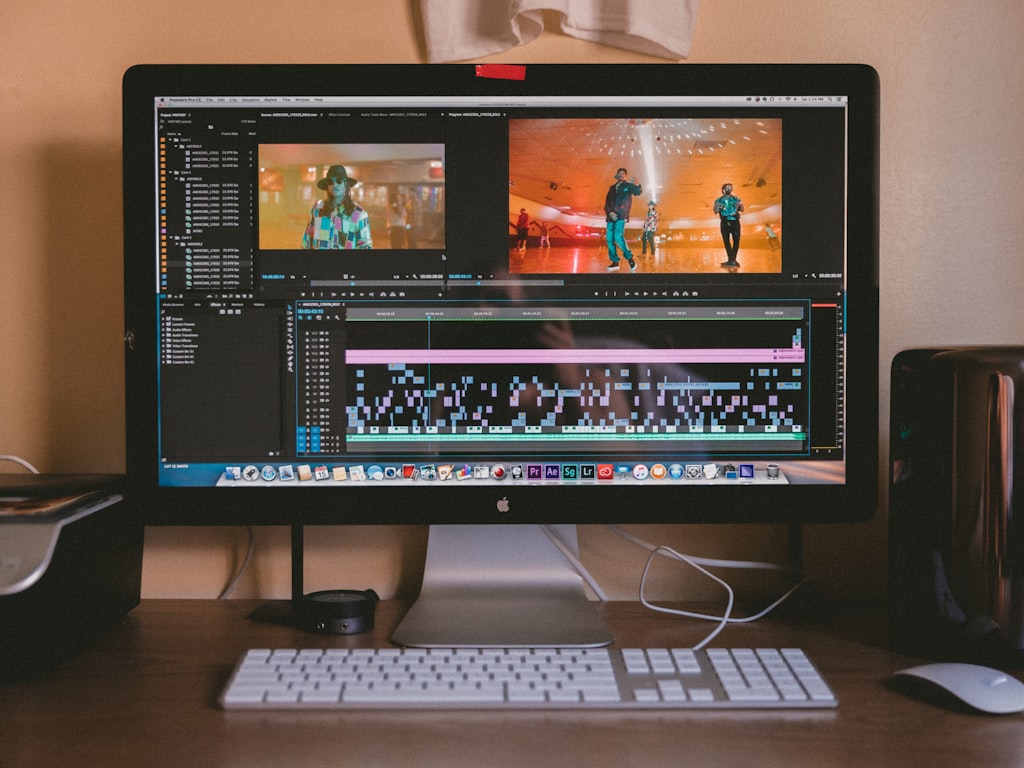
Refinement is where professional output separates itself from a flashy draft. The 2026 workflow trend is not just about speed; it is about stable outputs, stronger review readiness, and more control. The Bluffton Today / EIN Presswire report specifically highlighted refinement and control through image-to-video, and that tracks with real production experience. Pure prompt generation is still useful, but it is often too unstable for products, branded characters, packaging, UI flows, and client review rounds.
Image-to-video methods are often the cleanest way to lock style. Start from approved stills: product photography, interface screenshots, storyboard frames, key visuals, or branded illustrations. Then animate those assets with controlled motion rather than asking a generator to invent everything from scratch. This keeps product framing consistent, preserves logo integrity, and reduces character drift across scenes. If you need a sequence showing a product from multiple angles, generate from a base set of images instead of trying to prompt continuity into existence.
Directed edits also matter on the voice side. Swap in a cleaner narration pass if the default voice feels flat or mispronounces terms. Add pronunciation dictionaries for product names, industry jargon, and acronyms. If your video is multilingual, generate one locked master cut first and then replace the audio and subtitles per market rather than rebuilding scenes from zero.
The review checklist for brand-safe AI video
A practical polish checklist should cover every review point likely to trigger revisions:
- Voice tone matches the audience and use case
- Product names, acronyms, and names are pronounced correctly
- Subtitle timing is readable and aligned to speech
- On-screen text is short enough to absorb in time
- Scene transitions are consistent and not distracting
- Visual style stays coherent across the full runtime
- Logos appear correctly and at approved sizes
- CTAs are visible, specific, and placed at the right moments
- Product shots, screenshots, and workflows are accurate
- Any claims, stats, or regulated language are verified manually
Human review still matters most in four places: client approvals, branded content, product accuracy, and training materials. If a video teaches a process, every click path should be checked by someone who actually uses the system. If a video sells a product, every feature shown should exist in the current release. If a video uses a customer story or metric, proof needs to be in the source file before export.
This is also the stage where weak drafts become review-ready. Replace repetitive stock clips. Trim dead air between statements. Add a little motion hierarchy so not every scene moves the same way. If one section drags, shorten the narration instead of forcing more visuals. The goal is not to “make it AI.” The goal is to make it trustworthy, branded, and clean enough that approvals move quickly.
Step 5: Export, optimize, and scale the ai video production workflow 2026 for real use

How to prepare one video for multiple channels
Once the master is approved, the fastest teams scale by repackaging, not restarting. Export the core video in widescreen first, then create vertical and square variants from the same project. Reframe shots manually where needed, because auto-cropping still misses logos, faces, and UI details too often. Build captioned and non-captioned versions. Then create cutdowns: 60-second, 30-second, 15-second, and 6-second variants depending on the campaign.
Every channel needs slightly different packaging. YouTube wants a stronger opening hook, custom thumbnail, chapter-ready structure, and metadata that supports search. LinkedIn needs cleaner framing, immediate value, and readable burned-in captions because many views start muted. Paid social needs faster visual turnover and more obvious CTA overlays. E-commerce product pages need product-first visuals and clearer proof points than broad brand storytelling.
AI video is especially useful here because one source asset can branch into many variants quickly. That is why realistic ad creation is becoming a practical marketing workflow rather than just a demo feature. Tagshop AI has been cited for generating realistic AI ads for campaigns, and GoEnhance AI has been described as helping turn images and creative ideas into video content for storytelling, production, and campaign development. The key is not just generation speed. It is the ability to produce campaign-ready versions with enough consistency to pass internal review.
A repeatable workflow for marketing, e-commerce, and YouTube teams
A reliable publishing checklist keeps scale from turning into chaos:
- Final filename and versioning are standardized
- Aspect ratios exported: 16:9, 9:16, and 1:1 where needed
- Captions reviewed in every export
- Metadata written per platform
- Thumbnail variants created and named clearly
- CTA overlays matched to campaign destination
- Voice swaps generated for target markets or personas
- Variant tests labeled by hook, CTA, or opening visual
- Handoff notes included for media buyers, sales teams, or channel managers
For marketing teams, a weekly operating rhythm works well: brief on Monday, script on Tuesday, first cut on Wednesday, refinement and approvals on Thursday, exports and channel packaging on Friday. For e-commerce teams, tie the process to product launches and promotional windows, using one master product narrative and multiple offer-led cutdowns. For YouTube teams, start with idea and topic, move quickly into script creation, then use AI for hooks, thumbnails, and first assembly before polishing the final upload package.
The best part of a repeatable system is that every project improves the next one. Save your best briefs. Keep scene templates by use case. Store approved voice settings, subtitle styles, CTA overlays, and export presets. Build a small internal library of product images and reusable b-roll references for image-to-video sequences. Once those building blocks are in place, the ai video production workflow 2026 becomes a weekly machine: brief, script, first cut, refine, approve, export, repurpose.
Conclusion
The strongest AI video workflows in 2026 are not built around one magical prompt or one all-in-one platform. They are built around a repeatable system that starts with a sharp brief, moves quickly through script-to-video assembly, adds the right voice and visual tools, and then tightens everything through refinement and review.
That is why the teams moving fastest are also making better videos. They script first, generate fast, refine with control, and use specialized tools where each one actually helps. Some projects stay entirely in hosted platforms. Others pull in an open source ai video generation model, an image to video open source model, or a local setup when control, privacy, or customization justifies it. The deciding factor is not hype. It is whether the workflow stays stable, efficient, and commercially safe.
If you want a system that scales, keep it simple: brief, script, first cut, refine, approve, export, and repurpose. Run that every week, keep improving the templates, and the production process gets faster without losing quality. That is what the best AI video teams are doing now, and it is why a real ai video production workflow 2026 looks much more like a disciplined production pipeline than a one-click experiment.