 HappyHorse Model
Who Owns AI-Generated Video? Copyright and Legal Status Explained
If you make videos with AI, the biggest legal mistake is assuming commercial use, monetization, and copyright ownership all mean the same thing.
They do not. You can have a video that is usable in a paid campaign but not fully copyrightable. You can also have a video that includes protectable editing, narration, and sequencing you created yourself, while the raw AI shots underneath remain legally shaky. That gap matters for YouTube revenue, ad approvals, client contracts, and whether you can stop someone else from reusing the same output.
The current U.S. framework is centered on one simple issue: human authorship. The U.S. Copyright Office has repeatedly taken the position that content created entirely by AI without human authorship is generally not eligible for copyright protection. Secondary legal summaries echo the same rule: if a work is solely generated by AI and lacks human authorship, there is no copyright protection. The same guidance also says outputs generated solely from text prompts, regardless of complexity, are generally not protected under current law.
For creators, that means you need to separate three questions every time you publish: can I use it, can I monetize it, and do I actually own copyright in it? Once you start treating those as separate checkboxes, your decisions get a lot safer.
AI Generated Video Copyright Ownership: The Basic Rule You Need to Know
When AI-only video usually has no copyright
The basic U.S. rule is more straightforward than most people expect: if a video is created entirely by AI, with no meaningful human authorship in the actual expressive output, it is generally not eligible for copyright protection. That position tracks the U.S. Copyright Office guidance summarized in legal breakdowns such as Who Owns AI-Generated Content? A Legal Breakdown for Businesses and Who Owns the Copyright to AI-Generated Works?, both of which state that AI-only output without human authorship is not protected.
For video creators, this means a fully generated clip from a text-to-video tool is often the weakest possible ownership scenario. If you typed a prompt, clicked generate, and exported the result, the practical legal view in the U.S. is usually that there is no copyright in the raw output itself. That can feel strange because the file exists, you made the account, and you paid for the credits. But copyright is not the same as possession or access. Having the file does not automatically mean the law gives you exclusive rights over it.
That matters when you want to license a video to a client, register a work, or stop a competitor from reposting a generated sequence. If the underlying clip lacks copyright protection, your leverage may be limited to contract terms, platform rules, watermarking, or rights in added human-created elements.
Why prompts alone usually do not create ownership
A lot of creators assume detailed prompting equals authorship. Current guidance cuts against that assumption. The Copyright Office position reflected in the research notes says outputs generated solely from prompts, “regardless of complexity,” are generally not protected under current law. In plain terms, writing a brilliant prompt is usually not enough by itself to establish copyright ownership in the resulting video.
Think about it practically. A prompt can describe what you want, but the model still makes the expressive decisions that shape the final frames: composition, motion, pacing, transitions, texture, and visual details. If the system, rather than you, determines those expressive elements, the law usually sees the output as lacking the required human authorship.
This is exactly why prompt logs are useful for workflow and reproducibility, but they are not a magic ownership receipt. Keep them, but do not rely on them as your main legal foundation.
The U.S. human authorship rule in plain English
Here is the plain-English version: U.S. copyright protects human creativity, not machine-generated expression standing alone. So if the machine made the video and you only requested it, the finished video is generally not copyrightable. If you then reshape that output through original human creative choices, the parts you added may become protectable.
That distinction is the foundation of ai generated video copyright ownership. You may be able to use an AI video under the tool’s license, and you may even monetize it, but still not legally own copyright in the final raw output. That is the real rule creators need to internalize before they post, sell, or promise exclusivity.
When You Can Claim AI Generated Video Copyright Ownership After Editing

What counts as meaningful human creative input
The strongest ownership claims usually appear after substantial human editing, not at the prompt stage. The research notes point to a key rule: if you modify AI-generated content and those changes meet a fairly low originality threshold, you may be able to claim copyright in the human-authored modifications.
“Meaningful” input does not require Hollywood-level complexity. It requires creative choices you actually made yourself. That can include selecting which generated shots to keep, rewriting the story structure, changing timing for dramatic effect, building a visual sequence, adding original narration, or compositing multiple sources into a new final work. What matters is that your contribution reflects judgment and originality, not just routine cleanup.
If you generate ten clips and manually build a 30-second ad from the best fragments, your curation and arrangement may matter. If you also write the script, record the voiceover, design the sound bed, and edit movement beats around product reveals, your claim gets much stronger because the final expression increasingly reflects your decisions rather than the model’s default output.
Copyright in edits vs. copyright in the whole video
This is where many creators overclaim. You may own copyright in your edited contributions without owning copyright in the underlying raw AI footage. Those are different layers.
Say you start with four AI-generated establishing shots. By themselves, those shots may be uncopyrightable. But if you combine them with your own script, voiceover, hand-built transitions, original music cues, color choices, timing decisions, and end-card graphics, the edited package may contain protectable authorship in those human-created portions. You own the original arrangement and additions, not necessarily the machine-generated source footage standing alone.
For client work, that distinction should appear in contracts. If you promise “full ownership of the video,” define what that means. A better clause often says the client receives rights in the human-authored edit, script, voiceover, graphics, and project assembly, subject to any limitations tied to AI-generated source assets and platform terms.
Examples of protectable human contributions
Use examples that are easy to prove later. Original scriptwriting is one of the cleanest. Manual scene selection and ordering is another, especially when you choose clips to create narrative momentum rather than just dropping them in a timeline. Custom editing also matters: reframing, trimming for rhythm, split-screen compositing, animated callouts, motion overlays, lower thirds, subtitles you wrote, and a branded ending sequence.
Voice work is especially useful. If you record your own narration or direct a licensed voice actor, that adds a strong human-authored layer. The same goes for original sound design: custom hits, transitions, ambient builds, and beat-based sync points you created manually. Timing decisions can be protectable too when they contribute creative structure.
A practical way to think about ai generated video copyright ownership is this: the more the final video depends on your hands, ears, and judgment after generation, the stronger your claim becomes. The less you do beyond prompting and exporting, the weaker it gets.
Commercial Use vs. AI Generated Video Copyright Ownership: What Is Actually Different?
Why copyrightability and licensing are separate issues
A video’s copyright status and your right to use it commercially are separate legal questions. This is where most confusion starts. A video can be non-copyrightable under U.S. authorship rules and still be usable in business if the tool license permits commercial use and the video does not infringe anyone else’s rights.
The research notes specifically flag this distinction. Sources discussing AI product videos and commercial legality explain that generated content is not automatically copyright-free in the sense of risk-free, but it may still be legally safe for commercial use if licensing terms are followed and unlicensed assets are avoided. That is the key difference: copyrightability determines whether there is exclusive ownership protection; licensing determines whether you are allowed to use the output.
When a video may be usable commercially even without copyright
Here is the practical result. You can sometimes run an AI-generated promo in an ad campaign even if the raw output itself is not fully copyrightable. If the platform terms say paid use is allowed, and you did not include infringing inputs or restricted assets, commercial use may be permitted.
That does not mean the video is automatically safe. Commercial safety depends on what is inside the video. If your sequence includes unlicensed music, recognizable trademarks, a celebrity lookalike, copied stock footage, or a face used without consent, your risk comes from those rights issues, not just from AI. This is why some creators get comfortable too early after seeing “commercial use allowed” on a pricing page. That phrase is only step one.
The role of platform and tool terms
Always read the actual terms for the AI platform or model you used. Look for ownership language, commercial-use rights, sublicensing restrictions, indemnity clauses, and whether the provider reserves rights in outputs. Check whether enterprise plans offer stronger protections than consumer plans. Some tools allow broad use of outputs but limit resale of standalone generated assets. Others may restrict certain categories like political content, biometric uses, or high-risk industries.
This is especially important if you use an open source ai video generation model, an image to video open source model, or you run ai video model locally instead of using a hosted platform. Local use feels more private, but licensing can be more complex. Review the model license, bundled checkpoints, sample assets, and any attached usage restrictions. Search specifically for open source ai model license commercial use terms, because “open source” does not automatically mean unrestricted commercial deployment. If you are experimenting with something like the happyhorse 1.0 ai video generation model open source transformer, an open source transformer video model, or any GitHub-released checkpoint, check the license for the weights, not just the code repository.
How to Check Who Owns an AI Video Before You Publish, Sell, or License It
A rights checklist for creators and agencies
Before you publish anything important, run a quick rights audit. First, identify the exact AI tool, model, or workflow used. Do not write “made with AI” in your records; write the specific platform, version, and plan level. Rights can differ across free, pro, API, and enterprise tiers.
Second, confirm the output license. Look for whether the provider grants commercial-use rights, whether ownership language is broad or narrow, and whether there are restrictions on sublicensing or resale. Third, list every source asset you uploaded: images, logos, footage, audio, voice samples, and reference files. If any input was not yours or not properly licensed, your finished video can inherit that problem.
Fourth, separate human-created elements from machine-generated elements. Label the script, timeline structure, narration, graphics, sound design, and manual edits. If you ever need to explain ownership to a client or a lawyer, this separation saves time immediately.
Questions to ask about source assets and model licenses
Ask very direct questions. Did I upload a copyrighted photo I do not own? Did I use stock footage outside the license scope? Did I include a logo I have no permission to animate? Did I train or prompt against a protected character or brand look? Did I use a cloned voice with consent? Did I include music that only covered personal use?
If you used local or open models, go deeper. Review the license for the model weights, not just the interface. Check whether the dataset terms impose downstream restrictions. Confirm whether bundled audio, example clips, LoRAs, style packs, or fine-tunes have separate licenses. A model may be free to download while a packaged asset inside the workflow is not free for ads or client delivery.
This matters a lot when working with an image to video open source model or a newer open source transformer video model, because creators often combine multiple components from different repositories. The legal status of your final video can depend on the weakest licensed piece in that chain.
What to document for clients and internal records
Documentation is your friend when ownership is partial rather than absolute. Keep prompt history, but also keep edit history, timeline files, exports, script drafts, voiceover session files, layer comps, and source licenses. If several people worked on the piece, identify contributor roles clearly: who wrote the script, who selected scenes, who edited timing, who recorded audio, and who cleared third-party assets.
For agency and freelance work, create a delivery memo that states: tools used, source assets used, licenses confirmed, human-authored elements included, and known limitations related to AI-generated footage. If a client later asks whether they “own everything,” you can answer precisely instead of vaguely.
For stronger ai generated video copyright ownership claims, save evidence of human creative decisions. Version histories showing how you transformed the raw output are often more valuable than the raw output itself.
AI Generated Video Copyright Ownership for YouTube, Ads, and Client Work
Can AI-assisted videos be monetized?
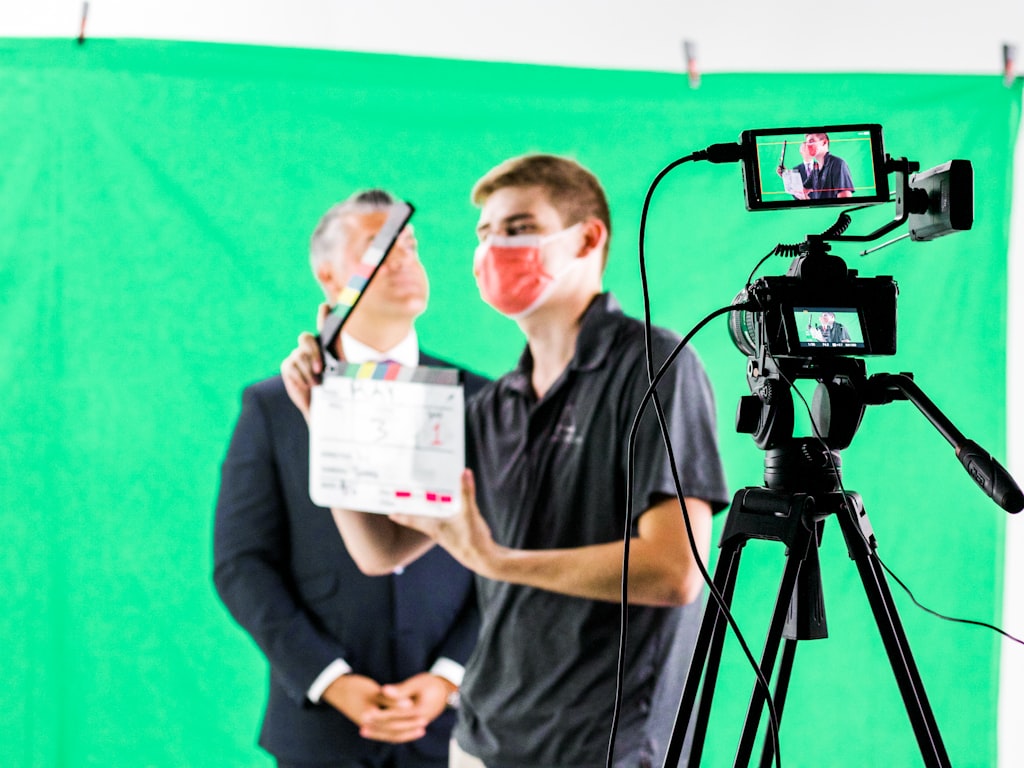
Usually yes, but monetization is not the same as copyright ownership. The research notes indicate that AI-assisted videos can often be monetized, especially on creator platforms, as long as they comply with platform policies and do not include infringing material. In practice, YouTube revenue usually turns more on rights clearance, reused-content issues, and policy compliance than on the mere fact that AI was involved.
That means an AI-assisted explainer with your script, your voiceover, and licensed music may be easier to monetize than a fully generated montage containing questionable assets. The safer path is to make the video clearly your production rather than a raw machine output.
What brands and clients usually care about most
Clients rarely obsess over abstract authorship doctrine first. They usually care about four practical things: can we use this in ads, can someone sue us, can competitors copy it, and what happens if a platform flags it? Your answers should map to those concerns.
For branded work, review music rights first. Then check stock licenses, voice rights, likeness rights, trademark visibility, and disclosure rules if the platform or campaign type requires them. If a generated spokesperson resembles a real person, get cautious fast. If your ad includes a synthetic voice based on a real speaker, confirm consent. If the visuals mimic a known brand identity or copyrighted character, stop and reassess before launch.
Common legal red flags before publishing
Watch for common red flags: “royalty-free” music with no ad license, stock subscriptions that do not allow client transfer, user-uploaded reference images with no written rights, cloned voices without releases, or AI clips built from prompts that intentionally imitate a protected franchise or celebrity. Another red flag is overpromising exclusivity. If the raw generated footage may not be copyrightable, promising “exclusive ownership of every visual element” can create contract trouble.
Client-facing agreements should define ownership carefully. A practical clause can state that the client receives rights in the human-authored edit, script, narration, graphics, and original production elements, subject to limitations in third-party licenses and AI tool terms. Also assign responsibility for client-supplied materials. If the client sends logos, photos, or product footage, the contract should say they warrant they have the right to provide those assets.
For YouTube, paid ads, and client delivery alike, the safest question is not “Was AI used?” but “Are all rights cleared, and what exactly is protectable?”
Best Practices to Strengthen AI Generated Video Copyright Ownership Claims
How to add enough human authorship
If you want a stronger claim, build the project so your creativity is visible in the final result. Start with an original script instead of relying on generic prompts. Direct the structure intentionally: opening hook, scene order, transitions, pacing, and ending CTA. Combine multiple assets creatively rather than publishing a single untouched generated clip. Record original audio whenever possible, whether that is narration, dialogue, or custom sound design.
Editing is where you can add the most defensible authorship. Make deliberate shot selections, cut to rhythm, layer on-screen text, design motion graphics, composite scenes, and shape emotional timing manually. Even small projects benefit from this. A 20-second product ad with your script, original voiceover, branded typography, and hand-timed scene changes is in a much better position than a one-click export.
How to avoid the biggest ownership mistakes
The biggest mistake is relying on prompts alone. Current guidance says outputs generated solely from prompts, regardless of complexity, are generally not protected under current law. So do not assume a 300-word cinematic prompt gives you ownership. It usually does not.
The second mistake is assuming the AI platform automatically transfers full copyright in every output. Some tools grant broad usage rights, but that is not the same thing as saying the output is fully copyrightable. Read the terms and match your promises to what they actually say.
The third mistake is forgetting third-party rights. A video can be legally weak because of music, logos, stock restrictions, likenesses, or disputed source material even when the AI tool itself looks fine. This is especially easy to miss when you run ai video model locally, because there is no hosted platform interface reminding you about licenses. If you work with an open source ai video generation model, create your own checklist and review every dependency manually.
A simple workflow for safer publishing
Use a repeatable release workflow. First, review the tool or model terms and confirm commercial-use permissions. Second, clear every source asset: music, voices, stock, logos, reference images, and uploaded media. Third, document the human-authored parts of the project: script, edit structure, narration, sound design, compositing, and graphics. Fourth, keep project files, prompts, and version history so you can prove your process later. Fifth, write accurate client or internal notes describing what rights you actually control.
That final step is what keeps expectations realistic. Claim ownership over the protectable human creativity you added. Do not claim more than you can support. That is the most practical way to strengthen ai generated video copyright ownership without stepping into legal fiction.
AI video is incredibly useful, but the safest rule of thumb is simple: you usually own the human creativity you add, while the raw AI-generated output itself may not be fully copyrightable. When you separate ownership from licensing, document your edits, and clear every third-party asset, you can publish, monetize, and deliver work with a lot more confidence.