 HappyHorse Model
AI Video Prompting Guide: Write Better Prompts for Better Videos
The fastest way to improve an AI-generated video is not buying a new tool, stacking more credits, or hunting for a magic preset. It is writing better prompts. That sounds obvious until you notice how much quality changes when you reorder a sentence, remove a second action, or finally specify the camera move instead of hoping the model “gets it.” The difference between muddy output and a clip you can actually use often comes down to prompt structure, not luck.
That is why solid ai video prompting guide tips matter so much. Video models are powerful, but they are also literal in strange places and unpredictable in others. Some systems weigh the earliest words more heavily. Some default to generic camera behavior if you do not define motion. Some produce better results when you lock the core subject first and only then experiment with mood, lighting, and pace. If you have ever typed a great-sounding prompt and still gotten a weird result, you have already run into those limits.
A practical workflow fixes that. Start with the subject and action, define the camera, add environment and lighting, then refine style. Keep each prompt focused on one clear event. Use more descriptive words where the model benefits from detail, especially for cinematography, color grade, and lighting, as Adobe’s text-to-video guidance recommends. Cut filler language. Skip “please” and “thank you.” They do not help the render, and they waste precious tokens and attention.
This guide is built around the details that actually move output quality. It covers the mechanics behind clearer prompts, the parts of a prompt that deserve the most attention, and the habits that consistently save credits. Whether you are testing a commercial platform, exploring an open source ai video generation model, trying an image to video open source model, or planning to run ai video model locally, the same principles apply: clarity first, specificity second, iteration always.
Understanding ai video prompting guide tips
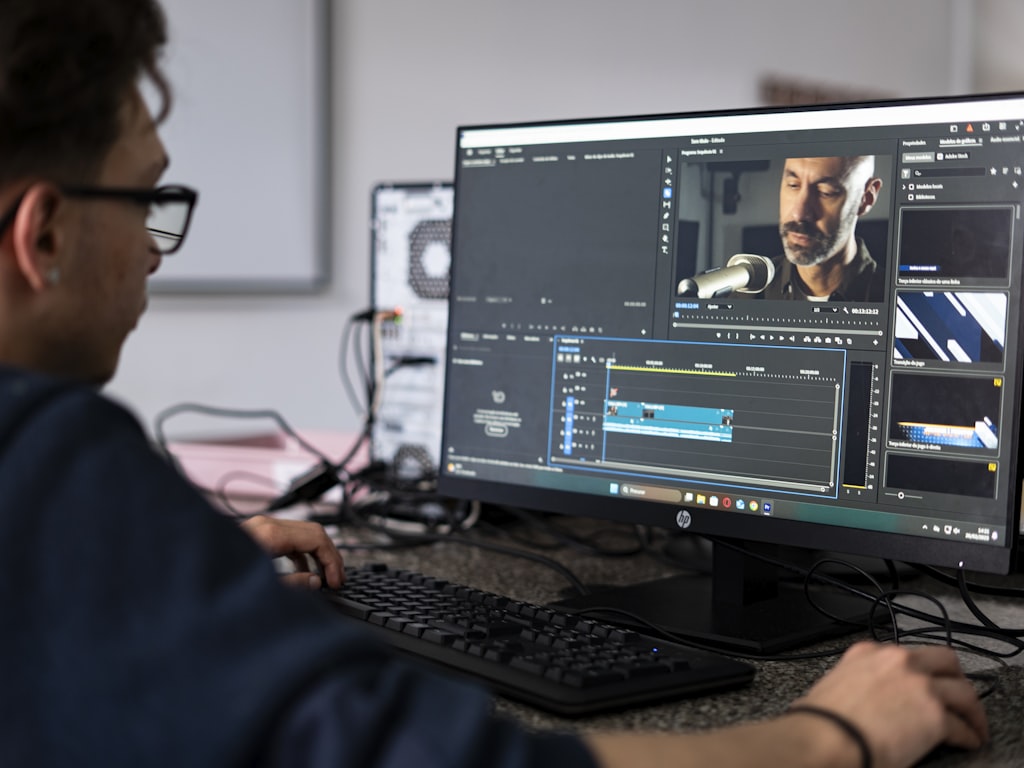
Good prompting starts with understanding that video models do not read like human collaborators. They do not infer intent reliably from vibe alone. They map words to visual probabilities, motion patterns, and style cues. That means the order, precision, and scope of your prompt directly influence the output. One of the strongest practical observations from creators using Veo 3 is that early words carry more weight. If the first phrase says “a woman in a red coat sprinting through neon rain,” the model latches onto that much more strongly than if the key subject appears halfway through a long sentence. Front-load the most important information.
That single adjustment solves a surprising number of failures. Put the subject first, then the action, then the context. For example: “A weathered fisherman pulls in a silver net at sunrise on a foggy harbor, static medium shot, cool blue color grade.” That structure is stronger than beginning with style fluff like “cinematic, beautiful, emotional” and only later revealing what is happening. If the model has limited attention or weighted emphasis, it should spend that attention on the thing you cannot afford to lose.
Another proven rule is to lock down the “what” before iterating on the “how.” Creators who reduced wasted generations often started with a bare-bones prompt that confirmed the scene itself worked: subject, setting, action. Once that result was stable, they iterated on lens choice, lighting, color palette, and mood. This is a much cheaper way to work than trying to solve narrative content and visual treatment in one giant prompt. If the model cannot consistently generate the right event, changing the grade from teal-orange to desaturated noir will not save it.
A related best practice is one action per prompt. When a prompt asks for too much—“the character walks to the window, opens it, smiles, then turns to the camera while birds fly past and the camera cranes upward”—the model has to guess what matters most. Often it blends actions awkwardly or compresses them into an unnatural clip. A cleaner prompt gives the model one primary motion: “A young woman opens a wooden window and pauses as morning light falls across her face, slow dolly in.” If you need the next action, generate a second shot.
Specificity matters most in the areas models usually guess wrong. Adobe’s guidance for text-to-video and image-to-video is to use as many words as possible when being specific about lighting, cinematography, and color grade. That does not mean wordy prompts are always better. It means targeted detail works. “Backlit golden-hour haze, shallow depth of field, handheld close-up, warm Kodak-style grade” is useful. “Make it amazing and very cinematic and cool-looking” is not. The first gives the model concrete visual handles. The second is empty praise language.
Camera motion is one of the most common omissions, and it causes avoidable problems. One prompt guide focused on common AI video mistakes warns that when you do not specify camera movement, the model guesses—and usually guesses wrong. That is why phrases like “static shot,” “slow dolly in,” “locked-off wide shot,” “gentle pan left,” or “overhead crane down” should become routine. If you want a still, composed look, say so. If you want energy, define it. Camera motion is not decoration; it changes the feel of the entire clip.
Prompting also improves when you remove unnecessary human niceties and ambiguity. A beginner prompting guide calls out “being too polite” as a common mistake. Video models do not need social softeners. “Please create a nice video of…” is weaker than direct instruction. The same goes for vague words such as “interesting,” “dramatic,” or “beautiful” without visual anchors. If you mean dramatic, specify “hard side lighting, deep shadows, low-angle camera, slow push-in.” Ambiguity invites random interpretation.
This understanding becomes even more important when you move beyond closed tools. If you are exploring a happyhorse 1.0 ai video generation model open source transformer or another open source transformer video model, prompt discipline matters because you may not have as many hidden optimizations smoothing over weak instructions. The same is true when testing an image to video open source model from a still frame or trying to run ai video model locally on constrained hardware. Clear prompts lower the number of retries, and fewer retries save time, compute, and money.
The big takeaway is simple: video prompting is not about sounding creative. It is about translating your visual intent into ordered, concrete production language. When the prompt clearly defines subject, action, camera, environment, and treatment, the model has a much better chance of giving you footage worth editing.
Key Aspects of AI Video Prompting Guide: Write Better Prompts for Better Videos

Strong prompts usually contain the same core ingredients, and each one pulls a different part of the output into focus. The first is the subject. Name exactly who or what the shot is about. Do not say “a person” if you mean “an elderly chef with flour on his apron.” Do not say “an animal” if you mean “a black horse running through shallow surf.” The more precisely the subject is defined, the more stable the generation becomes. If the subject is the emotional anchor of the shot, make that detail impossible to miss in the opening words.
The second key aspect is the action. Video is motion, so the prompt must identify the main movement. This is where the “one action per prompt” rule becomes extremely useful. Pick the dominant event and build around it: pouring coffee, opening a gate, turning toward the camera, stepping into rain, lifting a lantern. If two actions are equally important, they probably belong in two separate shots. This is how you keep motion readable and avoid the smeared, indecisive transitions that happen when a prompt tries to stage an entire scene in one clip.
Third is the environment. Backgrounds are not filler. They influence lighting, mood, scale, and color. “In a narrow Tokyo alley with wet pavement and glowing signs” gives the model far more to work with than “outside at night.” Environment also helps with physical logic. If a character is running, are they in a wheat field, on a subway platform, through a hospital corridor, across rooftop gravel? Those differences change texture, motion cues, and composition. A strong prompt makes the world visible, not just the subject.
Fourth is camera language. This is where many prompts level up from decent to professional. A lot of creators know what they want emotionally but never name the shot. Do that directly. Specify shot size: wide, medium, close-up, macro, overhead. Specify movement: static, handheld, dolly in, tracking shot, pan, tilt, crane. Specify perspective where relevant: low angle, eye level, top-down, over-the-shoulder. One of the most common prompt mistakes documented in AI video guidance is omitting camera motion. If you do not define it, you surrender control over pacing and composition.
Fifth is lighting. Adobe’s prompt advice specifically highlights lighting as an area where more detailed wording improves results. Lighting should be concrete: soft morning window light, harsh fluorescent office lighting, rim-lit silhouette at dusk, moody candlelight with flickering shadows, overcast daylight with muted contrast. When the light source and quality are clear, the model can better resolve facial detail, texture, atmosphere, and tone. Lighting also works as a shortcut to genre. The difference between glossy commercial footage and gritty thriller imagery often starts with the light description.
Sixth is color and grade. Instead of generic words like “cool style,” describe the palette and finish: warm amber highlights with deep teal shadows, desaturated gray-blue palette, high-contrast monochrome, pastel spring colors, vintage film print look, crisp modern commercial grade. Adobe’s recommendation to be specific about color grade is especially valuable because video models respond well to these visual anchors. If the clip feels wrong emotionally, the palette may be underdefined even when the subject is correct.
Seventh is style reference without overload. Prompt builders who create more controlled visual results often organize prompts as layered building blocks rather than long rambles. Subject, action, environment, camera, light, color, style. That modular approach is close to the visual prompt frameworks many creative practitioners use in production documents. It also helps when iterating because you can swap one block at a time. If the framing is good but the mood is off, change only the lighting and grade section. If the look is right but the motion is wrong, rewrite only the action and camera line.
This modular approach is useful across closed and open systems. If you are testing an open source ai video generation model, structure helps isolate what the model understands well. If you are comparing outputs from a happyhorse 1.0 ai video generation model open source transformer against another open source transformer video model, using a consistent prompt framework makes side-by-side evaluation much easier. If one model respects camera moves but struggles with color treatment, you will spot that faster when the prompt components are standardized.
Another key aspect is scope control. Many weak prompts are not “bad ideas”; they are overloaded instructions. Common AI prompting mistake lists repeatedly mention ambiguity and overly complex instructions. A prompt can be visually rich without being conceptually crowded. Good scope means the model knows the priority of the shot. For example: “A boxer sits alone in a locker room, wrapping his hands, static medium close-up, flickering fluorescent light, muted desaturated palette.” Every part supports one clear visual purpose. There is no conflict between action, setting, and camera intent.
Finally, there is iteration strategy. Great prompting is usually a sequence, not a single masterstroke. Start by proving the shot exists. Then refine shot size. Then add camera move. Then improve light. Then tune grade and atmosphere. This is how experienced users cut generation costs and reduce frustration. It also matters when you run ai video model locally, because long trial-and-error cycles eat up GPU time. The better your iteration logic, the less compute you waste. And if you are checking an open source ai model license commercial use before adopting a workflow for paid projects, this kind of disciplined testing helps you evaluate quality and viability before you commit.
Practical Tips for ai video prompting guide tips
The easiest way to improve your next prompt is to use a repeatable template. A simple working structure is: subject + action + setting + camera + lighting + color/style. For example: “A young ceramic artist shapes a bowl on a pottery wheel in a sunlit studio, slow dolly in, soft side window light, warm earthy tones, natural documentary style.” That single line tells the model what to show, where it happens, how the camera behaves, and what visual finish you want. If a result fails, you can edit one part instead of rewriting the whole thing.
Start every prompt with the non-negotiable element. If the shot must contain a red motorcycle skidding on a wet bridge, those words should come first. This follows the practical finding that Veo 3 weighs earlier words more heavily. A weak version would be: “Cinematic rainy night with dramatic motion and cool reflections, a red motorcycle on a bridge.” A stronger version is: “A red motorcycle skids across a wet suspension bridge at night, low tracking shot, neon reflections, dramatic rain.” Same idea, better prioritization.
Use one clip for one action. If you need a sequence, write a shot list, not a mega-prompt. For example:
- Shot 1: “A detective pushes open a frosted glass office door, static medium shot, dim tungsten light.”
- Shot 2: “The detective steps into the smoke-filled room and scans the desks, slow pan right, noir shadows.”
- Shot 3: “Close-up of the detective’s eyes narrowing as a desk lamp flickers, slow push-in.”
This method is cleaner, more editable, and much more consistent than asking for all three beats in one generation. It also mirrors how editors think: build scenes from shots, not from one impossible all-in-one clip.
Always specify camera motion, even if the motion is none. This is one of the most actionable ai video prompting guide tips because it fixes a common source of random-looking output. “Static shot” gives you control. “Handheld close-up” creates urgency. “Slow dolly in” adds drama without chaos. “Locked-off wide shot” feels observational. If you do not define movement, the model often invents one, and the result can feel floaty or artificial. A camera note is small, but it changes the entire clip.
Be explicit about cinematography. Adobe’s guidance says to use as many words as possible to be specific about lighting, cinematography, and color grade. That means naming the lens feel and visual finish when relevant. Try additions like “shallow depth of field,” “anamorphic lens flare,” “soft diffusion,” “high shutter crisp motion,” “macro detail shot,” or “documentary handheld realism.” These details are not fluff. They anchor the visual language in a way generic mood words cannot.
Cut empty politeness and filler. “Please make a very awesome video of” adds no useful signal. So do stacked adjectives with no visual definition: “beautiful, epic, stunning, incredible.” Replace them with observable traits. Instead of “epic,” write “vast mountain valley at dawn, tiny lone figure in frame, ultra-wide shot.” Instead of “beautiful,” write “soft backlight through cherry blossoms, pastel pink highlights, gentle breeze.” The model can render concrete features. It cannot reliably render praise.
When a prompt fails, diagnose systematically. If the subject is wrong, shorten the prompt and move the subject to the first clause. If the action is wrong, simplify to one motion verb. If the camera feels off, replace vague phrases with standard shot language. If the look is bland, add lighting direction and a color palette. If the scene is too chaotic, remove secondary objects. A practical prompt workflow is not just writing better prompts; it is identifying which prompt component caused the miss.
Image-to-video workflows need even tighter prompting. When using an image to video open source model, the starting frame already locks some visual information, so the prompt should focus more on motion and camera behavior than on re-describing every visible element. Example: “The woman turns slowly toward the window as curtains move in the breeze, subtle push-in, soft morning light.” If you keep restating details already visible in the source image, you may dilute the motion instruction that matters most.
If you work with open models, build a small benchmark set. Use ten prompts with the same structure and compare how each system handles subjects, motion, light, and consistency. This is especially helpful when comparing an open source ai video generation model to a commercial tool, or when evaluating an open source transformer video model for production. Include one portrait close-up, one landscape wide shot, one action shot, one dialogue-style reaction shot, and one image-to-video test. Consistent prompts reveal real model behavior.
Local workflows benefit from stricter prompt discipline because every failed generation costs time and hardware cycles. If you plan to run ai video model locally, save prompt versions and note what changed. Even a plain text file with labels like v1_subject-lock, v2_camera-fix, v3_grade-warm can speed up testing dramatically. This is also where license checks matter. Before building client work around a model, verify the open source ai model license commercial use terms. Great output is not enough if the license blocks monetization or redistribution.
Finally, keep a “prompt parts” library. Save camera phrases, lighting phrases, texture cues, and grade descriptions that consistently work. A few examples:
- Camera: static medium shot, slow dolly in, low-angle tracking shot, overhead locked-off shot
- Lighting: soft overcast daylight, hard noon sun, flickering fluorescent light, golden-hour rim light
- Color: desaturated cool palette, rich amber highlights, pastel spring tones, gritty gray-green grade
- Atmosphere: drifting dust, light rain mist, steam rising, floating pollen
That library turns prompting from guesswork into assembly. And once prompting feels like assembly, quality gets repeatable.
Conclusion
Better AI video starts with better instructions. Not longer instructions by default, not more dramatic wording, and not endless style references piled into a single sentence. The strongest prompts are clear about the subject, focused on one action, and precise about camera, lighting, and color. They give the model a shot to understand your intent before randomness takes over. That is the practical core of every reliable workflow: define what matters most, state it early, and refine from there.
Several patterns keep showing up because they work. Front-load important details, especially when using systems where early words appear to carry more weight, such as creators have observed with Veo 3. Lock down the “what” before refining the “how.” Keep one action per prompt instead of cramming a mini screenplay into one generation. Specify camera motion every time, because if you leave it blank, the model often invents movement that weakens the shot. Use detailed wording for lighting, cinematography, and color grade, as Adobe recommends for text-to-video and image-to-video prompts. Remove fluff. Replace praise words with visual terms.
That combination is what turns prompting into a controllable craft. A prompt like “A pastry chef dusts powdered sugar over fresh croissants in a bright bakery, static close-up, soft morning window light, warm cream and golden-brown palette” gives the model almost everything it needs. It knows the subject, the motion, the setting, the framing, the light, and the finish. Compare that to a vague instruction like “Make a cinematic bakery scene.” One is directable. The other is hopeful.
The same logic scales across different tools and workflows. If you are using a commercial model, these habits save credits. If you are comparing a happyhorse 1.0 ai video generation model open source transformer to another open source ai video generation model, structured prompts make quality differences visible faster. If you are testing an image to video open source model, precise motion language helps the still frame come alive without losing coherence. If you plan to run ai video model locally, disciplined iteration reduces wasted compute and speeds up testing. And if you are preparing for paid work, checking the open source ai model license commercial use terms early prevents ugly surprises after you build a pipeline around a model.
The biggest shift is mental: stop thinking of prompts as casual requests and start thinking of them as shot directions. Use production language. Name the lens feel. Name the camera move. Name the light source. Name the palette. Separate complex sequences into individual shots. Save prompt variants and build a library of reusable parts. Once you do that, results get more stable because your process gets more stable.
The most useful ai video prompting guide tips are not glamorous, but they are reliable: put the key idea first, simplify the action, define the camera, describe the light, control the grade, and iterate in layers. Those steps consistently produce better footage than vague creativity alone. The more you treat prompting like pre-production, the more your outputs start looking like intentional video instead of random animation.
If a clip misses, the answer is usually not “the model is bad.” More often, the prompt asked for too much, hid the main subject too late, forgot the camera move, or used mood words where concrete visual language was needed. Fix those points first. When the foundation is strong, even basic prompts start producing cleaner, more usable shots.
That is the real payoff: fewer failed generations, more predictable footage, and a workflow you can trust. Strong prompting does not remove experimentation. It makes experimentation worthwhile. You spend less time fighting the model and more time shaping images into scenes. And that is where AI video starts getting genuinely fun.