 HappyHorse Model
AI Video vs Traditional Video Production: Cost and Time Breakdown
If you need video content fast, the real question is not whether AI is cheaper in theory, but where AI actually saves money and where traditional production still earns its higher price.
AI Video vs Traditional Video Production Cost: The Numbers That Matter

Typical traditional video production costs
Traditional video production still starts with a very real floor. A common benchmark is about $1,000 to $5,000 per video once you factor in a videographer, editor, and basic equipment rental, according to LongStories.ai. That range usually fits straightforward business videos, simple promos, interviews, or short branded pieces with a modest scope. If you are planning even a small shoot, this is the range to use for your first-pass budget, not the fantasy number someone gives you before crew, edit time, and revisions show up.
Costs climb fast when quality expectations rise. LTX Studio cites traditional production at roughly $1,000 to $50,000 per minute for premium work. That upper tier usually means larger crews, lighting packages, location fees, makeup, talent, art direction, multiple shoot days, and more advanced post-production. If you want cinematic footage, custom motion graphics, or a polished brand film with a clear creative direction, the price gap between “simple video” and “premium production” gets big very quickly.
Editing labor is another place budgets expand quietly. Research benchmarks put entry-level editing around $25 to $50 per hour or $150 to $400 per video, while mid-level editing runs $50 to $100 per hour or $400 to $1,200 per video. That matters because edits are rarely one-and-done. If your team gives scattered feedback, changes the script after filming, or needs multiple versions for different channels, those hours stack up fast.
Typical AI video generation costs
AI pricing looks dramatically lower at first glance. Genra.ai reports roughly $0.50 to $5.00 per clip, depending on the model, resolution, and duration. Some market comparisons place AI video generation around $0.50 to $30 per minute, which is why so many platforms advertise massive savings versus crews, cameras, and editing teams.
That lower base price is real for the right kind of work. If you are using text-to-video, blog-to-video, AI avatars, automated captions, voice cloning, or scene generation, AI can turn scripts and assets into usable first drafts at a tiny fraction of shoot-day costs. It gets even more attractive when you need volume: social cutdowns, alternate versions, quick explainer drafts, or rapid paid-ad variants.
Why headline savings can be misleading
The catch is that ai video vs traditional video production cost comparisons often stop at the tool price and ignore workflow costs. A platform might generate a clip cheaply, but your actual spend includes prompting, regenerating weak outputs, reviewing variations, fixing awkward timing, and cleaning up brand issues before anything ships.
A real-world example makes this clear: one creator reported a 5-minute AI video costing $150 on a perfect first pass, but averaging $600 after four generations. Over three weeks, that pushed monthly content creation to $2,400. That is still often cheaper than a custom shoot, but it is nowhere near “basically free.”
The practical takeaway is simple: compare total output cost, not sticker price. For ai video vs traditional video production cost, the useful question is not “What does one render cost?” but “What does one approved, publishable video cost after revisions?” That number is what your budget will actually feel.
Time Comparison: How Fast AI Video and Traditional Production Actually Move
Traditional production timeline from planning to final edit
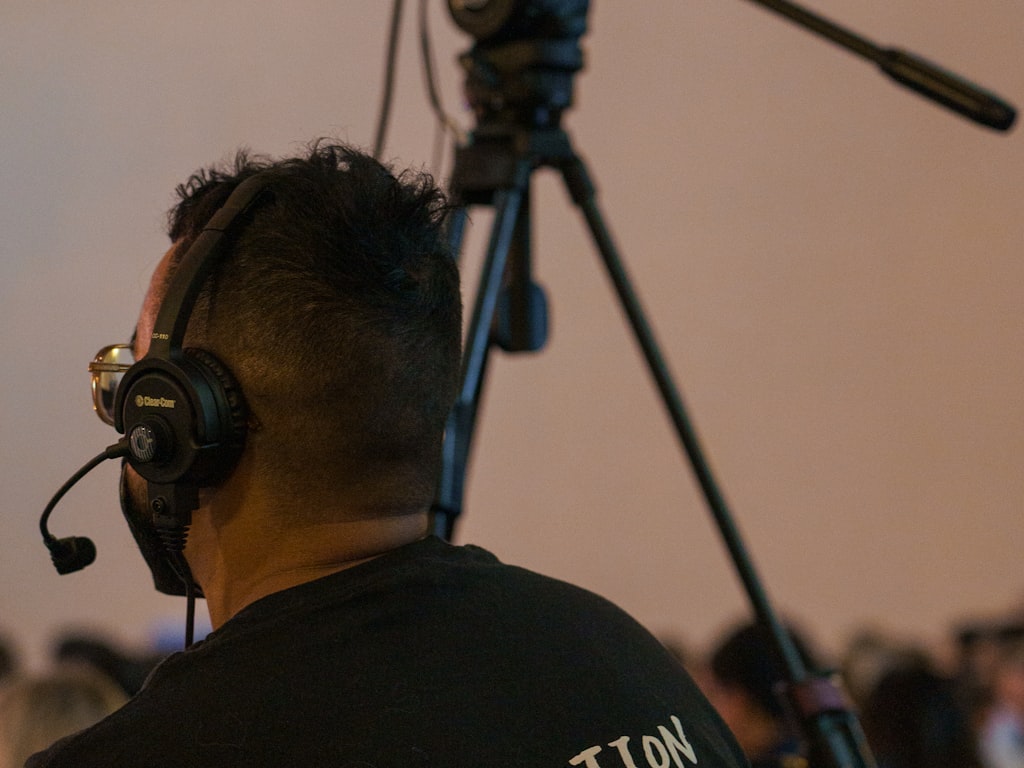
Traditional production moves in stages, and every stage adds time. Pre-production usually includes concepting, scriptwriting, shot lists, scheduling, crew booking, location coordination, and talent planning. Even for a small project, that can take several days. For a larger campaign, it can stretch into weeks because approvals and logistics rarely happen in one clean pass.
Filming itself may only take a day or two, but that does not mean the project is almost done. After the shoot, footage has to be ingested, organized, edited, color-corrected, mixed, captioned, and exported. Then come internal reviews, stakeholder comments, and revision rounds. A realistic traditional timeline for a decent business video is often one to four weeks, and premium projects can take longer if they include custom graphics, animation, or heavy approval layers.
If you are estimating turnaround, break it into five buckets: pre-production, filming, editing, approvals, and export. That framework helps you avoid the common mistake of counting only the shoot day while ignoring the slower parts that happen before and after the camera rolls.
AI video workflow timeline for draft-to-delivery
AI compresses the early and middle stages dramatically. Scripting can be accelerated with text assistance. Scene creation can happen without locations or camera crews. Captions, clipping, and aspect-ratio changes can be automated in minutes instead of being manually rebuilt for each channel. If you already have source material, AI can turn long content into short clips quickly, which is one of the most useful real-world applications right now.
For a basic AI workflow, a team can often go from approved script to first draft within hours, not weeks. That makes AI especially practical for quick updates, announcements, targeted ads, and repurposed content that does not need weeks of planning. If you need five ad variations by tomorrow morning, AI is often the only realistic way to get there without burning your team out.
AI also helps with specialized workflows that many teams now test regularly: using an open source ai video generation model, trying an image to video open source model for product visuals, or even choosing to run ai video model locally when privacy, cost control, or iteration speed matters. If you go that route, though, remember to check the open source ai model license commercial use terms before publishing client or brand work.
When faster does and does not mean better
Fast is valuable, but speed does not remove the need for judgment. Final delivery still depends on human review for brand tone, timing, legal checks, and output quality. An AI draft might be generated in 15 minutes, but if the avatar sounds off-brand or a scene introduces visual artifacts, someone still has to fix it before it goes live.
That is why the best workflow is often “AI first, human last.” Use AI to create the draft, captions, alternate formats, and quick cuts. Then have a person review voice, claims, pacing, disclosures, and polish. The time savings are still huge, but the final asset is much safer and stronger.
What Drives AI Video vs Traditional Video Production Cost in Real Projects
Traditional cost drivers
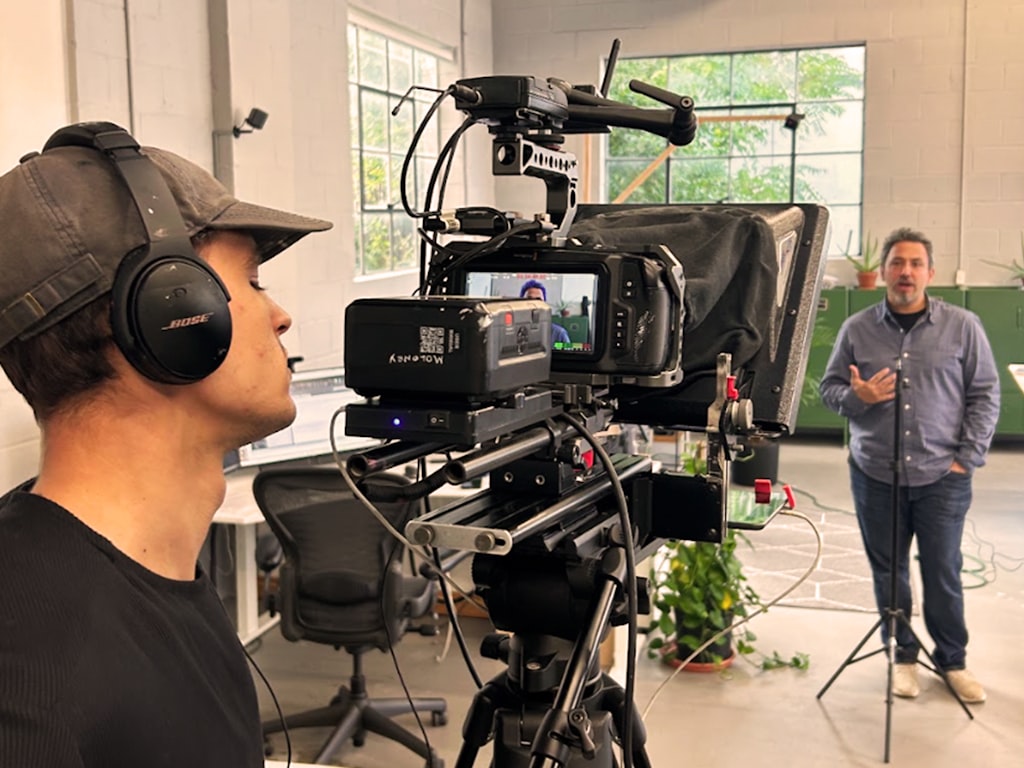
Traditional budgets are built from many moving parts, and each one has a multiplier effect. Start with the obvious line items: videographer fees, equipment rental, locations, talent, motion graphics, and editing. Even a simple half-day shoot can become expensive if you add a studio, two on-camera speakers, lighting, audio gear, and a deadline-sensitive editor.
Editing is one of the easiest places to underestimate total spend. Research benchmarks place editing around $25 to $100 per hour depending on experience, with project-based pricing ranging from a few hundred dollars into the low thousands. If your project needs multiple cuts for YouTube, LinkedIn, paid social, and internal presentations, your edit hours can jump before you notice.
Creative complexity also drives cost. Every extra filming location, costume change, interview setup, graphic package, or version request adds labor somewhere. That is why a video that looked like a “small job” in the kickoff meeting ends up well beyond the original quote.
AI cost drivers
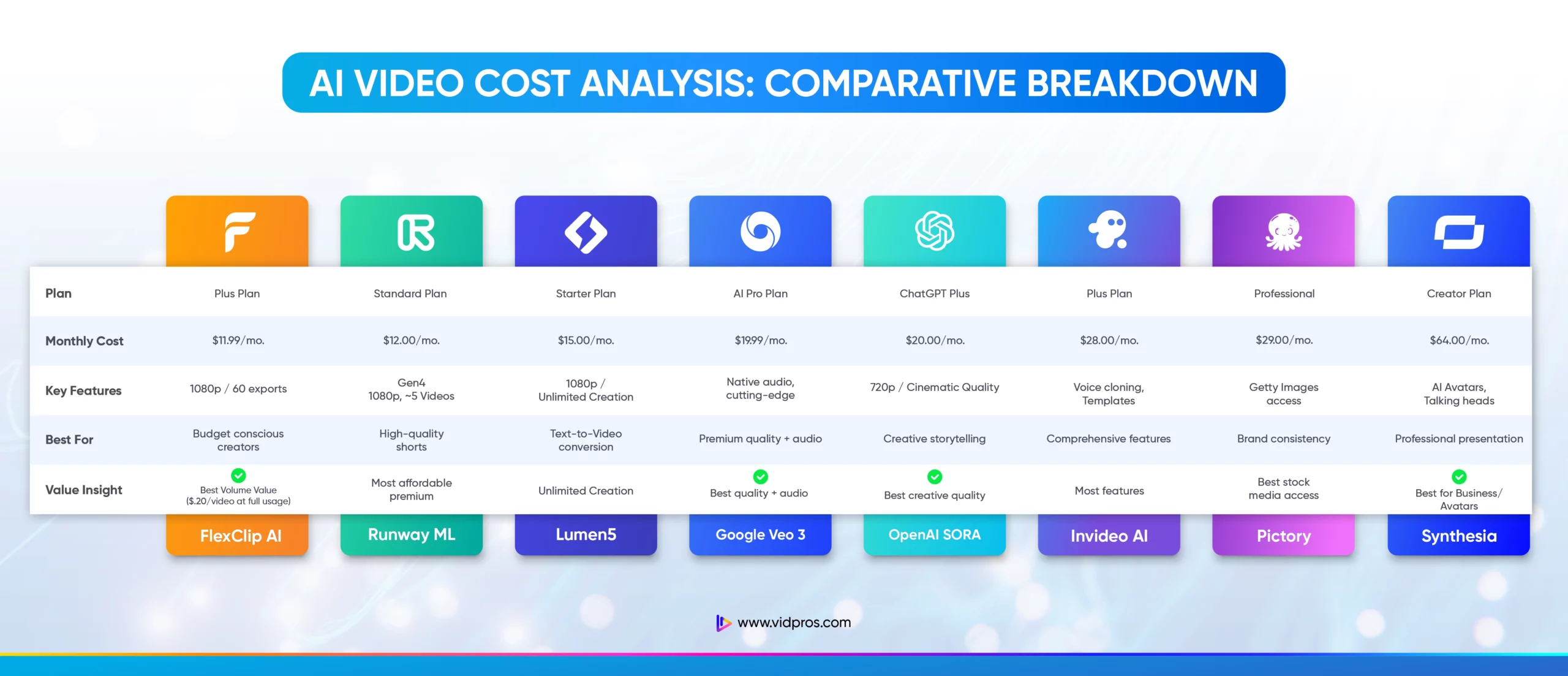
AI has fewer physical costs, but it still has real production variables. The biggest drivers are model choice, resolution, clip duration, avatar features, voice cloning, scene generation, and usage limits on paid plans. Higher-quality models and longer outputs typically cost more credits or subscription spend. If you need realistic avatars, multilingual voices, or lots of scene changes, your total goes up fast.
This is also where tool selection matters. Some teams use commercial platforms; others experiment with an open source transformer video model or a niche system such as a happyhorse 1.0 ai video generation model open source transformer setup for testing and internal R&D. Open-source workflows can reduce software fees, but they often increase technical setup time, compute costs, storage needs, and internal support work.
If you decide to run ai video model locally, budget for GPUs, render time, failed runs, and staff time. The software may be “free,” but the workflow is not.
Hidden costs to budget before you start
The biggest blind spot in ai video vs traditional video production cost planning is hidden labor. With AI, that usually means multiple generation attempts, prompt refinement, manual cleanup, and the time spent selecting usable outputs. Cheap renders become expensive when your team burns half a day trying to get one sequence that looks natural.
A practical budgeting framework helps. Estimate your cost in five layers:
- Base generation or production fee
- Labor time for scripting and setup
- Revision and review cycles
- Post-production cleanup or polish
- Versioning for distribution
For example, if an AI tool costs $150 for the first render, assume at least two to four iterations unless the brief is extremely simple. If a traditional shoot quote is $2,500, ask how many edits, exports, captions, and cutdowns are included. This approach gives you a total production number you can trust instead of a teaser price that falls apart later.
Best Use Cases: When AI Video Wins and When Traditional Production Is Worth It

Best-fit tasks for AI video
AI is strongest when speed, scale, and variation matter more than cinematic originality. It is ideal for blog-to-video, text-to-video, short-form repurposing, alternate versions, captions, AI avatars, and rapid ad testing. If you already have written content, a webinar, a podcast, or a long-form sales video, AI can turn it into multiple publishable assets much faster than a manual edit pipeline.
This is especially useful for marketing teams that need output volume. A startup pushing weekly feature updates, a SaaS team creating how-to clips, or an ecommerce brand testing ten hooks for the same paid ad can move much faster with AI. It also works well for internal comms, product walkthrough drafts, localized versions, and quick announcement videos where speed matters more than visual artistry.
AI is also excellent for low-risk experimentation. If you are testing messaging before committing to a bigger campaign, cheap AI drafts can help you find winning angles before you spend on a full shoot.
Best-fit projects for traditional production
Traditional production still wins when the work needs human presence, controlled emotion, and premium polish. That includes brand films, high-polish launches, emotional storytelling, executive messaging, and footage that needs strong human direction. If the goal is trust, visual distinction, or emotional resonance, a camera crew and experienced editor still create a level of nuance AI usually cannot match consistently.
Executive communication is a good example. If a founder or leader needs to speak directly to customers, partners, or investors, authenticity matters. A real person on camera, with intentional framing, strong lighting, and thoughtful direction, usually performs better than a synthetic version when the message carries brand weight.
The same goes for flagship campaigns. If the video will anchor a launch page, keynote, investor deck, or paid campaign with serious budget behind it, quality gaps become expensive. Saving money on production can hurt performance if the final asset feels generic or unconvincing.
A hybrid workflow that reduces cost without hurting quality
The most efficient setup for many teams is hybrid. Use AI to create drafts, cutdowns, captions, and variants, then let humans handle polish, approvals, and brand-critical edits. That gives you the cost and speed advantage of automation without trusting the whole job to a tool.
A practical hybrid workflow looks like this: script with AI support, generate storyboard options or rough scenes, produce multiple hooks for testing, then move the best-performing version into human editing for final cleanup and brand alignment. You can also film one strong hero asset traditionally, then use AI to create cutdowns, translations, alternate aspect ratios, and paid-social variants.
This is where ai video vs traditional video production cost becomes a business decision, not just a production decision. Efficiency matters, but so do conversion and brand outcomes. Cheap content that does not convert is not actually cheap.
How to Choose Between AI Video and Traditional Production for Your Budget and Deadline
Questions to ask before choosing a workflow
Before you pick a production path, run through a quick checklist: How much content do you need? How fast does it need to ship? How brand-sensitive is the message? Do you need original footage? How much revision tolerance do you have? Where will the video be distributed?
If you need twenty social clips this month, AI or hybrid is usually the obvious answer. If you need one launch film for a homepage redesign, traditional production probably makes more sense. If the message includes legal claims, regulated language, or executive visibility, add extra review time regardless of the method. That step alone prevents a lot of expensive rework.
Also ask what success looks like. If the video’s job is reach, testing, or internal clarity, speed may matter most. If the job is persuasion, trust, or premium brand perception, production value carries more weight.
A simple decision framework for teams
Use a simple decision tree:
- Choose AI when speed is critical, volume is high, the message is low-risk, and acceptable quality is “good and usable.”
- Choose traditional production when originality, emotional tone, or brand polish is critical and the asset has a long shelf life.
- Choose hybrid when you need to move fast but still care about final polish, compliance, or performance.
Another useful rule: if you can describe the video clearly in a script and do not need custom footage, AI is often worth testing first. If the idea depends on real-world settings, physical products, customer interviews, or nuanced performances, traditional production earns its budget.
Budget scenarios by content type
Here is a practical mapping:
- Social clips: AI or hybrid. Use AI for captions, resizing, hook variations, and quick cutdowns.
- Product explainers: Hybrid. Use AI for first drafts, screen-led visuals, and alternate versions; use humans for final pacing and clarity.
- Internal updates: AI. Fast, cheap, and usually good enough with a human review pass.
- Paid ads: AI for testing, traditional or hybrid for scaling winners. AI helps test volume; polished creative often improves conversion once you know what message works.
- Flagship campaigns: Traditional. The stakes are too high to rely on raw generation alone.
This framework helps you avoid overspending by matching the production style to the value of the content. Not every video deserves a full crew, and not every message should be delegated to automation.
Cost-Saving Tips for AI Video vs Traditional Video Production Without Sacrificing Results

How to reduce AI generation waste
The fastest way to waste money with AI is to generate before the brief is stable. Use tighter prompts, pre-approved scripts, limited test batches, reusable templates, and human review before large-scale generation. If your script changes after you create scenes, voices, and timing, you end up paying for the same output multiple times.
Start with one section or one concept before rendering the full video. Approve the voice, visual style, avatar, and pacing early. Then scale only after those decisions are locked. This is the easiest way to avoid the “perfect on the first try would have cost $150, but four generations cost $600” trap.
Reusable systems help too. Build template prompts for intros, CTA screens, lower thirds, and social versions. Store brand-safe language and visual references in one place. If your team uses open-source tools or wants to run ai video model locally, standardize model settings and output specs so every experiment does not start from zero.
How to reduce traditional production costs
Traditional savings come from better planning, not corner-cutting. The most effective moves are batching shoots, reusing footage, narrowing revision rounds, and defining deliverables before production starts. If you can capture multiple videos in one shoot day, your cost per asset drops dramatically.
Be strict about scope. Decide upfront how many final videos, aspect ratios, captions, motion graphic elements, and revision rounds are included. If you need future flexibility, ask for extra B-roll and clean background plates during the shoot so editors can build new versions later without another filming day.
A solid pre-production brief also saves money. Shot list, script lock, speaking points, wardrobe notes, and approval owners should all be settled before cameras show up. Every unresolved detail becomes expensive once a crew is on the clock.
How to measure ROI after publishing
Do not compare workflows on cost alone. Measure cost per asset, turnaround time, testing volume, engagement, and conversion performance. An AI workflow may give you ten ad variants for the cost of one edited video, which can massively improve testing speed. A traditional video may cost more but produce stronger watch time, lead quality, or conversion rate.
Track at least five numbers after publishing:
- Total production cost
- Time to publish
- Number of usable assets created
- Engagement metrics such as watch time or click-through rate
- Conversion or revenue impact
This is the clearest way to evaluate ai video vs traditional video production cost in context. If AI lets you test more creative faster and find winners sooner, that has real value. If a higher-end traditional video closes more deals or improves trust in a high-ticket funnel, that value is just as real.
The best teams treat workflow choice as a performance decision. Software pricing matters, but output quality and business results matter more.
Conclusion
The lowest-cost option is not always the cheapest-looking one at the start. AI can absolutely cut spend and turnaround time, especially for repurposed content, quick updates, ad testing, captions, avatars, and high-volume production. Traditional production still deserves its price when you need original footage, strong direction, emotional impact, or premium brand presentation.
The smartest move is usually to match the workflow to the job. Use AI when speed and volume matter. Use traditional production when trust, polish, and storytelling carry the result. Use a hybrid model when you want fast drafts and affordable variants without giving up human judgment on the final asset.
If you are budgeting the next round of content, start with three filters: deadline, content volume, and quality expectation. That will usually show you the right path quickly. For most teams, the sweet spot is not AI alone or traditional alone. It is AI speed with human oversight, applied where each one earns its keep.