 HappyHorse Model
Best AI Video Generation Models in 2026: Complete Ranking
If you want the best ai video generation model 2026 for your workflow, the real winner depends less on hype and more on whether you need realism, story consistency, speed, or commercial-ready output.
Best AI Video Generation Model 2026: Quick Ranking and Who Each Model Is Best For
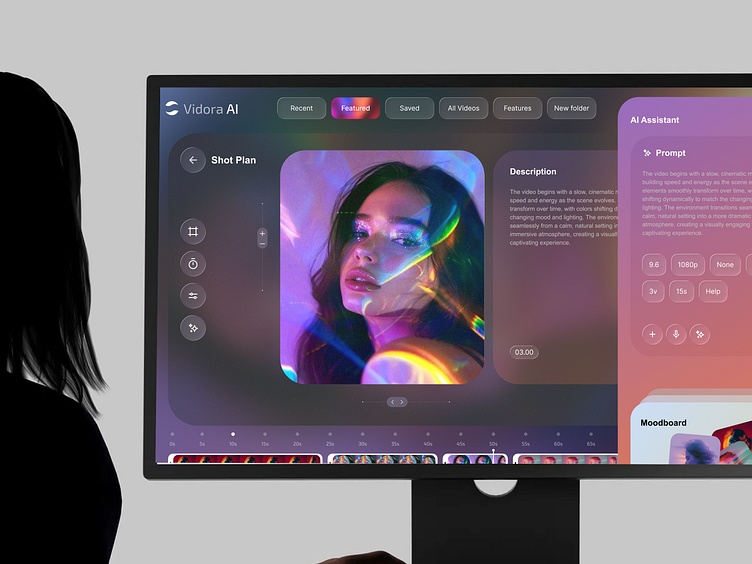
Top-ranked models at a glance
Right now, Veo 3.1 earns the top spot for most creators because it balances the things that actually matter in production: prompt accuracy, strong image-to-video behavior, and dependable output quality. Zapier went as far as calling Veo 3.1 “the best AI video generation all-arounder on the market,” and that tracks with what matters in real use. If you feed it a precise prompt or a reference image, it tends to stay on brief instead of drifting into something pretty but unusable.
Close behind it, Google Veo 3 is still one of the strongest choices when your main priority is high-fidelity, near-photorealistic output. If you’re chasing premium visual realism for hero shots, product beauty clips, or cinematic visuals that need to feel expensive, Veo 3 remains one of the first models worth testing.
Kling deserves a separate lane because it solves a different problem: keeping the same character, look, and narrative logic across multiple scenes. If you’ve ever generated a gorgeous first shot and then watched the lead character mutate by shot three, you already know why Kling matters. For story scenes, recurring characters, and sequence continuity, Kling is one of the safest bets.
Then there’s the second tier of tools that are often the best choice for specific jobs rather than overall rankings. Minimax/Hailuo is especially strong for cinematic establishing shots and dramatic visual setup. Higgsfield stands out because its commercial and social presets help you test ad concepts faster without rebuilding every setup from scratch. Seedance is a serious option for marketing, professional filmmaking, and storytelling-oriented branded content. And ImagineArt is one of the easiest places to start if you want intuitive controls and quick style experimentation.
Fast picks by use case
If you need one answer for most workflows, pick Veo 3.1. It’s the current best all-around choice because strong prompt adherence saves time, revisions, and frustration.
If realism is the whole game, choose Google Veo 3. It consistently sits among the leaders for polished, almost photoreal output, especially when the goal is visual fidelity over narrative complexity.
If you’re making short films, episodic scenes, or any sequence where characters need to stay recognizable, choose Kling. It’s one of the top options for scene-to-scene coherence.
If you want dramatic visuals and wide cinematic scene setup, test Minimax/Hailuo first. It’s especially useful for opening shots, moody intros, and high-style transitions.
If you’re generating ad variants, social creatives, or landing-page video tests at speed, Higgsfield is hard to ignore because presets can reduce setup time and full-render bottlenecks.
If your content sits between brand marketing and narrative storytelling, Seedance is a strong fit. And if you’re newer to this space or want easy experimentation without wrestling a complicated interface, ImagineArt is one of the most beginner-friendly options available.
That’s the practical ranking: Veo 3.1 for all-around performance, Veo 3 for realism, Kling for continuity, Higgsfield for ad speed, Seedance for branded storytelling, Minimax/Hailuo for cinematic shotmaking, and ImagineArt for usability.
How to Choose the Best AI Video Generation Model 2026 for Your Specific Workflow
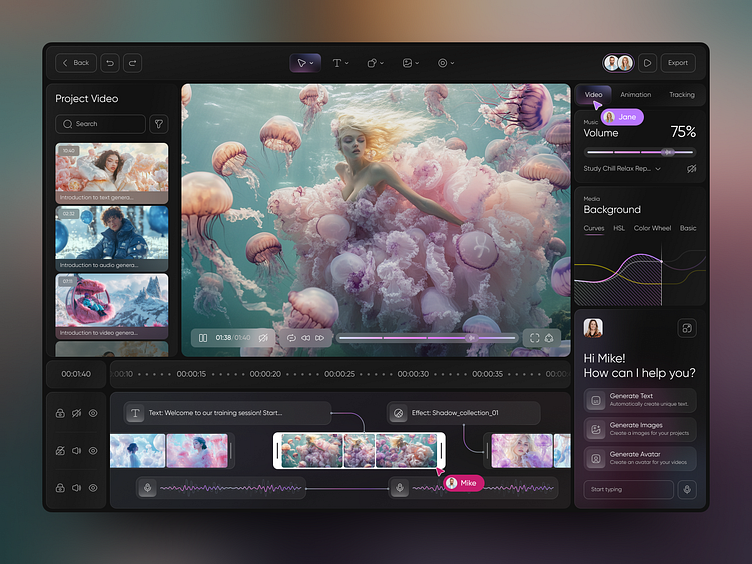
Choose by output goal, not brand name
The easiest way to waste time with AI video is to choose based on buzz instead of the type of clip you actually need. A model that wins on photoreal beauty shots may still fail for story scenes. A tool that looks weaker in benchmark clips may be the better pick if it helps you crank through 20 ad variants in one afternoon.
The smartest way to pick the best ai video generation model 2026 is to start with the output goal. Are you making direct-response ads, product demos, cinematic mood clips, character-led scenes, or internal concept boards? Once you know that, the model shortlist becomes much clearer.
The four filters that matter most
There are four filters that decide most workflows: prompt adherence, photorealism, character consistency, and speed of iteration.
Prompt adherence matters when clients, creative directors, or your own storyboard require control. This is where Veo 3.1 has a real advantage. Its reputation for staying close to prompts and reference images means fewer generations wasted on random deviations.
Photorealism matters when the shot itself has to sell the illusion. Product closeups, luxury brand visuals, and premium-looking social ads usually reward models like Veo 3, which is widely recognized as a leader in high-fidelity output.
Character consistency matters when clips belong to the same story world. If your subject changes face shape, clothes, or proportions every time you cut to a new scene, the project falls apart. That’s where Kling pulls ahead, especially for repeated characters and connected scenes.
Speed of iteration matters when you’re testing hooks, thumbnails, ad angles, or multiple creative directions. Higgsfield is worth checking first here because its commercial and social presets can shorten the setup loop dramatically.
For first-time users, there’s a fifth practical filter: how easy the interface makes experimentation. A beginner doesn’t benefit much from raw model power if every prompt feels like fighting the tool. ImagineArt keeps coming up as a more intuitive option, and that matters because easy style switching and simple controls help you learn faster.
For business use, check commercial-use terms and content-rights posture before visual quality. That sounds boring until legal or client approval blocks a project. Some paid platforms, including Synthesia, HeyGen, VEED, and InVideo, are often mentioned specifically because they position themselves around safer content-rights handling. If the project is for a brand, an agency, or a client campaign, licensing should be an early filter, not an afterthought.
A simple decision framework works well:
- Ads and creative testing: Higgsfield first, then Veo 3.1 for polished finals
- Storytelling and recurring characters: Kling first
- Product demos and premium realism: Veo 3 or Veo 3.1
- Cinematic clips and visual mood pieces: Minimax/Hailuo or Veo 3
- Beginner experimentation: ImagineArt
- Branded story content: Seedance
Best AI Video Generation Models in 2026 Compared by Output Quality, Realism, and Consistency
Best for photorealism
If your standard is “does this look like a real camera shot,” the strongest names are still Veo 3.1 and Veo 3. Both sit at the top of the stack for realism, but they’re not identical in how they earn their place.
Veo 3 is one of the clearest picks for raw visual fidelity. It has built a reputation as a major contender because the output can look near-photorealistic in a way that feels immediately premium. If you’re generating glossy product visuals, realistic environments, or high-end cinematic-style clips where the first impression is everything, Veo 3 is hard to beat.
Veo 3.1 matches that upper-tier realism while pushing harder on prompt adherence. That matters more than people admit. A model can create a beautiful shot and still fail if it ignores the camera move, wardrobe, setting, or composition you actually requested. According to Zapier’s 2026 roundup, Veo 3.1 stands out precisely because it behaves like the best all-arounder rather than just a beauty-shot specialist. It’s especially strong when staying close to an input image or creative reference is part of the job.
For teams working from moodboards, product stills, or storyboard frames, that reliability is a big deal. You spend less time trying to “coax” the model back on track and more time refining the exact look.
Best for story scenes and character continuity
For connected scenes, Kling is the more strategic choice. This is the tradeoff that catches a lot of people: the best-looking one-off clip is not always the best model for a sequence. Kling gets recommended repeatedly because it handles character consistency across scenes better than many realism-first models. That makes it a stronger fit for mini films, branded narratives, and serialized content where the same person, costume, or tone has to survive across multiple generations.
If your workflow involves a protagonist walking through several environments, reacting to different events, or appearing in multiple angles, Kling often produces more coherent results than tools optimized mainly for isolated visual wow moments.
Minimax/Hailuo lands in an interesting middle ground. It’s particularly strong for cinematic establishing shots, dramatic scene intros, and visually rich setup frames. If you need a city reveal, a moody skyline, a surreal landscape, or a strong opening shot to frame the rest of your sequence, Hailuo is often a great first pass. It may not be your only model for the full project, but it’s excellent for atmosphere.
The core tradeoff is simple:
- Choose Veo 3 or Veo 3.1 when the shot itself needs the highest realism and fidelity.
- Choose Kling when the project needs continuity, recurring characters, and narrative coherence.
- Choose Minimax/Hailuo when the strongest part of the job is cinematic setup and visual scene design.
For most serious creators, the answer is not one winner forever. It’s understanding when to prefer the most beautiful clip versus the most dependable sequence.
Best AI Video Generation Model 2026 for Marketing, Commercials, and Social Content
Fastest tools for ad creatives
Marketing workflows live or die on iteration speed. You usually don’t need one perfect masterpiece on the first try. You need ten angles, three hooks, multiple aspect ratios, and enough variation to test what converts. That’s why Higgsfield is so useful. It’s specifically highlighted for commercial and social presets, which can speed up concept testing and remove some of the pain of full custom setup.
If you’re building paid social creatives, UGC-style concept videos, or rapid ad mockups, presets matter. They reduce prompt-writing overhead and help you get to “usable for testing” faster. That can easily outweigh slight differences in pure model elegance when the real goal is shipping variants.
For branded storytelling, Seedance is one of the strongest names to keep on your shortlist. It’s been described as an ideal tool for marketing, professional filmmaking, and storytelling videos, which makes it especially useful for campaigns that need more than a punchy social clip. If the job sits somewhere between an ad and a mini branded film, Seedance is often a more natural fit than tools built mainly for quick social outputs.
What to check before using videos commercially
Before you compare image quality, check the rules. For agency work, client deliverables, and public campaigns, content-rights policies and commercial-use licensing can decide the winner before rendering quality does.
Some platforms are regularly mentioned because they state they do not use or claim rights to your content, including Synthesia, HeyGen, VEED, and InVideo in paid-tool comparisons focused on safer rights posture. That does not mean every workflow should switch to those tools, but it does mean rights handling is a serious filter if the output will be monetized, published at scale, or delivered to clients.
A practical approach for commercial work looks like this:
- Use Higgsfield when speed and ad variation are the immediate priority.
- Use Seedance when you need story-driven branded content with a more polished narrative feel.
- Use Veo 3.1 when prompt control and premium output both matter.
- Use rights-conscious platforms such as Synthesia, HeyGen, VEED, or InVideo when legal clarity and safer business workflow are more important than pushing the most advanced visual model.
For marketing teams, the best ai video generation model 2026 is rarely the one with the prettiest demo reel. It’s the one that helps you move from brief to approved creative without licensing surprises, endless rerenders, or broken scene logic.
Best AI Video Generation Model 2026 for Beginners, Teams, and Multi-Model Workflows
Best beginner-friendly options
If you’re newer to AI video, the right tool is usually the one that gets you creating fast instead of making you study prompt tricks for a week. That’s why ImagineArt keeps showing up in beginner conversations. Reddit feedback specifically describes it as more intuitive and easier to use, with enough room to experiment across styles and models without the steepest learning curve.
That matters in practice. A simpler interface means you can focus on framing, pacing, style, and motion instead of hunting through complex controls. It also encourages more experimentation, which is how most people actually improve. If you can quickly test a cinematic look, then a stylized ad look, then a softer product-demo style, you learn faster than you would inside a powerful but awkward tool.
For small teams, a beginner-friendly platform can also reduce handoff friction. A designer, editor, or marketer can jump in and contribute without becoming the “AI video specialist” first.
Why multi-model workflows are becoming standard
A lot of serious workflows in 2026 are no longer tied to one model. They’re built around multi-model access. Some creator workflows now include platforms that bundle engines such as NB2, NB Pro, Seedream 5.0 Lite, and Kling 3.0, which is a big clue about where the space is going. Real production work benefits from having different engines for different stages.
A practical stack might look like this:
- Use a fast, flexible tool for ideation and rough concepting
- Switch to Veo 3.1 or Veo 3 for final realism and prompt accuracy
- Use Kling for sequence continuity and recurring characters
- Finish inside your editing pipeline with upscaling, sound, captions, or compositing
This is also where workflow hubs start to matter more than pure benchmark rankings. If one platform lets you try several engines inside the same project, compare results quickly, and iterate without exporting everything into five separate apps, that can save hours.
Agent Opus is a good example of that workflow mindset. It reportedly uses models like Veo and Sora-like engines to create scenes that make sense within the narrative. That’s useful because it pushes beyond isolated clip generation and toward scene logic. If your job is building coherent sequences rather than standalone spectacle shots, tools like this can become production glue.
So for beginners, choose a tool you’ll actually use often, like ImagineArt. For teams, don’t assume one engine has to do everything. The most efficient setups increasingly mix strengths: one for ideas, one for realism, one for continuity.
Open Source AI Video Generation Model Options in 2026 and When to Run Models Locally
When open source is the better choice
A lot of search interest now revolves around terms like open source ai video generation model, image to video open source model, and open source transformer video model, and for good reason. Hosted premium tools still lead in top-end quality, but open models are attractive when you care about control more than leaderboard prestige.
If you want to run ai video model locally, the biggest reasons are practical: privacy, cost control, customization, and workflow ownership. Local setups make sense when you’re working with unreleased product footage, sensitive client assets, internal concepts, or any pipeline where uploading source material to hosted tools creates risk. They also make sense when API costs or subscription limits start becoming painful at scale.
Customization is another major advantage. With an open source ai video generation model, you may be able to adapt prompts, swap components, tune preprocessing, build scripted pipelines, or integrate generation directly into your post-production workflow. That’s especially useful for R&D teams, studios, and technically comfortable creators who care more about repeatability than one-click convenience.
For some workflows, a local image to video open source model is enough for previs, animatics, moodboards, or experimental style tests. And if you’re specifically exploring transformer-based architectures, searching for an open source transformer video model can surface projects built for research-heavy pipelines and controllable experimentation.
You may also run into long-tail searches around model names or variants, including things like happyhorse 1.0 ai video generation model open source transformer. The key is to treat these projects as experimental unless their docs, licenses, and update history are clear. In open ecosystems, flashy names are less important than whether the repo is maintained, reproducible, and legally usable.
What to verify before commercial use
The biggest mistake with open tools is assuming “open source” automatically means “safe for client work.” Always verify the open source ai model license commercial use terms before using outputs in branded, paid, or client-facing projects. Some licenses allow wide usage. Others restrict commercial deployment, redistribution, or model-based services. You also need to check the licenses of training data, dependencies, weights, and any bundled assets.
A safe review checklist includes:
- Is commercial use explicitly allowed?
- Are the model weights covered by the same license as the code?
- Are there restrictions on output use, redistribution, or SaaS deployment?
- Does your client contract require documented IP provenance?
- Will local deployment reduce compliance risk compared with a hosted tool?
Open-source and local video models often fit experimentation, internal testing, and controlled pipelines better than mainstream hosted generators. That doesn’t mean they’re second-rate. It means they win on different terms. If you need the absolute best-looking public-facing clip today, proprietary leaders like Veo 3.1, Veo 3, and Kling still tend to dominate. If you need privacy, custom automation, or tighter infrastructure control, local models can be the smarter move.
Conclusion
The strongest ranking in 2026 is really a ranking by job.
If you want the best all-around answer, go with Veo 3.1. It stands out because strong prompt adherence and dependable image-guided generation make it useful across more workflows than any single rival. If pure realism is the priority, Veo 3 remains one of the clearest leaders for high-fidelity, near-photoreal output. If your project depends on recurring characters and connected scenes, Kling is the better pick because continuity beats one-off beauty shots every time in narrative work.
For ad teams and fast-moving social content, Higgsfield is one of the smartest tools to test first because commercial and social presets speed up iteration. For brand campaigns that need a stronger storytelling feel, Seedance is a strong match. If you’re new and want a tool that feels easy to learn, ImagineArt is still one of the most approachable starting points. And if your priorities are privacy, customization, and licensing control, an open source ai video generation model or local pipeline may be the better long-term setup.
If you only want one simple recommendation, use this: choose Veo 3.1 for the best overall results, Kling for story consistency, Higgsfield for fast ad testing, Seedance for branded storytelling, and open-source or local options when control and licensing flexibility matter most.