 HappyHorse Model
Best Open Source Text-to-Video Models You Can Run Today
If you want the best open source text to video model you can actually run now, the right choice depends as much on your GPU, VRAM, and workflow as on raw video quality.
How to Choose the Best Open Source Text-to-Video Model for Your Setup
Start with your hardware limits
The fastest way to waste a weekend on local video generation is to pick a model by hype alone and ignore what your machine can realistically handle. For text-to-video, VRAM is usually the first hard limit, and on consumer cards the line shows up quickly. A practical example keeps this grounded: RTX 3060 12GB owners have reported that yes, they can run some AI video models locally, but generation can take anywhere from roughly 10 to 60 minutes depending on the model, resolution, clip length, and FPS. That makes 12GB workable, but not comfortable.
If you have a setup around an Intel i5 12th gen, 32GB RAM, and an RTX 3060, you are in the “real hobbyist workstation” tier: enough to test, iterate, and learn, but still very sensitive to out-of-memory errors and long runtimes. That means your first filter should be simple: can the model fit in VRAM with your intended settings, and can you tolerate the speed? If not, the quality ceiling does not matter because you will not get enough runs to actually refine prompts or settings.
Storage and system RAM matter too. Video workflows write lots of intermediate files, caches, and model weights. If you are trying to run an open source transformer video model locally, budget enough SSD space for model downloads and output clips, and keep enough system RAM free so the rest of your stack does not start thrashing.
Match the model to your workflow
The best open source text to video model is not universal. The right pick depends on local hardware, generation speed, output quality, deployment needs, and how much control you want over style or adaptation. A developer trying to package an open source AI video generation model into a product has different priorities than someone testing cinematic prompts in ComfyUI at night.
The RTX 3060 12GB examples are useful because they prove many current models are technically runnable on consumer GPUs, but they also show the real bottlenecks: speed and VRAM. If a single clip takes tens of minutes, local text-to-video is usually best for experimentation, prototyping, prompt testing, or proving a workflow before scaling up. On a midrange card, it is rarely the fastest route for production work.
That is why the comparison later in this guide focuses on criteria that actually affect your day-to-day use: visual quality, generation speed, VRAM requirements, LoRA ecosystem, ease of local setup, and license or commercial-use fit. If style control matters, a model with active LoRA support can beat a slightly prettier baseline. If deployment matters, a model that is easier to package and serve can be more valuable than one that wins a side-by-side on pure aesthetics.
One more note: if you are also evaluating image to video open source model options, the same hardware logic applies. A strong image-conditioned workflow can feel much lighter and more predictable than pure text-to-video on limited hardware. And if you have seen references to the happyhorse 1.0 ai video generation model open source transformer space, treat that as part of the broader experimentation layer, not an automatic best-in-class choice. Start from what your machine can sustain, then move up.
Best Open Source Text-to-Video Models to Run Today: Ranked Shortlist
Best overall model right now
Right now, the shortlist worth serious testing is Wan 2.1, Wan 2.2, LTX 2.3, CogVideoX, Hunyuan, and Mochi. If you want the cleanest ranking based on current practical buzz, LTX 2.3 gets the “best overall” slot. The reason is not that it universally dominates every benchmark or every workflow, but that recent discussion increasingly treats it as the stronger all-around package. When people say a model is “better overall,” that usually means the balance of quality, motion, prompt response, and usability feels stronger across more prompts.
Wan 2.1 still matters in this ranking because it was widely seen as the best open-source option in earlier community sentiment. That tells you two things. First, Wan has real credibility and did not come out of nowhere. Second, the field is moving fast enough that “best” can change version by version.
Best for pure text-to-video quality
If your only question is pure text-to-video creation quality, Wan2.2-T2V-A14B is one of the most important models to test first. Current commentary specifically calls it a leading choice for straight text-to-video generation. Wan 2.2 also has a major practical advantage: many LoRAs are already available for it. That matters more than it sounds. In real workflows, LoRA support can turn a good base model into a much more controllable one for style matching, subject tuning, and repeatable outputs.
That combination makes Wan 2.2 one of the strongest answers to the question of the best open source text to video model if your focus is raw generation quality plus customization. It is especially appealing if you like building reusable prompt-and-LoRA recipes instead of treating every clip as a fresh one-off.
Best models to watch for local deployment
For deployment-oriented users, Hunyuan, Mochi, and Wan 2.2 deserve close attention. Modal’s roundup specifically highlights Hunyuan, Mochi, and Wan2.2 as attractive options as GPU access becomes easier and cheaper. That is a good signal if your end goal is not just generating clips manually but integrating video generation into a service, internal tool, or production pipeline.
CogVideoX belongs on the list for a different reason: it has already been tested on consumer hardware, including an RTX 3060 12GB, which gives it practical credibility for local experimentation. It may not always be the absolute top artistic pick, but it is one of the models that helps answer the “can I really run this at home?” question with a clear yes.
So the ranked shortlist looks like this in practical terms:
- LTX 2.3 — best overall balance right now
- Wan 2.2 — best for pure text-to-video quality and one of the best LoRA ecosystems
- CogVideoX — best proof-of-feasibility option for consumer-GPU experimentation
- Hunyuan — strong model to watch for deployment-oriented workflows
- Mochi — another serious deployment-era contender
- Wan 2.1 — older but important baseline that shaped the current open-source leaderboard
If you want the best ecosystem for style adaptation, start with Wan 2.2. If you want the most balanced “current best” candidate, start with LTX 2.3. If you want to test an open source AI video generation model on hardware you already own, CogVideoX is one of the most useful first stops.
Can You Run the Best Open Source Text-to-Video Model on an RTX 3060?
What 12GB VRAM can realistically handle
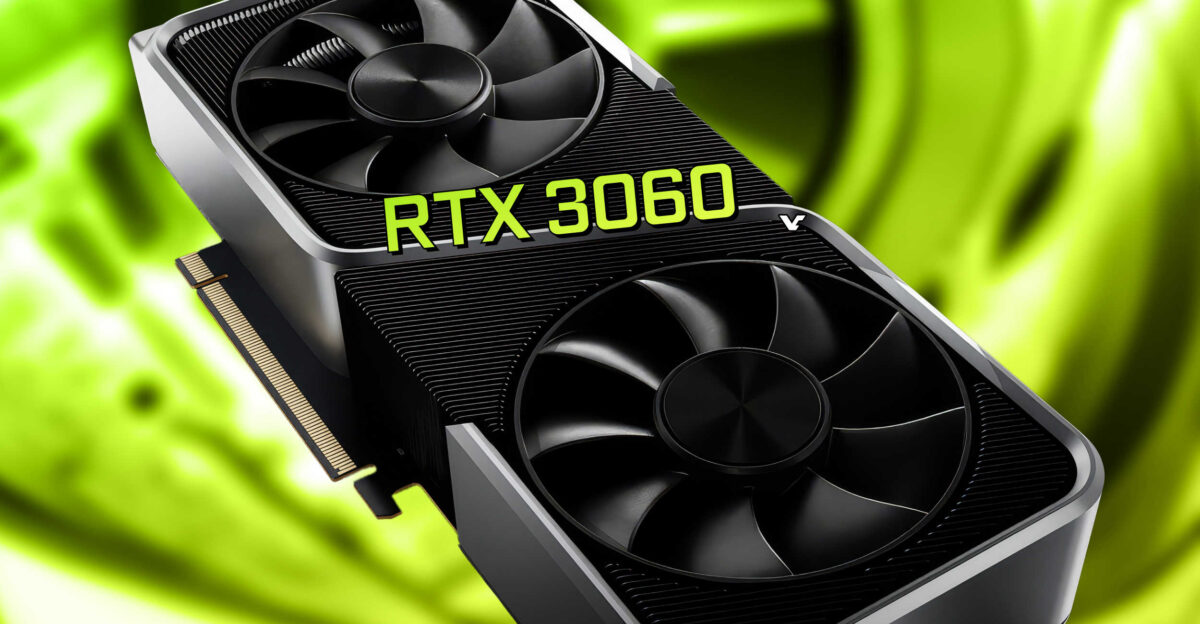
Yes, you can run some of the leading open-source video models on an RTX 3060 with 12GB VRAM. The honest answer is not “yes, easily,” but “yes, with compromises.” Real reports from RTX 3060 users show that these models are not limited to datacenter GPUs. At the same time, 12GB is a practical minimum tier for local experimentation rather than a comfortable production tier.
On this class of card, expect VRAM pressure immediately. Out-of-memory errors are common, especially once you push up resolution, clip duration, or FPS. Some users have reported OOM failures even after monitoring memory use and getting partway through inference. That is why 12GB should be seen as enough to participate, not enough to stop thinking about optimization.
A useful reality check comes from consumer-GPU testing of CogVideoX on an RTX 3060 12GB. That kind of test matters because it proves local inference is not just theoretical. If your machine looks like a typical setup with an i5 12th gen, 32GB RAM, and an RTX 3060, you are within the range where this work can happen locally.
Expected generation times on consumer GPUs
The speed question is where expectations need the biggest adjustment. RTX 3060 users have reported runtimes around 10 to 60 minutes depending on the model, resolution, duration, and FPS. That spread is wide, but it is exactly what you should expect from local AI video generation on midrange hardware. Every increase in clip length or frame rate compounds the cost, and some models simply scale worse than others.
That means local generation on a 3060 is usually best for testing prompts, trying short clips, and learning the behavior of a model. If you are trying to turn around multiple polished outputs quickly, the waiting time becomes the dominant problem. This is why many people use local runs to validate ideas, then shift to stronger hardware or hosted infrastructure once they know a workflow works.
Here is the practical playbook if you want to run ai video model locally on 12GB without burning hours on failed jobs:
- Start at lower resolution before you touch prompt complexity.
- Keep clips short at first; duration is one of the easiest ways to trigger long runtimes and VRAM failures.
- Reduce FPS when motion smoothness is less important than testing composition or prompt adherence.
- Prefer lighter workflows over maximal settings until you confirm baseline stability.
- Save known-good presets so you can return to them after failed experiments.
If your goal is to identify the best open source text to video model for a 3060-class system, do not judge only by best-case samples posted online. Judge by how many successful runs per evening you can actually get. On 12GB, iteration speed is often more important than a small edge in visual quality.
Model-by-Model Comparison: Wan 2.2 vs LTX 2.3 vs CogVideoX vs Hunyuan vs Mochi
Quality and prompt-following
Wan 2.2 is one of the safest recommendations if you care first about pure text-to-video output. It is repeatedly described as a leading option for text-only generation, and in practice that usually means strong prompt translation, attractive visuals, and a reliable sense of scene intent. If you feed it carefully structured prompts, it tends to make that effort feel worthwhile.
LTX 2.3 is the model that currently gets the “better overall” label in some discussions. That wording matters. It suggests that even if Wan 2.2 remains a top pick for pure text-to-video quality, LTX 2.3 may deliver a more satisfying total package across prompt adherence, motion consistency, and usability. If you value fewer weird failures across different prompt styles, that overall balance can matter more than winning one narrow quality category.
CogVideoX deserves respect because it has a stronger real-world practicality signal than many models. A model that people have actually tested on an RTX 3060 is often more valuable than one that only shines in ideal setups. Prompt-following may not always be enough to beat the very top contenders, but feasibility counts.
Hunyuan and Mochi are the ones to watch if your view is a bit more infrastructure-minded. Their appeal is not just visual output; it is also that they are increasingly discussed in the context of serious deployment and modern GPU availability. If you are thinking beyond local hobby runs, that matters.
Speed, VRAM, and ease of setup
For speed and local feasibility, none of these models should be treated as “light” in the normal consumer sense. Even the models you can run on 12GB hardware often require compromises in resolution, duration, and frame rate. CogVideoX stands out here because consumer-GPU feasibility is documented enough to make it a sensible first experiment.
Wan 2.2 and LTX 2.3 are more likely to be chosen because of what they produce, not because they are the easiest on VRAM. If your machine is tight on memory, setup quality becomes critical: correct dependencies, compatible CUDA stack, and a workflow that does not silently overshoot memory. This is where practical tools like ComfyUI graphs can help, because they make it easier to see what your pipeline is doing and strip out unnecessary extras.
Hunyuan and Mochi can make sense if your path includes scaling up later. For purely local use on a midrange card, they may not always be the fastest way to first success. For a deployment-minded stack, they can be much more interesting.
LoRA support and workflow flexibility
Wan 2.2 has one of the strongest practical advantages in this entire comparison: many LoRAs already exist for it. That immediately expands what you can do with style control, adaptation, and repeatable output direction. If you want to build a workflow rather than just test random prompts, this matters a lot. A mature LoRA ecosystem can save more time than a slightly better base model.
LTX 2.3 may still be the better overall model in current discussion because a model can win on total usability and output consistency even if another model has more add-ons. So the tradeoff is clear: Wan 2.2 is extremely compelling for pure text-to-video and customization, while LTX 2.3 may be the strongest first recommendation for users who want one model that does many things well.
A simple decision framework helps:
- Pick Wan 2.2 first if you want high-quality text-to-video and care about LoRA-based control.
- Pick LTX 2.3 first if you want the most balanced current contender overall.
- Pick CogVideoX first if you need a realistic consumer-GPU starting point.
- Pick Hunyuan or Mochi first if deployment planning is part of the decision.
- Keep Wan 2.1 in mind as an important reference point, but treat it as a previous leader rather than the default first install today.
If you are also comparing an image to video open source model against text-to-video options, keep workflow fit in mind. An image-conditioned pipeline can be easier to control shot by shot. For pure generative freedom, Wan 2.2 and LTX 2.3 remain the headline names.
How to Run an Open Source AI Video Generation Model Locally Without Wasting Time
Local setup checklist
To run an open source AI video generation model locally without spending half your time debugging preventable issues, start with a clean hardware checklist. You want a compatible NVIDIA GPU, enough system RAM, updated drivers, the correct inference stack, and enough SSD space for weights, caches, and outputs. A realistic consumer setup looks like this: Intel i5 12th gen, 32GB RAM, and an RTX 3060. That is enough to get started, especially for short clips and lower settings.
Use current NVIDIA drivers, verify CUDA compatibility for your chosen stack, and make sure the exact model repo or workflow you are using matches your environment. A lot of failed runs come from version mismatch, not model quality. If you use ComfyUI, begin with a known working workflow rather than assembling a giant graph from screenshots.
When to use GPU vs CPU
For video generation, GPU is the practical path whenever you have one. On a machine with an RTX 3060, use the GPU. The CPU-only question comes up often on setups like i5 12th gen plus 32GB RAM, but for text-to-video the CPU is mainly an edge-case fallback for unsupported environments, troubleshooting, or very limited experiments. It is not the path you choose if you want sane runtimes.
The difference is not subtle. Video generation pushes huge amounts of tensor work, and a CPU-only pipeline will turn already-slow jobs into painfully slow ones. If your GPU is supported, use it first, optimize around it, and think of the CPU as support staff rather than the main engine.
Settings that reduce failed runs
Most failed local runs come from trying to push too much at once. The fastest fixes are basic but effective:
- Reduce resolution before changing ten other settings.
- Shorten clip length first if you hit memory issues.
- Lower FPS when testing prompts or composition.
- Keep any batch-like settings minimal.
- Monitor VRAM live during generation so you can identify the exact point of failure.
- Start with simple prompts before layering in camera moves, multiple subjects, and dense action.
If you hit OOM, do not immediately assume the model is unusable. Back down to a stable baseline, save that preset, and scale one variable at a time. That is the cleanest way to run ai video model locally on consumer hardware. The same logic applies whether you are testing a heavyweight text-to-video checkpoint or an open source transformer video model built for more structured workflows.
Licenses, Commercial Use, and Deployment Checks Before You Pick the Best Open Source Text-to-Video Model
Why 'open source' does not always mean permissive
One of the easiest mistakes in AI video is assuming “open source” automatically means simple, permissive, and safe for commercial deployment. That is not how many model releases work. Some so-called open-source AI models use custom licenses that may allow commercial use while still imposing meaningful restrictions on who can use the model, how it can be distributed, or what kinds of services can be built around it.
A useful comparison point is Meta’s LLaMA 2 Community License. It allowed commercial use, but it also included restrictions such as user caps and did not follow a straightforward permissive open-source pattern. The lesson is broader than that one model: open availability is not the same thing as clean legal simplicity.
Another issue is training data. A model can be downloadable and broadly usable while the status of its training data remains unclear or not covered by permissive rights. If you are evaluating an open source ai model license commercial use path, that gap matters, especially for client work or product deployment.
What to verify before client or commercial use
Before you commit to a model for paid work, check more than the headline license name. Read the model license itself and verify:
- whether commercial use is explicitly allowed
- whether there are usage caps or field-of-use restrictions
- whether redistribution is allowed
- whether hosted-service or API use is restricted
- whether fine-tuned versions can be shared
- whether attribution is required
- whether training-data rights are addressed or left unclear
For teams planning deployment, use a short pre-deployment checklist:
- Confirm the exact model version and its license.
- Check whether weights, code, and add-ons have separate licenses.
- Review commercial-use language line by line.
- Verify any hosted-service restrictions before building an API around it.
- Check whether LoRAs, adapters, or workflow nodes add separate terms.
- Ask legal review questions early if client work is involved.
- Document the approved version so a later update does not silently change your compliance position.
This matters because the best open source text to video model for one workflow may be the wrong choice for another if licensing blocks deployment. A model that is slightly weaker visually but cleaner to use commercially can be the smarter pick. If your plan includes shipping a service, licenses are part of performance.
Conclusion
The models worth testing right now are clear: Wan 2.2, LTX 2.3, CogVideoX, Hunyuan, and Mochi, with Wan 2.1 still important as the previous open-source reference point. Wan 2.2 is a standout for pure text-to-video and gains extra strength from its growing LoRA ecosystem. LTX 2.3 has a strong case as the best overall current option. CogVideoX is one of the most useful proof points for local experimentation on consumer hardware, including RTX 3060 12GB systems. Hunyuan and Mochi are especially interesting if deployment is part of the plan.
The practical takeaway is simple: the best open source text to video model is the one your hardware can actually run, your workflow can support, and your license requirements can accept. On a midrange setup, local generation is absolutely possible, but it works best when you keep expectations grounded, start with shorter and lighter runs, and choose the model that fits how you actually work rather than how a leaderboard looks on paper.