 HappyHorse Model
HappyHorse API Access: When and How to Get It
If you are searching for happyhorse api access pricing, the real question is not just cost—it is whether API access is actually available, what kind of access you can get today, and how to verify it before you commit budget.
The tricky part is that HappyHorse currently gives off two very different signals. One side of the research points to a platform with no public API, no downloadable weights, no documented pricing, and no SLA, based on a WaveSpeedAI blog post published April 8, 2026. At the same time, HappyHorse-branded pages talk about API access, support, one-time compute credits, a free benchmark, and even a business certificate. If you are trying to wire this into a side project, startup MVP, or production workflow, that mismatch matters more than any headline price.
The good news is that there are enough public clues to build a practical path. You can estimate likely generation costs from visible credit pricing, use the free benchmark to test the platform with very low risk, and ask a short list of technical and commercial questions before you spend real money. That puts you in a much better position than guessing based on a product page headline.
What HappyHorse API Access Looks Like Right Now
Is there a public HappyHorse API today?
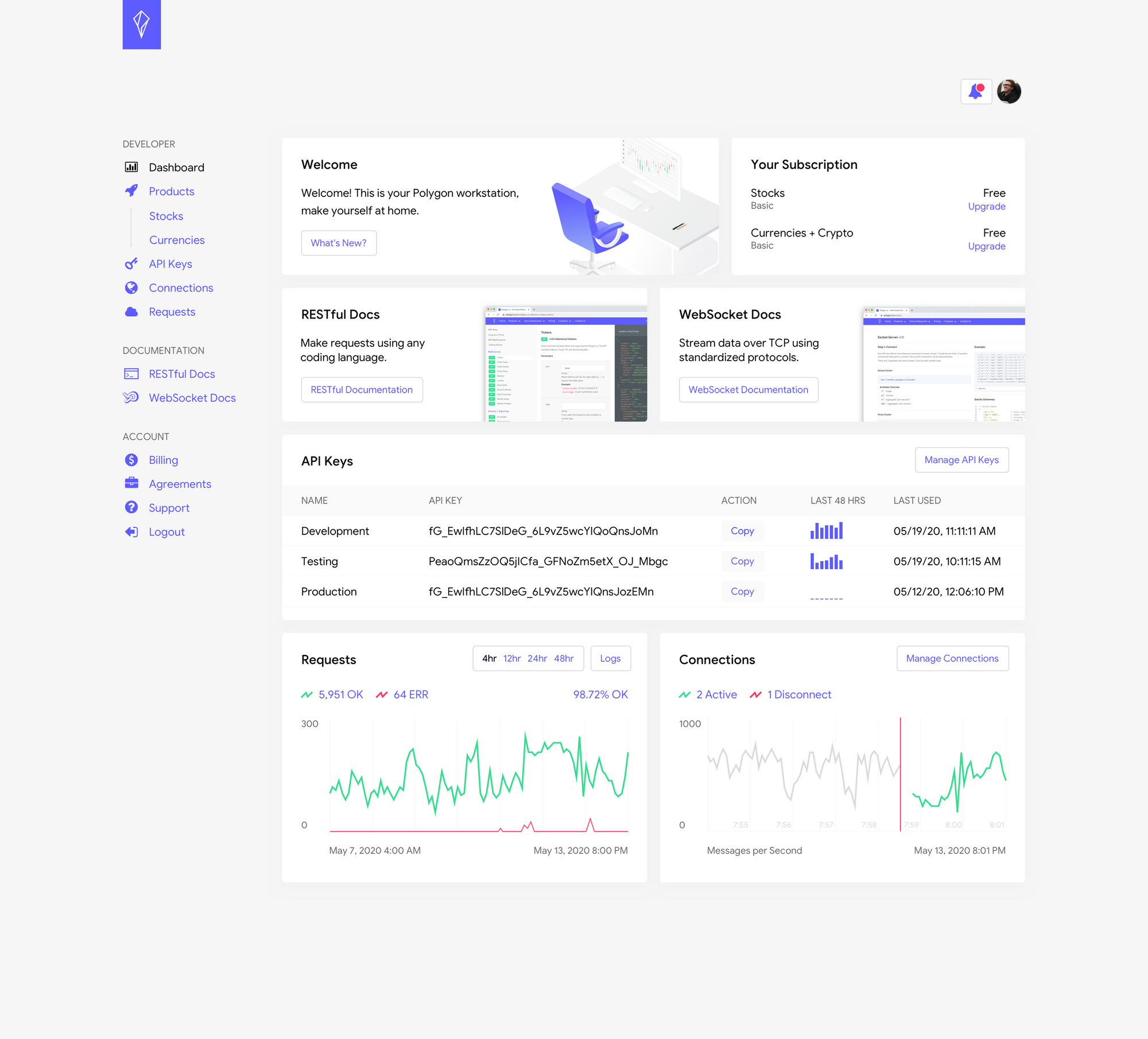
Right now, the safest answer is: maybe not publicly, and definitely not clearly documented. The strongest negative signal comes from WaveSpeedAI’s April 8, 2026 write-up on HappyHorse-1.0, which states, “As of today: no public API, no downloadable weights, no documented pricing, no SLA.” That is a pretty direct claim, and if you are evaluating integration risk, you should treat it seriously.
At the same time, HappyHorse-branded product pages do not read like a platform that is totally closed. One product page advertises “API access & support,” while other pages promote “Start For Free,” one-time compute credits, and benchmark access. That combination usually suggests one of three things: a private API available after signup, a partner-only access path, or a product/studio workflow that is being marketed with API language before the full developer experience is publicly exposed.
What the product pages suggest about access
The current ambiguity is the most important fact to understand. One research source says there is no public API, no downloadable weights, no documented pricing, and no SLA. Meanwhile, HappyHorse-branded pages advertise API access and support. Those statements can both be true if the platform offers gated access rather than open self-serve developer onboarding.
That gives you a very practical takeaway: treat HappyHorse as a gated or unclear-access platform until you personally confirm live API docs, authentication flow, and usage terms. Do not assume that seeing “API access & support” on a marketing page means you will immediately receive production-ready endpoints, stable auth, webhook support, or a clear rate-limit policy.
There are public-facing entry points that appear usable right now, even if full developer API access is limited. HappyHorse-branded pricing material mentions a free benchmark with 10 standard compute credits, 2 priority cluster generations, and Happyhorse-1.0 Lab access. Another page references one-time payment Happyhorse-1.0 compute credits. Those are strong signs that you can at least test the product experience, and possibly access a studio or lab environment before any deeper integration approval.
Before you plan an integration, use a simple verification checklist. First, look for real API documentation, not just marketing language. Second, inspect the dashboard for API keys, bearer tokens, or developer settings. Third, check for rate-limit docs so you know whether jobs can scale beyond testing. Fourth, look for webhook docs or async job callbacks, since video generation workflows often depend on queues rather than immediate responses. Fifth, get written support confirmation on usage terms, commercial rights, and whether purchased credits include API access.
If those five items are missing, pause. At that point, you may still have a useful creative tool or lab product, but not something you should quietly assume is integration-ready.
HappyHorse API Access Pricing: What Costs Are Publicly Visible

Credit-based pricing signals
The visible pricing clues around HappyHorse point much more clearly to compute-credit usage than to a fully documented API billing model. That distinction matters. If you are researching happyhorse api access pricing, what you can actually see today looks like generation pricing first, and API economics second.
The clearest public numbers come from HappyHorse-branded pricing pages. One pricing page says HappyHorse video generation costs 180 credits per video, while HappyHorse HD video generation costs 240 credits per video. Another pricing reference lists $118.80 per year for “steady HappyHorse creation” and a cost of $1.24 per 100 credits. Those numbers are specific enough to model test usage, even if they do not yet prove a mature API pricing sheet with per-endpoint billing, storage charges, or enterprise quotas.
Free benchmark and yearly pricing references
Here are the visible pricing data points you can use immediately: 180 credits per video, 240 credits per HD video, $118.80 per year, and $1.24 per 100 credits. On top of that, the Happy Horse AI pricing page highlights a free benchmark that includes 10 standard compute credits, 2 priority cluster generations, and lab access. There is also messaging around one-time payment compute credits, which is useful if you want to test without committing to a recurring plan.
The safest interpretation is that these figures are tied to compute credits and generation usage, not necessarily a fully documented API pricing model. In other words, you can estimate what content generation might cost, but you still need to verify whether the same credits unlock actual programmatic access, or whether API use is a separate commercial arrangement.
You can translate those credits into rough per-video expectations quickly. If standard generation is 180 credits and the reference price is $1.24 per 100 credits, then 180 credits works out to roughly $2.23 per video. HD generation at 240 credits comes out to about $2.98 per video. Those are back-of-the-envelope estimates, but they are useful for pilot budgeting.
A small test plan can stay very lean. Ten standard videos at 180 credits each would consume 1,800 credits, which roughly maps to about $22.32 at the posted credit reference. Ten HD videos at 240 credits each would be 2,400 credits, or about $29.76. That is low enough to justify a controlled evaluation if access is available, but still worth confirming before you scale because hidden variables could include priority queue costs, storage, reruns, failed jobs, or separate API fees.
The free benchmark is the easiest low-risk starting point. With 10 standard compute credits, 2 priority cluster generations, and lab access, you can inspect output quality, turnaround behavior, and dashboard structure before buying anything. For most builders, that is the right first move: use the benchmark, check whether API keys exist, then buy the smallest practical credit pack rather than overcommitting based on marketing language alone.
How to Get HappyHorse API Access Step by Step
Start with the account and free benchmark
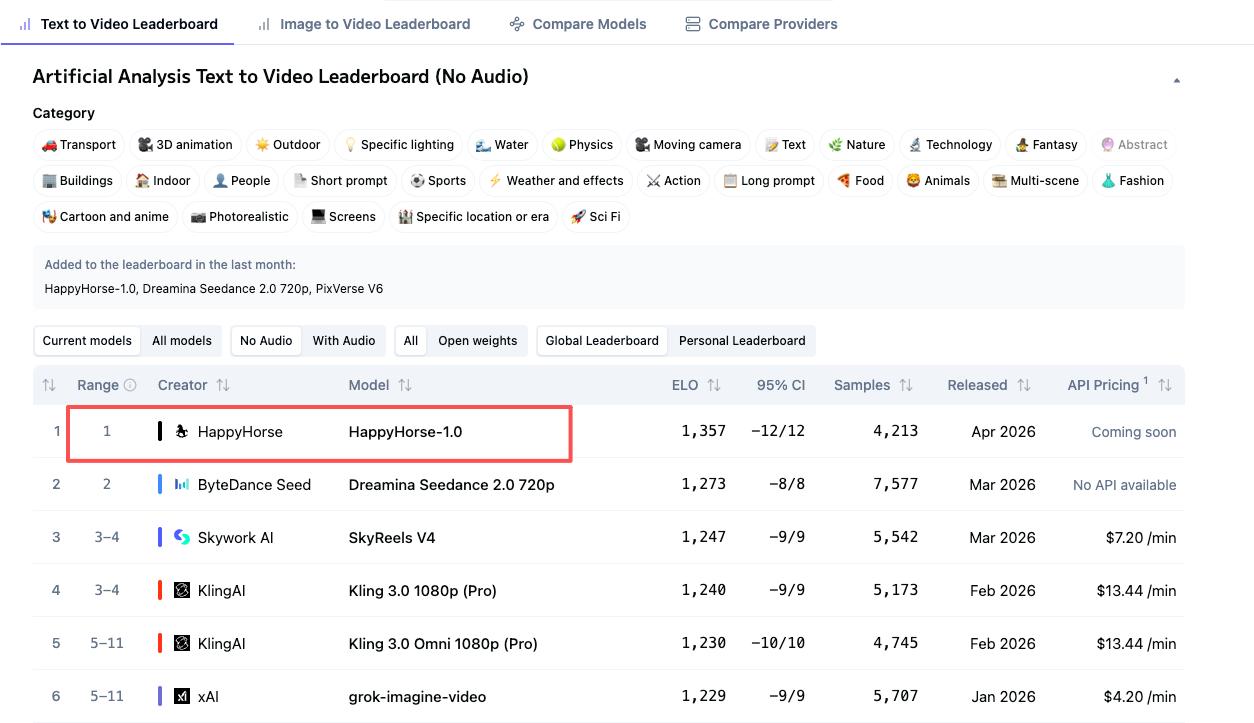
The likely access path starts with creating an account and claiming the free benchmark. HappyHorse’s Terms of Service say that certain features require an account, and users must provide accurate, current information and keep it updated. That sounds simple, but it matters because some platforms gate developer tools, higher limits, or business features behind verified account details.
Once your account is active, use the free benchmark before doing anything else. The benchmark reportedly includes 10 standard compute credits, 2 priority cluster generations, and Happyhorse-1.0 Lab access. That gives you enough room to answer three practical questions right away: what the generation workflow looks like, whether the dashboard exposes developer settings, and whether the product feels like a studio interface or a genuine API platform.
How to confirm business or developer access
After signup, inspect the dashboard carefully. Look for sections labeled API, Developers, Integrations, Access Tokens, Keys, Webhooks, or Usage. If you find API keys or a copyable token, that is your first strong signal that programmatic access exists. If you only see prompt entry, upload controls, generation history, and billing, you may be dealing with a studio-first product where API access is private, partner-based, or not yet generally available.
Next, test the account settings and billing area. HappyHorse-branded pages mention one-time compute credits, yearly pricing references, API access & support, and a business certificate. If those offers are real, you want to know whether buying credits automatically unlocks API use or whether credits only apply to manual generations in the lab or dashboard. That is a critical distinction for anyone evaluating happyhorse api access pricing for real deployment.
If the dashboard does not make this obvious, contact support or sales directly. Keep the email short and specific. Ask whether there is a public API, a private API, or a partner-only model. Ask for the documentation link, authentication method, concurrency limits, commercial use policy, and whether API access is included with purchased credits. Also ask whether the platform supports async jobs, status polling, queues, or webhooks, since video generation almost always requires one of those patterns.
Get the answers in writing before rollout. That step matters even more because the public-facing materials are incomplete. A product page may mention API access and support, but if public docs are missing, your written confirmation becomes the only reliable source for procurement, engineering planning, and later dispute resolution.
A clean internal process looks like this: create account, run free benchmark, inspect dashboard, request docs, confirm billing model, verify rights, then authorize a limited pilot. Do not skip the written confirmation stage. It is the difference between “we think they have an API” and “we know exactly how access works.”
How to Evaluate HappyHorse API Access Pricing for a Side Project or Startup

For independent developers
If you are building a side project, the affordability question comes down to monthly generation volume and whether your use case actually needs an API. The visible public offers make experimentation approachable: a free benchmark with 10 standard compute credits, possible one-time credit purchases, and a yearly reference of $118.80. That is enough to test quality and basic economics without a major budget approval cycle.
Start by mapping your likely output. If you expect to generate five to ten videos a month, use the visible per-video credit numbers as your baseline. At 180 credits per standard video and $1.24 per 100 credits, five standard videos are roughly 900 credits, or about $11.16. Ten standard videos land around $22.32. For HD at 240 credits each, five videos are around $14.88 and ten are roughly $29.76. Those are manageable test numbers for many indie builders.
The key caution is workflow fit. If HappyHorse turns out to be studio-first rather than API-first, then low generation cost does not automatically make it a good integration choice. If you just need occasional manual output, the current pricing clues may be enough. If you need automated job submission from your app, that same low credit price becomes irrelevant unless API access is confirmed.
For startup product teams
For a startup team, the evaluation goes beyond generation cost. You need to compare HappyHorse against standard API buying criteria: documented pricing, SLAs, support response time, rate limits, uptime expectations, and integration speed. Right now, the biggest concern is not that the visible pricing is high. It is that the API model is still unclear.
The research does not document any HappyHorse-specific request limits, concurrency ceilings, or queue behavior. That means scale planning should remain provisional until confirmed. You can use generic API examples from the broader market as a mental model—some platforms offer 100 requests per hour on free tiers, 1,000 on basic tiers, 10,000 on pro, or 50 versus 500 requests per minute—but those are only examples, not HappyHorse commitments. You should not build capacity assumptions from them.
A strong pilot framework solves this. First, test generation quality against your actual prompts and expected style. Second, measure turnaround time for standard and HD jobs. Third, check output consistency across repeated runs. Fourth, grade support quality based on response speed and specificity. Fifth, compare billed credits against expected consumption so you can spot surprise charges or failed-job leakage.
If those five areas look strong and the API terms are confirmed, HappyHorse may be worth exploring further. If documentation remains thin or answers remain vague, keep the pilot contained and avoid productizing around it. A startup can tolerate novelty in a prototype. It cannot tolerate ambiguity in a production dependency.
Questions to Ask Before You Pay for HappyHorse API Access Pricing
Technical questions
Before you spend money, send a direct question list to support or sales and save the reply. Start with the most basic issue: Is there a public API, a private API, or a partner-only access model? If the answer is yes to any API form, ask where the docs live and whether you can review them before buying credits.
Then ask how authentication works. You want to know whether the platform uses API keys, bearer tokens, OAuth, account-scoped tokens, or signed uploads. Next, ask how credits are consumed. Is every generation a fixed credit cost, or do credits change based on resolution, duration, priority queue, retries, or model variant?
For video workflows, async details matter a lot. Ask whether the service uses synchronous generation, queued jobs, polling endpoints, callbacks, or webhooks. If webhooks exist, ask for webhook docs and event types. If they do not exist, ask how job completion should be tracked.
You should also ask about scaling limits explicitly: requests per minute, concurrent jobs, queue depth, file upload size, output resolution options, and how enterprise volume is handled. The current research does not document HappyHorse-specific request limits, so any production estimate is only provisional until you hear back from the vendor.
If your product depends on media transforms, ask about supported inputs and outputs too. Can you send text-only prompts, image inputs, or reference assets? If you are comparing against an open source ai video generation model, an image to video open source model, or an open source transformer video model, those capability details will decide whether hosted convenience actually saves time.
Commercial and legal questions
On the commercial side, ask whether purchased compute credits include full commercial rights. One HappyHorse-related pricing page says, “Do I retain IP for commercial use with Happy Horse AI? 100% yes,” and adds that sequences rendered using purchased compute credits grant full rights. That is promising, but you still want the platform to confirm the exact terms that apply to your account and plan.
Also ask whether the advertised business certificate is included with your purchase and what it actually covers. If your procurement team or clients need formal commercial-use documentation, this can matter more than the generation price itself.
Ask how refunds work, especially for failed jobs, low-quality outputs, stuck queue states, or incomplete renders. Clarify whether credits are restored automatically when generation fails. Then ask about invoicing, annual contracts, one-time credit purchasing, support tiers, and whether an SLA exists. The WaveSpeedAI research specifically notes no SLA, so if one is available privately, you want it documented before rollout.
A practical procurement email should also ask whether support response targets differ by plan, whether annual prepayment changes limits or pricing, and whether API access is bundled with compute credits or sold separately. Those answers turn vague happyhorse api access pricing research into an actual buying decision.
Best Alternatives If HappyHorse API Access Is Unclear
When to choose an API-first option
There is a simple point where you should move on from HappyHorse, at least for the current project: when you need documented endpoints, predictable API pricing, guaranteed support, or production-grade SLAs right now. If your roadmap includes customer-facing automation, scheduled content generation, or high-volume rendering, uncertainty around docs and limits is a real operational risk.
An API-first alternative is the better choice when your engineers need to estimate integration time precisely, model request throughput, and negotiate clear support expectations. Even if HappyHorse output quality is impressive, that advantage can disappear if your team cannot verify auth flow, queue behavior, or error handling before launch.
When to look at open source video models instead
Open-source options become attractive when your priority is control rather than hosted convenience. If you need to run ai video model locally, compare different deployment paths, or validate open source ai model license commercial use before shipping, a self-hosted route may be a cleaner fit than a partially documented hosted platform.
That is especially true if your search is already branching into terms like happyhorse 1.0 ai video generation model open source transformer, open source ai video generation model, image to video open source model, or open source transformer video model. Those paths can give you direct control over inference, scheduling, storage, and compliance, though they also demand more engineering time, GPU capacity, and ops discipline.
The tradeoff is straightforward. Hosted platforms reduce setup friction, abstract infrastructure, and may give you better managed performance out of the box. Open-source stacks let you inspect the full workflow, tune performance, and avoid vendor ambiguity. If your team values local control, repeatability, and transparent scaling more than quick experimentation, open source may win even if the initial setup is heavier.
A practical decision rule works well here. Choose HappyHorse for exploratory testing if access is available, especially if the free benchmark and one-time credits make evaluation cheap. But choose API-first or open-source alternatives when reliability, transparency, and scale matter more than novelty. That rule keeps you from overcommitting to a platform that might be great for demos yet still immature for production.
Conclusion

HappyHorse is interesting because the public signals are strong enough to justify testing, but not strong enough to justify blind trust. Right now, the clearest public evidence points to a gated or unclear-access setup: a WaveSpeedAI report says there is no public API, no documented pricing, and no SLA, while HappyHorse-branded pages advertise API access, support, free benchmark access, one-time compute credits, and business-friendly features.
That means your next move should be concrete and disciplined. Create an account, use the free benchmark, inspect the dashboard for developer settings, and ask support for docs, auth details, limits, and commercial terms in writing. Use the public pricing clues—180 credits per video, 240 credits per HD video, $1.24 per 100 credits, and the $118.80 yearly reference—to estimate likely test costs, but do not treat those numbers as proof of a complete API billing model.
If the platform confirms usable endpoints, clear usage terms, and workable support, then happyhorse api access pricing may be reasonable for pilot projects and early experiments. If documentation, limits, or rights remain fuzzy, keep your spend small and compare against API-first or open-source alternatives before you build around it. The smartest path is simple: verify access, calculate credits, confirm rights and support, then commit.