 HappyHorse Model
HappyHorse vs Seedance 2.0: Which AI Video Model Is Better?
If you need to choose between HappyHorse and Seedance 2.0, the fastest way is to compare output quality, audio, access, and workflow fit side by side instead of relying on hype alone. Right now, the strongest signal from current testing is pretty clear: HappyHorse 1.0 looks like the sharper pure visual generator, while Seedance 2.0 looks easier to actually put into motion if you care about audio and active creator workflows.
HappyHorse vs Seedance comparison at a glance
Quick verdict by use case
If the main goal is the best-looking text-to-video or image-to-video clip and you can handle sound in post, HappyHorse 1.0 is the model I’d pick first. Multiple comparisons point to it as the stronger visual generator, especially for silent or externally edited outputs where image quality, prompt accuracy, and temporal consistency matter more than built-in production features.
If you need something more immediately usable in creator pipelines, Seedance 2.0 has a practical edge. It has reportedly been rolling out in the US, and there’s already more first-hand testing feedback floating around from creators using it in public-facing workflows. That matters because access often beats theoretical quality when deadlines are real.
For builders, the split is even cleaner. One builder-focused comparison says HappyHorse-1.0 leads Seedance 2.0 on text-to-video and image-to-video without audio, but Seedance 2.0 wins when audio enters the equation. The same source also flags a critical production drawback for HappyHorse: no stable API is mentioned. If you’re planning automation, integrations, or team-scale generation, that alone can change the recommendation.
What the latest research says
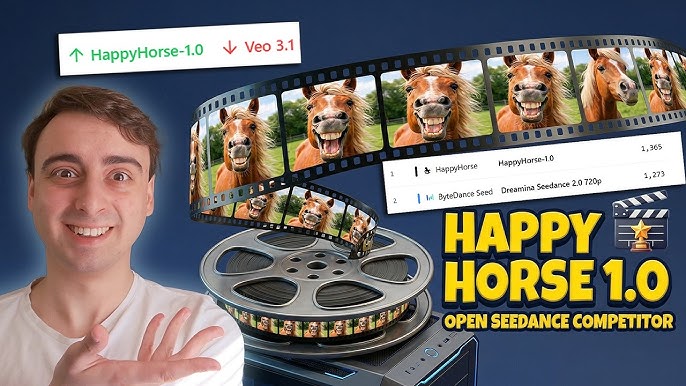
The strongest quality claim in current chatter is that HappyHorse 1.0 is beating Seedance 2.0 in leaderboard-style comparisons. A Reddit discussion tied to Artificial Analysis says HappyHorse 1.0 “beat Seedance 2.0 on Artificial Analysis” and “stormed the AI video leaderboard.” Another Reddit thread says HappyHorse 1.0 was ranked number one on Artificial Analysis. Those are not small signals, especially when several sources repeat the same theme.
At the same time, Seedance 2.0 looks more available to creators today. One source says it is finally rolling out in the US, and that has led to more early hands-on feedback. The reactions are mixed, which is actually useful. One creator called it “honestly not bad for a first try,” while a harsher commentary source argued it feels “basically just Seedance 1.5” and is “carried by hype.” That spread tells you Seedance 2.0 is not landing as a unanimous quality leap, but it is visible enough to test in live workflows.
The best framing is not “which one wins overall,” but “which one wins for the job.” For a proper happyhorse vs seedance comparison, you need to separate four things early: visual quality, audio quality, availability, and production-readiness. If you mix those together, the answer gets muddy fast. If you split them apart, the recommendation gets much easier: HappyHorse seems better for raw visuals, Seedance 2.0 seems more practical when audio and access matter.
Output quality: HappyHorse vs Seedance comparison for text-to-video and image-to-video
Where HappyHorse 1.0 seems stronger
The current research-backed takeaway is that HappyHorse 1.0 appears stronger for raw visual generation in both text-to-video and image-to-video when audio is not part of the evaluation. That builder-focused comparison is the cleanest source here: HappyHorse leads Seedance 2.0 on T2V and I2V without audio. Pair that with the leaderboard claims around Artificial Analysis, and the picture is consistent enough to be useful.
What does “stronger” mean in practice? Six things matter when you watch outputs back at full speed and frame by frame: prompt adherence, motion consistency, realism, scene coherence, subject stability, and artifact control. A better model keeps the character looking like the same person from second one to second five, avoids limb warping, maintains believable camera motion, and preserves details instead of smearing them during action. On those kinds of fundamentals, HappyHorse is getting the stronger reputation right now.
A good example is cinematic prompting. If you ask for something like “a close-up tracking shot of a cyclist racing through a rainy neon-lit city street at night, reflections on the road, realistic tire spray, shallow depth of field,” the better model is not just the one with prettier single frames. It’s the one that keeps the bike shape stable, tracks the rider consistently, makes the rain interact naturally with motion, and doesn’t collapse the environment halfway through the clip. That’s where leaderboard-leading visual models tend to separate themselves.
Where Seedance 2.0 keeps up
Seedance 2.0 is not failing across the board. First-hand reactions show it can produce decent results, and “honestly not bad for a first try” is a fair summary of where some users landed after testing it. That tells me Seedance 2.0 can still be usable for quick content, drafts, and social-friendly iterations, even if it’s not clearly taking the visual crown from HappyHorse.
The challenge is that reactions are mixed enough to warrant caution. One commentary source says Seedance 2.0 feels too close to Seedance 1.5 and is being overhyped. That does not automatically make it weak, but it does mean you should verify claims yourself instead of assuming a major leap based on version number alone.
The best way to judge the models directly comes from creator testing habits. A YouTube review from Youri van Hofwegen, posted two months ago with 274,762 views, says the creator tested after generating over 1000 videos across every major model and used the same universal prompt across models. That is exactly the right method. For a fair happyhorse vs seedance comparison, run the same universal prompt through both systems, keep duration and aspect ratio matched, and compare the first-pass outputs before doing any post cleanup. That instantly shows which model is really stronger for your kind of scenes.
Audio, workflow, and usability in a real HappyHorse vs Seedance comparison
When audio changes the decision
Audio is where the recommendation flips fastest. The clearest usability split in the research is that Seedance 2.0 appears to outperform HappyHorse on audio-related capability. If your workflow depends on in-model audio support, synced sound cues, or a more integrated clip-generation process, Seedance 2.0 starts looking much more attractive even if HappyHorse wins on silent visual quality.
That matters a lot for ad creatives, creator-led shorts, and social clips where the generated scene is meant to ship quickly with minimal round-tripping. If you can generate video and keep more of the audio process inside the same ecosystem, you save edit time, reduce tool switching, and make it easier to test multiple concepts fast. For a team pushing lots of variants, that operational advantage is real.
If, on the other hand, you already cut in Premiere, Resolve, CapCut, or another editor and you’re comfortable dropping in licensed music, AI voice, or custom sound design separately, then HappyHorse’s audio weakness matters less. In that setup, visual output quality can reasonably become the deciding factor again.
Which model fits production workflows better
Production-readiness is where Seedance 2.0 has another practical advantage: creator access. It is reportedly rolling out in the US, and more people are already trying it in public-facing workflows. That means more first-hand examples, more shared prompts, more troubleshooting, and a better sense of what works before you commit project time. Easier access is not just convenience; it’s lower evaluation cost.
HappyHorse’s downside is harder to ignore if you build systems or run repeatable agency workflows. One source specifically notes that no stable API is mentioned for HappyHorse. That can limit automation, batch generation, internal tool integration, approvals pipelines, and versioned content systems. A model that wins a visual benchmark can still lose the production war if it cannot plug reliably into your stack.
Here’s the decision shortcut I’d actually use: choose HappyHorse for the best-looking silent clips, mood pieces, concept videos, or footage that will be fully sound-designed later. Consider Seedance 2.0 when in-model audio support matters, when access is easier, or when the workflow needs to be tested in a real project right now rather than admired from a leaderboard screenshot.
This is also where workflow tools can outperform raw model debates. Research mentions Google’s Flow as part of an all-in-one creation workflow for highly realistic AI video. That reinforces an important point: even if one model is visually stronger, the total system around prompting, shot planning, editing, and assembly can make another setup more productive end to end.
How to test HappyHorse vs Seedance 2.0 yourself before committing

A simple side-by-side testing framework
The fastest way to make this decision without getting lost in opinions is to run a repeatable side-by-side test. Use the same prompt, the same duration, the same aspect ratio, and the closest possible generation settings across both models. If one model defaults to five seconds and the other to eight, normalize that before judging. If one uses 16:9 and the other 9:16, separate those tests instead of blending them.
I’d run at least three prompt categories: a realistic human scene, a product or object animation, and a high-motion cinematic shot. Then test each category in both text-to-video and image-to-video, because one model may handle raw prompting better while the other is stronger when given a visual anchor. That split matters more than most people expect.
For example, use a realistic human test like: “A documentary-style handheld medium shot of a chef plating a dish in a bright modern kitchen, natural skin texture, subtle steam, realistic hand motion, shallow depth of field.” Then use a product prompt such as: “A premium smartwatch rotating on a black reflective surface with dramatic studio lighting, macro detail, smooth camera orbit, realistic reflections.” Finally, use a motion-heavy scene like: “A drone shot weaving through a dense forest at sunrise, light rays through fog, cinematic motion blur, realistic branch interaction.”
Prompts and scoring criteria to use
Score each output on criteria that actually predict whether you can use the clip: realism, motion smoothness, prompt accuracy, temporal consistency, facial stability, and usable first-pass quality. Give each one a 1-to-5 score and write one sentence explaining the score. That extra sentence keeps you honest and makes the final decision much easier when the results are close.
Usable first-pass quality is especially important. A clip can look amazing in one still frame and still be unusable because the face mutates, the hands collapse, or the camera path jitters halfway through. A model that gives you a slightly less spectacular but more stable first pass often wins in real production.
Run text-to-video and image-to-video separately instead of averaging them together. Some models are excellent at following an image reference but weaker at inventing scenes from text alone. Others are strong in T2V but less consistent when forced to preserve subject identity from an uploaded image.
Also pay attention to workflow tools around the model. The research references all-in-one systems like Flow, and that’s relevant because a strong workflow can improve results even when the base model is not your absolute favorite. Better prompt management, shot organization, and edit handoff can easily save more time than a small quality difference between generators.
If you want a proper happyhorse vs seedance comparison for client or team use, save all outputs in a shared grid, label them blindly, and review them without knowing which model made which clip. That avoids brand bias and usually reveals the better option much faster.
Best model by use case: happyhorse vs seedance comparison for creators, marketers, and builders
Best for short-form content and experiments
For cinematic visual output, concept videos, and eye-catching experiments, HappyHorse is the stronger pick based on current research. If your main KPI is “does this clip look premium immediately,” HappyHorse 1.0 has the better case. The leaderboard chatter, the Artificial Analysis references, and the builder comparison all point in the same direction: better text-to-video and image-to-video visuals when audio is removed from the equation.
That makes HappyHorse especially appealing for mood films, teaser visuals, music-video-style inserts, product beauty shots, and internal concept proofing where you plan to finish the piece elsewhere. For marketers, that can translate into cleaner ad concept drafts. For creators, it can mean stronger B-roll-style inserts or punchier visual hooks for short-form edits. For internal prototypes, it can give teams a higher ceiling on what the first visual draft can look like.
Seedance 2.0 still makes sense for social clips and fast experiments when access and workflow speed matter more than winning a visual face-off. Because creators are already testing it publicly, it can be easier to evaluate in the exact environments where those clips will be used. If you need to move quickly, ship variants, and work with built-in audio-oriented capability, Seedance 2.0 can be the more practical call.
Best for automation and future flexibility
For automation, the recommendation is less flattering to HappyHorse right now. The “no stable API” note is a big constraint for builders, agencies, and product teams. If you need scheduled generation, batch jobs, template-based creative production, or integration into a larger content system, API reliability often matters more than leaderboard rank.
Seedance 2.0 therefore becomes the safer operational choice when creator familiarity, easier access, and audio capability matter more than raw benchmark performance. It may not dominate visual comparisons, but a model you can actually use repeatedly can outperform a stronger model you cannot reliably integrate.
There is also an adjacent-options angle worth keeping in view so you do not force a false two-model decision. Research mentions OpenArt as a good video generator for shorts and relatively inexpensive, and another discussion calls Runway excellent. If your core use case is punchy short-form output, fast ideation, or marketing experiments rather than cinematic benchmark chasing, those alternatives may fit better than either HappyHorse or Seedance 2.0.
That’s the practical use-case map I’d use:
- HappyHorse: cinematic visuals, silent concept clips, product beauty shots, ad creative drafts, premium-looking experiments.
- Seedance 2.0: social-ready generation, audio-aware workflows, creator testing, more accessible project evaluation.
- Alternatives like OpenArt or Runway: shorts, flexible creator workflows, and cases where the surrounding toolset matters more than a narrow model-vs-model win.
Availability, API, and open-source questions in the HappyHorse vs Seedance 2.0 decision
What readers should check before choosing
Before picking a model for any serious pipeline, check access status first. Seedance 2.0 is reportedly rolling out in the US, which makes it more realistic to test, budget, and deploy in active projects. HappyHorse may look better in pure visual comparisons, but if no stable API is cited, that can make it harder to integrate into repeatable production. For solo creators that may be manageable. For teams, agencies, or products, it can become a blocker very quickly.
Also verify licensing and commercial terms before using either one for client work. This is where related search intent becomes very practical: open source ai model license commercial use is not a side issue. It decides whether generated assets are safe for ads, product launches, internal demos, or resale workflows. If the platform terms are unclear, get clarity before building around it.
How related open-source searches fit this comparison
A lot of people searching this matchup are really trying to answer a broader infrastructure question. They may search happyhorse 1.0 ai video generation model open source transformer, open source ai video generation model, open source transformer video model, image to video open source model, or run ai video model locally. Those searches make sense because access and control are often just as important as model quality.
There is speculation that HappyHorse may become open weights soon, tied to its leaderboard momentum. That is interesting, but it is still speculation, not confirmed product reality. Until open weights actually exist with documentation, licensing, and deployment instructions, you should not base a production roadmap on that possibility.
If your real goal is to run ai video model locally, then this comparison shifts again. A cloud-only model with amazing output may still be the wrong choice if you need local deployment, private data handling, or cost control at scale. In that case, you’d want to compare these tools against available open source ai video generation model options, especially any image to video open source model or open source transformer video model that matches your hardware and performance needs.
For long-term planning, verify four things before committing: licensing, commercial-use rights, API reliability, and deployment options. Those checks matter more than hype. A model can look incredible in a demo and still be a poor fit for client delivery if the terms are restrictive, the API is unstable, or local/private deployment is impossible.
Conclusion

The cleanest winner-by-scenario summary is this: HappyHorse looks stronger for pure visual generation quality today, especially in text-to-video and image-to-video work where audio is not part of the core requirement. Seedance 2.0 looks like the smarter pick when audio support, easier access, and workflow readiness matter more than winning leaderboard comparisons.
If you want the best-looking silent or externally edited clips, start with HappyHorse. If you need creator-accessible testing, audio-related capability, and a setup that feels closer to active production use, Seedance 2.0 is the safer bet. And if neither fully matches your setup, check adjacent options like OpenArt or Runway before locking yourself into a two-model choice. The best move is still the simplest one: run the same prompt through both, score them on real production criteria, and choose the model that saves you the most time while giving you the quality bar you need.