 HappyHorse Model
Seedance 2.0 (ByteDance): What We Know About the Video Model
Seedance 2.0 bytedance video model stands out because it combines text, image, video, and audio inputs in one workflow, with pricing and input rules that directly affect how you should use it. That mix matters immediately in production: a text-only test clip and a reference-driven edit do not cost the same, do not need the same prep, and do not benefit from the same prompt strategy. If you are planning short-form social spots, ad variations, concept animatics, or reference-matched edits, Seedance 2.0 looks especially interesting because ByteDance positions it as a unified multimodal system rather than a text-to-video tool with extras bolted on.
The practical difference is simple: you can start from pure text, guide with stills, feed in a source video for continuity, and potentially keep audio inside the same creation flow. One source also says you can provide up to 12 assets, which opens up much more controlled setups than a basic one-prompt, one-image pipeline. That means mood boards, character refs, product stills, short motion references, and sound cues can potentially live in the same generation request instead of being stitched together across multiple apps.
Pricing is just as important as capability. Seedance charges by credits per second, and once you involve reference video, billing is based on combined input and output duration. That single detail can change the economics of a project fast. A five-second clip at 480p without video input costs 25 credits, but the same five-second output with a three-second input video costs 32 credits. At 720p, the jump is 50 to 64 credits. If you are used to flat-rate generations from other tools, that difference is worth planning around before you hit render.
What Is Seedance 2.0 bytedance video model?
Core model capabilities
Seedance 2.0 is ByteDance’s latest multimodal AI video generation model, and the most important thing to know is that it is built around more than one kind of input. Official and product-facing sources describe support for text, images, videos, and audio, which puts it in a different workflow category from tools that are mainly prompt-driven with limited reference support. If your process usually starts with a script, then moves to style frames, then motion references, Seedance is clearly designed to meet that reality instead of forcing everything through text alone.
ByteDance also highlights a unified multimodal audio-video joint generation architecture as a core differentiator. That phrasing matters because it suggests audio is not treated as a separate add-on stage after visual generation. For real production work, that can reduce friction when you want movement, timing, and sound to feel designed together rather than assembled in post from unrelated outputs. Even if you still finish in an editor, a more integrated first pass can save real iteration time.
Another useful detail comes from Higgsfield’s Seedance 2.0 page, which says the model can accept up to 12 assets as input. For complex generations, that is a meaningful ceiling. You could build a request around a product photo, a character reference, a color or lighting frame, a motion cue video, an environment still, and additional supporting assets without immediately hitting a wall. If you are trying to maintain consistency across shots, that multi-asset flexibility is more actionable than vague claims about “better understanding.”
What inputs Seedance 2.0 accepts
The confirmed input types are text, images, videos, and audio. Text-only generation is the cleanest entry point when you want to test ideas cheaply or explore broad concepts. Image input makes more sense when composition, subject identity, or visual style needs to stay anchored. Video input is supported specifically as reference material, and that is the feature with the clearest workflow payoff for creators doing continuity-sensitive edits, motion transfer, or style matching from an existing clip.
Audio input is where Seedance gets especially interesting. Because ByteDance describes the system as joint audio-video generation, audio support points toward a more unified generation flow than the common pattern where visuals are created first and sound is layered in separately. If you have ever generated a visually solid clip and then spent too long forcing music, voice, or effects to fit it, you can see why this matters.
For anyone comparing options, this is also where Seedance differs from searches around an open source ai video generation model, an open source transformer video model, or an image to video open source model. Those categories can be great when you want transparency, custom deployment, or the ability to run ai video model locally, but they often come with their own setup burden, VRAM constraints, licensing checks, and questions around open source ai model license commercial use. Seedance is playing a different game: a hosted multimodal workflow with credit-based economics and broader input flexibility. That does not make it automatically better, but it does make it easier to map to fast production needs.
How to use Seedance 2.0 bytedance video model in real workflows
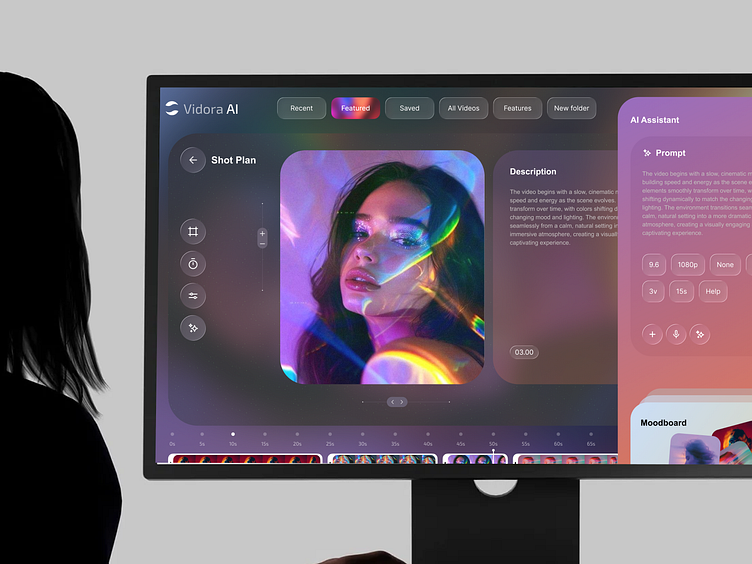
Text-to-video, image-to-video, and video-reference use cases
The easiest way to use Seedance well is to pick the input mode based on the exact control you need. If you are sketching concepts, testing ad hooks, or exploring camera language, start with text-only generation. That keeps costs predictable because you are billed only on output duration, and it lets you iterate quickly on prompts, pacing, and scene descriptions before you add heavier guidance.
When you need stronger control over subject appearance or layout, move to image-guided generation. A single image can anchor product shape, wardrobe, scene framing, or color direction far more reliably than text alone. If your goal is “keep this bottle, this packaging, and this lighting vibe, but animate it into a five-second hero move,” image input is the right tool. The same logic applies to character consistency for short branded spots or motion concepts.
Video-reference mode is where Seedance becomes especially practical. Video input is supported as reference material, which makes it useful for continuity, edits, or style matching. If you already have a rough camera move, a live-action plate, or an earlier generated shot whose rhythm you want to preserve, feeding that in as reference can get you closer to the intended result than trying to describe motion in text. This is also where incremental editing becomes realistic: instead of rebuilding a shot from scratch, you can guide the next output using the previous clip’s timing or movement language.
When audio input makes sense
Audio input starts making sense when timing and sound design are part of the creative idea rather than an afterthought. If the beat drop should align with a visual reveal, or if a spoken line needs to shape shot pacing, integrated audio support suggests a more coherent request structure than generating silent visuals and patching sound later. Even when final polish happens elsewhere, using audio during generation can help establish rhythm earlier.
The multimodal setup also has practical implications for prompt construction. Because one source says Seedance can take up to 12 assets, you can think in packages rather than single prompts: one text brief, two product stills, one mood frame, one short reference clip, one audio cue, and a couple of environment images. That kind of bundle is much closer to how real production briefs work. It lets you reduce ambiguity before generation instead of trying to rescue ambiguity afterward.
That flexibility is also why the seedance 2.0 bytedance video model is easier to slot into actual creation pipelines than tools that force you into either text-only ideation or narrow image animation. The key is not to throw every asset in by default. Start with the minimum that solves the problem. Use text-only for concept tests, add images for visual lock, and bring in reference video only when continuity or motion matching truly matters, because that choice changes billing.
Seedance 2.0 pricing: credits, resolutions, and what a generation really costs
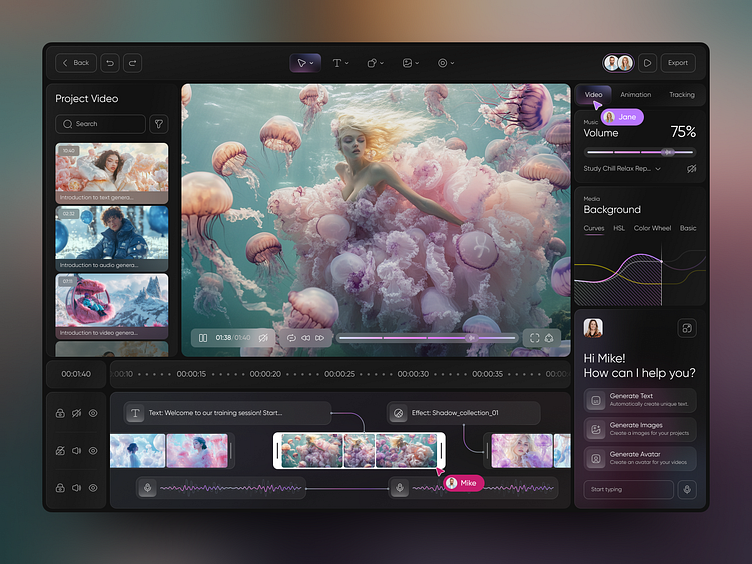
Credits per second by model tier
Seedance pricing is credit-based and tied directly to video duration, which makes cost estimation straightforward once you know the mode. According to the official Seedance pricing page, the standard 480p tier costs 5 credits per second without video input and 4 credits per second with video input. Standard 720p costs 10 credits per second without video input and 8 credits per second with video input.
Fast mode lowers those rates. Seedance 2.0 Fast 480p costs 4 credits per second without video input and 3 credits per second with video input. Seedance 2.0 Fast 720p costs 8 credits per second without video input and 6 credits per second with video input. The pricing structure clearly confirms a cost difference between Fast and Standard, even if the sources do not provide equally clear side-by-side quality metrics. So if you are deciding between the two, the billing difference is the most confirmed factor to work with.
One important rule catches people off guard: when video input is used, billing is based on combined input and output duration. That means the “with video input” rate can look lower per second, but your billable duration gets longer because the source clip is counted too. You should treat reference video as a precision tool, not a default attachment.
480p vs 720p cost breakdown
The official examples make the pricing rule very clear. A five-second generation at 480p costs 25 credits without video input. That is simply 5 seconds × 5 credits. But if you use a three-second input video as reference, the same five-second output costs 32 credits because the combined duration is eight seconds, billed at 4 credits per second. At 720p, the text-only five-second clip costs 50 credits, while the five-second output plus three-second input video costs 64 credits at the 8-credit rate.
Those examples matter because they show how reference footage changes budgeting in a very real way. On a single clip, the jump may not seem huge. Across 20 iterations, it absolutely does. If you are prototyping multiple cuts, a short reference clip can quietly add a meaningful chunk to total spend.
A Reddit pricing guide adds a useful real-world framing by converting those credits into approximate dollars. It reports a range of about $0.24 to $2.87 depending on model, duration, resolution, and whether reference video is used. The cheapest cited case is a Fast model, 480p, four-second generation at roughly $0.24. The highest cited example is a Standard model with reference video at 720p for 15 seconds, around $2.87. Those are secondary-source figures, but they are useful for translating the credit system into practical expectations.
So what does a generation really cost? For quick concept tests in Fast 480p, the cost profile is low enough to support lots of short iterations. Once you move to 720p, longer durations, and reference-driven generations, the economics start to resemble deliberate production decisions rather than casual prompt experiments. That makes Seedance well suited to short-form outputs where every extra second is intentional. If you are trying to produce many variants efficiently, a short target duration and disciplined use of references will do more for your budget than any prompt trick.
How to keep Seedance 2.0 bytedance video model costs low
Fast vs Standard: when to pick each
The simplest cost control move is to treat Seedance as a short-form engine first. Because billing is per second, every unnecessary second in your output request directly increases spend. That makes the model especially well suited to short clips, proof-of-concepts, A/B variations, transition shots, motion tests, and tightly scoped ad creatives. If you can prove the idea in four to six seconds, do that before requesting a longer sequence.
Fast mode is the next lever. Official pricing confirms that Fast is cheaper than Standard across both 480p and 720p. For example, 480p drops from 5 credits per second to 4 without video input, and 720p drops from 10 to 8. When you are exploring prompts, camera moves, or visual directions, use Fast first and reserve Standard for the handful of clips that actually need a better final pass. The sources are much clearer on pricing differences than on measurable quality differences, so the safest workflow is practical: test in Fast, promote winners to Standard if needed.
Resolution discipline also matters. If the clip is mainly for internal review, storyboard motion, or social-first drafts, 480p may be enough during iteration. Moving every test to 720p doubles the standard no-video rate from 5 to 10 credits per second and doubles the fast no-video rate from 4 to 8. That is a steep premium if the clip is still changing.
Budgeting around reference video billing
Reference video is the easiest way to overspend if you use it casually. Seedance’s official pricing page states that with video input, billing is based on combined input and output duration. So if you have a five-second target output and a three-second source clip, you are not paying for five seconds. You are paying for eight. Even though the per-second rate is lower in video-input mode, the total billable time rises, and that can materially increase the final cost.
The practical fix is to trim reference footage aggressively. Use the shortest clip that captures the motion, continuity cue, or style pattern you actually need. If one second of movement proves the camera path, do not upload three. If a still image can lock identity or composition, use that instead of a video clip. Save video references for continuity-sensitive work where text and image guidance are not enough.
There is also a reported lower-cost option from a third-party source: Atlas Cloud Blog says an official 69 RMB per month plan offers the lowest Seedance 2.0 cost among official options, but it requires using a Chinese-language interface. If you can navigate that interface, it may be worth checking. If not, factor that friction into the real cost, because cheap access is only useful if the workflow remains efficient.
If you are comparing Seedance against tools in the open source ai video generation model world, remember the cost tradeoff cuts both ways. An open source transformer video model or image to video open source model may look cheaper after setup, especially if you can run ai video model locally, but then you have hardware costs, time costs, and license review around open source ai model license commercial use. Seedance’s advantage is not zero cost. It is predictable, production-friendly pricing when you keep clips short and references intentional.
What Seedance 2.0 can do that matters for creators

Audio-video generation advantages
The most compelling confirmed advantage for creators is not a benchmark claim or a cinematic demo clip. It is the input flexibility. Seedance supports text, images, video, and audio, and ByteDance specifically describes it as a unified multimodal audio-video joint generation system. That means you can structure requests more like actual creative briefs and less like isolated prompts.
For production, that has real upside. If you are building a fashion teaser, product spot, or music-synced social clip, a joint audio-video approach can reduce tool handoffs between visual generation and sound design. Instead of generating visuals in one system, exporting, then trying to retrofit voice, effects, or music in another, you can potentially shape timing and audiovisual mood from the start. Even when final finishing still happens in your editor or DAW, the first-pass coherence can be stronger.
There is also a Reddit pricing-guide claim that audio generation for voice, sound effects, and background music is completely free. That is useful if true, but it is still a secondary-source claim rather than a clearly cited official pricing rule, so I would not build a client estimate around it without checking current product materials directly. It is promising, though, because free integrated audio would make short-form experiments much cheaper than workflows where every sound layer becomes a separate paid generation step.
Features and claims to treat carefully
Some of the more dramatic claims around Seedance should be handled with caution. A secondary source, DataCamp, mentions voice cloning from a single photo. That is the kind of feature that could dramatically change casting, localization, and concepting workflows, but it needs direct verification from official materials before you rely on it. The same goes for anecdotal demo-style claims about extremely long outputs or exceptional scene understanding from review videos.
The strongest practical advantage you can confirm today is not “it beats everything” or “it can make full films.” It is that the model supports multimodal input in a way that aligns with real creator workflows. You can combine assets, use video for reference, and potentially keep sound in the same generation flow. That is immediately useful. It helps with continuity, iteration, and control right now, without requiring you to trust unverified headline features.
If you are also tracking adjacent tools like happyhorse 1.0 ai video generation model open source transformer, the comparison is less about hype and more about workflow fit. Seedance appears strongest when you want hosted multimodal generation with structured references and clear per-second budgeting. Open-source options make more sense when you need local control, model customization, or deployment flexibility.
Seedance 2.0 bytedance video model: what to verify before you use it
Questions to check before starting a project
Before you start generating, lock the input plan first. Decide whether you actually need text, image, video, or audio inputs, because that choice affects both workflow and cost. If the shot is exploratory, text-only may be enough. If the subject must stay recognizable, add images. If you need continuity with an existing clip, then and only then use video reference. If timing and sound are core to the concept, test audio-enabled workflows early instead of trying to retrofit them later.
Next, confirm your target resolution and expected clip length. Seedance pricing changes sharply between 480p and 720p, and every second counts. A rough concept that works at five seconds may lose efficiency at 12 seconds if you are still experimenting. Set the shortest useful duration up front, then extend only after the idea is proven.
Reference video deserves a separate cost check. Because official pricing says billing is based on combined input and output duration when video is used, ask whether the reference is essential or merely convenient. A single still image may cover style or identity at lower cost. If a motion cue is necessary, trim the input clip to the shortest usable length before upload.
Also verify which pricing tier is active: Fast or Standard. The cost difference is confirmed, while quality comparisons are less explicit in the available sources. If you are running tests, Fast is usually the safer default. If the platform or account presents region-specific plans, check those too. The third-party report about a 69 RMB/month official option with a Chinese-language interface could be useful, but only if you can actually work inside that interface efficiently.
A simple pre-production checklist
Use a quick checklist before each generation batch:
- Define the goal in one sentence: concept test, final social clip, product motion, continuity edit, or style transfer.
- Pick the minimum input set: text only, text plus image, or text plus trimmed reference video.
- Set resolution intentionally: 480p for iteration, 720p for stronger review or near-final output.
- Set the shortest useful output length.
- If using video reference, calculate combined input plus output duration before estimating credits.
- Confirm Fast versus Standard mode.
- Check whether any advanced audio or voice features are officially documented or only mentioned by secondary sources.
- If the work is client-facing, separate confirmed facts from unverified claims before promising capabilities.
That last step matters more than it sounds. There is enough solid information to use Seedance effectively right now: multimodal inputs, reference-video support, up to 12 assets according to one source, and clear per-second pricing. But advanced claims like free audio generation or voice cloning should be validated against current official materials before they become part of a production plan or scope estimate.
Seedance 2.0 works best when you approach it like a production tool, not a magic box. Match the input mix to the job, keep durations disciplined, and treat reference video as a high-value but billable control layer. Used that way, it becomes much easier to predict both output quality and spend.
Seedance 2.0 is most compelling as a flexible multimodal video model whose value shows up in the details: the ability to mix text, images, video, and audio; the option to structure more complex requests with multiple assets; and a pricing model that rewards short, deliberate generations. The seedance 2.0 bytedance video model makes the most sense when you align the right input mix, resolution, and pricing tier to a specific short-form production goal. If you do that, you get a workflow that is easier to control, easier to budget, and much more practical than a generic text-to-video-only pipeline.