 HappyHorse Model
Sora 2 (OpenAI): Capabilities, Pricing, and Limitations
If you're evaluating Sora 2 for real video work, the biggest questions are simple: what it can actually do, how much each clip may cost, and where the model still breaks down. Those are the questions that matter when you're deciding whether to wait for access, budget for tests, or build a workflow around another model entirely. Right now, the biggest reality check is that Sora 2 looks strongest as a short-form, prompt-first video generator, not as a complete production environment for long scenes, serialized storytelling, or polished campaign delivery without extra editing.
What Sora 2 OpenAI video model guide readers should know first
Current access status and availability
The first practical issue is access, not prompt quality. Available reporting suggests Sora 2 is not broadly open in the way many creators expect from a public product launch. Instead, access appears limited through an invite or waitlist-style model. One pricing summary from eesel AI describes the simplest answer as “free, but only if you can get your hands on an invite,” which is useful shorthand because it frames the real bottleneck correctly: if you do not have access, price comparisons are theoretical.
That matters for planning. If you're trying to commit to a production pipeline this month, an invite-only or tightly restricted rollout changes the decision. You cannot reliably quote turnaround, client costs, or versioning capacity around a tool you may not be able to open on demand. The smartest move is to treat Sora 2 as a monitored opportunity until access is clearly available and paid usage terms are officially settled.
Why Sora 2 is a short-form video tool first
The second practical issue is output length. Current guidance and third-party coverage repeatedly point toward 10-second video generation as the normal unit of work. OpenAI’s prompting guidance also emphasizes concise shots, which lines up with what most of us see across video generation generally: shorter clips hold together better, follow instructions better, and break less often.
That means Sora 2 is best approached as a prompt-driven clip generator. It is not the tool to hand a full three-minute scene outline and expect a coherent, edit-ready sequence with reliable continuity, stable characters, and tightly directed shot progression. If you want one polished hero shot, one product reveal, one cinematic transition, or one visually distinct cutaway, Sora 2 fits the job much better.
This is the key decision point in any sora 2 openai video model guide: if your need is immediate, production-grade, and long-form, you may want to wait for broader access and clearer pricing before committing. If your use case is short, visual, and modular, then Sora 2 is already interesting enough to justify serious attention. A good rule is simple: if your concept can be broken into stand-alone 10-second moments, Sora 2 is worth watching closely. If your work depends on long narrative continuity or repeatable batch production today, keep monitoring updates and compare alternatives at the same time.
Sora 2 OpenAI video model guide to core capabilities
What Sora 2 does well
Sora 2 looks strongest when you give it a concise visual objective and ask for one focused result. That usually means a single subject, one environment, one action, and one camera idea. Think “close-up product spin on a wet reflective surface at sunset,” “slow dolly toward a runner crossing a neon-lit alley,” or “a paper airplane gliding through a bright classroom.” These are clean, bounded requests, and they fit the model’s current sweet spot.
OpenAI developer guidance around concise shots is the biggest clue here. Shorter clips are more reliable, which usually translates into better instruction adherence, cleaner composition, and fewer weird continuity failures. In practice, Sora 2 is a good fit for high-impact visual moments: intros, social ads, fashion reveals, environment shots, mood clips, stylized transitions, and concept previews. If you already cut in Premiere, Resolve, Final Cut, or CapCut, that’s a workable setup because you only need the model to deliver one useful shot at a time.
Where shorter prompts and shorter shots help
Prompt structure matters more than prompt length hype. With Sora 2, shorter and clearer usually beats longer and more cinematic-sounding. If a prompt tries to control too many moving parts at once—subject identity, wardrobe change, location transition, emotional beat, dramatic weather, camera movement, and a plot twist—the odds of drift go up fast. The easier win is to prompt one moment cleanly.
A strong workflow is to build prompts around three elements: subject, action, and camera. For example: “A red vintage convertible driving slowly along a coastal road at golden hour, side tracking shot, light wind, realistic reflections.” That gives the model one object, one action, and one framing direction. If you want another angle, generate a second shot rather than stuffing multiple camera changes into the same prompt.
The character instructions field is useful when consistency matters across clips. OpenAI’s help documentation notes that advanced character tuning tools are still in development, so this field is the current practical workaround. Use it to define stable traits like age range, hairstyle, clothing palette, and signature features. Keep those instructions consistent across generations. For example, if a brand mascot always wears a yellow bomber jacket, white sneakers, and round silver glasses, repeat those details exactly every time.
This is where a sora 2 openai video model guide becomes less about novelty and more about discipline. The model rewards shot planning. Write one prompt per shot. Lock recurring character traits in the character instructions field. Avoid multi-scene requests. If the clip you need feels like something a storyboard panel could explain in one sentence, Sora 2 is much more likely to give you something usable on the first few tries.
Sora 2 OpenAI pricing guide: what a video may actually cost
Invite access versus paid usage expectations
Pricing is still fuzzy enough that you should plan with ranges, not absolutes. The most repeated signal so far is the awkward one: Sora 2 may be “free” if you have invite access, but that does not mean there is a broad, stable free tier you can depend on. That kind of access gate is fine for experimentation, but it is not a clean basis for budgeting commercial work.
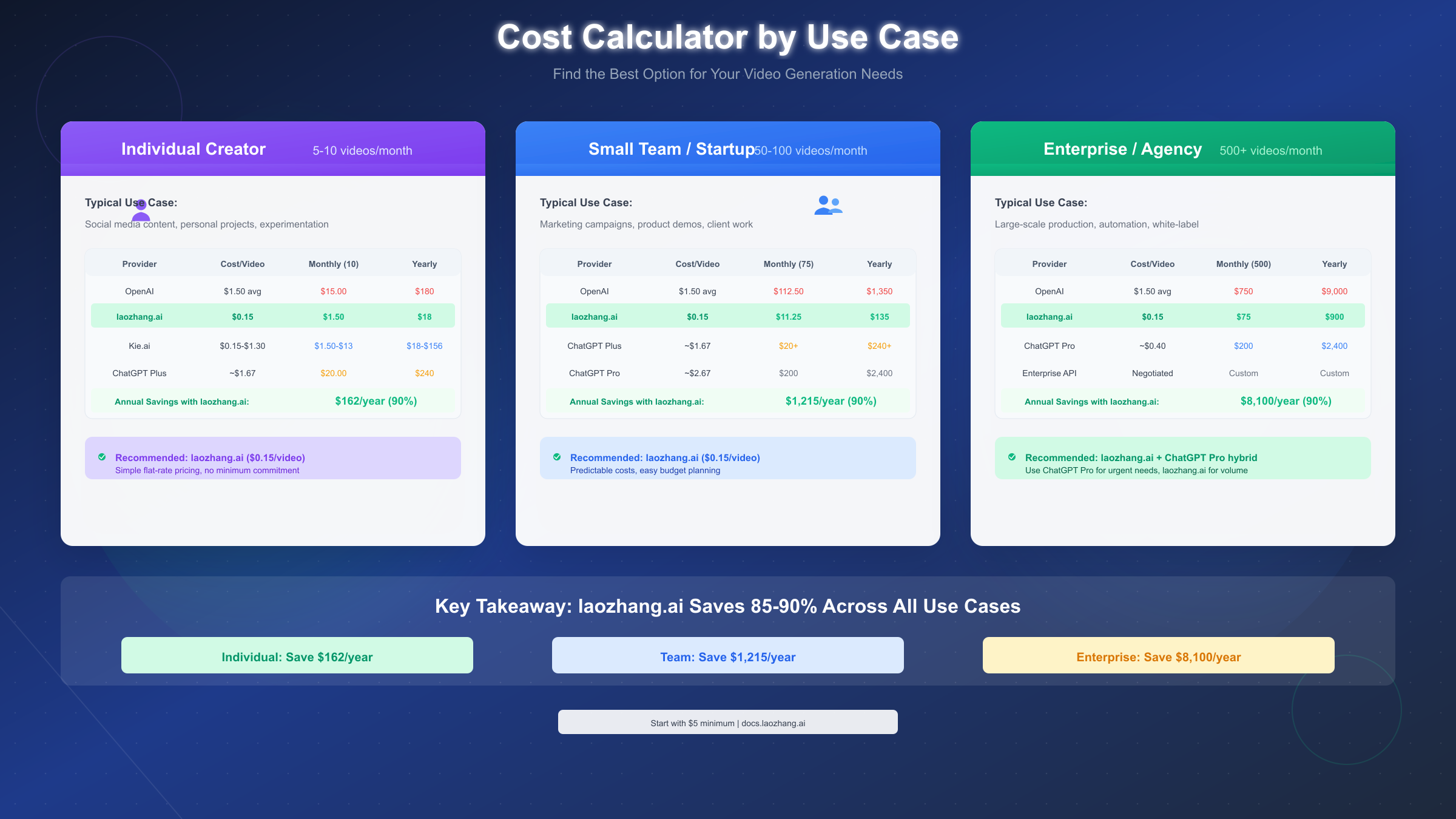
Once paid usage enters the picture, community estimates become the most useful planning signal available. A Reddit discussion cited estimates for Sora-2 at 1280x720 around 10 cents per second, and Sora-2-pro at the same resolution around 30 cents per second. Those are not official published OpenAI rate cards, so they should be treated as directional rather than confirmed. Still, they are concrete enough to help with rough budgeting.
Estimated cost per second and per 10-second clip
Using those estimates, a standard 10-second clip comes out to about $1 on a base tier and about $3 on a pro-style tier at 1280x720. That is the cleanest way to think about it when planning a shot list. Need five short clips for a landing page hero reel? Roughly $5 on a standard estimate, or $15 on a pro-style estimate, before retries. Need 20 clips for a social campaign with variants? Suddenly that turns into real money, especially if you regenerate shots for style, framing, or continuity fixes.
Another pricing summary from eesel AI reports a broader range of roughly $1 to $5 for a 10-second video depending on plan, format, or platform. That wider range is useful because it matches real production behavior better than best-case math does. Few projects stop at one generation per shot. Most require alternates, aspect ratio changes, seed hunting, style revisions, prompt cleanup, and comparison versions for stakeholders.
Here is the practical planning shortcut:
- One 10-second clip: budget $1 to $5
- Five-shot mini sequence: budget $5 to $25
- Ten-shot campaign package: budget $10 to $50 before revision rounds
- Add 2x to 4x if you expect heavy iteration
That last line is the one worth remembering. Per-clip pricing can feel cheap, but clip-based workflows multiply fast. If you generate four versions of each shot to find one keeper, your $1 clip behaves like a $4 clip. If you are working on branded outputs where consistency matters, the retries are often the true cost driver. The safest way to use this sora 2 openai video model guide for budget planning is to estimate on a per-approved-shot basis, not per generation. That gives you a much more realistic number when deadlines, revisions, and alternate cuts enter the picture.
How to use Sora 2 for a practical video workflow
Prompting for usable clips
The cleanest way to use Sora 2 is to think like an editor before you think like a prompter. Start with a shot list, not a giant concept paragraph. If the final piece is 40 seconds long, do not ask Sora 2 for a 40-second finished video. Break it into four or five short clips, each with a single role: intro shot, product close-up, environmental cutaway, action beat, transition, or hero moment.
A simple production template works well:
- Define the final runtime.
- Break it into 10-second segments or smaller.
- Assign one purpose to each segment.
- Write one concise prompt for each shot.
- Generate alternates only where the shot is mission-critical.
For prompting, the current best advice is boring in the best possible way: one clear subject, one main action, controlled scene complexity, and a specific camera setup. “A matte black smartwatch rotating slowly on a pedestal, studio lighting, close-up, shallow depth of field” is better than a sprawling paragraph trying to direct a whole ad. If the scene needs movement, specify one movement: pan, dolly, orbit, static close-up, overhead shot. If you need emotion or atmosphere, use one or two anchored cues like “foggy dawn” or “high-contrast neon night,” not ten aesthetic references competing with each other.
Stitching multiple Sora 2 shots together in post
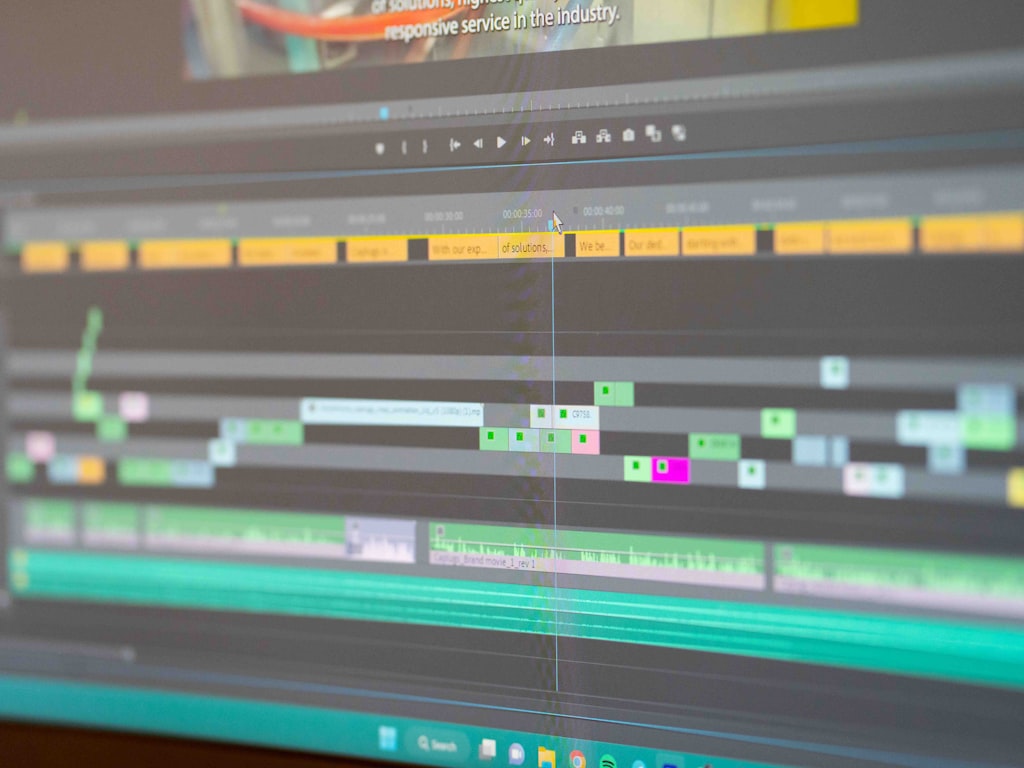
Post-production is not optional here; it is the workflow. Since Sora 2 is oriented around short clips, the real craft is assembling those clips into something that feels intentional. Generate the best individual shots you can, then use editing software to do the heavy lifting: pacing, continuity, sound design, text overlays, color balancing, and transitions.
This is where Sora 2 becomes far more useful. A 10-second model output can become a polished final asset once it is part of a larger edit. One clip can function as an opening motion background. Another can be a transition bridge. A third can be the hero visual behind a voiceover line. With music, cuts, and sound effects, short clips gain much more production value than they have alone.
A practical workflow might look like this:
- Shot 1: 3–5 second branded intro visual
- Shot 2: 8–10 second product or character hero shot
- Shot 3: 5–8 second cutaway showing environment or use case
- Shot 4: 3–5 second closing transition or CTA background
That structure works for social ads, teaser reels, landing page loops, app promos, and mood-driven explainers. If continuity between shots matters, lock recurring visual details manually in your prompts and character instructions field, then smooth the rest in post with cut timing, color correction, and audio continuity.
If you need a more controllable pipeline, this is also where comparison testing starts to matter. Alongside Sora 2, it is worth benchmarking an open source AI video generation model, an image to video open source model, or even a workflow where you run ai video model locally for more predictable iteration. Sora 2 shines when the clip quality is strong enough to justify the friction. Your editing timeline is where that value actually gets realized.
Limitations in this sora 2 openai video model guide
Short clip limits and instruction reliability
The biggest production constraint is still clip length. If the working unit is 10 seconds, every longer video becomes a multi-shot assembly problem by default. That is manageable for ads, stylized promos, and visual loops, but it becomes painful for tutorials, narrative scenes, product walkthroughs, and anything requiring continuous action or dialogue-style progression. The shorter the clip, the better Sora 2 seems to behave. The moment you ask it to hold too much context, instruction reliability starts to wobble.
OpenAI developer guidance directly points toward concise shots because shorter clips tend to follow instructions more reliably. That has a direct operational implication: if a prompt is getting ignored, simplify the request instead of adding more detail. Strip it back to one action and one camera move. If a clip still misses, split the idea into two shots. That is often faster and cheaper than trying to brute-force one complex prompt through repeated generations.
Character consistency and iteration costs
Character consistency is still one of the toughest areas. OpenAI’s help material notes that advanced tools for better character tuning are still being developed, which is another way of saying the current controls are limited. The character instructions field helps, but it is not the same thing as a robust identity lock, reusable actor profile, or production-ready continuity system. When a character must look identical across multiple shots, you should expect extra prompt tuning and extra retries.
That retry cost is the hidden limitation many people underestimate. A clip that seems affordable at $1 to $5 becomes less affordable when you need six versions to get acceptable wardrobe continuity, lighting, camera behavior, or brand-safe framing. Multiply that by multiple aspect ratios and multiple campaign variants, and costs can escalate quickly.
Here is the real-world pressure test:
- One-off visual experiment: easy to justify
- Five branded clips with a recurring character: moderate effort and cost
- Full campaign with alternates, localization, and strict continuity: expensive fast
This sora 2 openai video model guide is most useful when it sets expectations clearly: Sora 2 can absolutely produce compelling short visuals, but it is not yet the tool to assume perfect control from prompt to final delivery. If your project lives or dies on stable character identity, long-scene coherence, or exact instruction adherence over time, build extra budget for iteration or look at models with stronger controllability. Sometimes that means comparing an open source transformer video model, the happyhorse 1.0 ai video generation model open source transformer, or another system designed for more repeatable workflows.
Should you use Sora 2 now, and what are the best alternatives to compare?
Who gets the most value from Sora 2 today
Sora 2 makes the most sense if you need short, high-impact clips and you can tolerate limited access plus some regeneration overhead. That includes social-first creators, ad teams building concept visuals, designers making landing page motion assets, and video editors who are comfortable stitching AI clips into a conventional timeline. If your process already assumes editing, music, VO, graphics, and assembly in post, Sora 2 can slot in as a shot generator rather than a full production stack.
A quick decision framework helps:
- If access is uncertain, do not anchor deadlines to Sora 2.
- If your budget per approved clip is low, count retries before committing.
- If character consistency is critical, test before promising deliverables.
- If your output needs to scale into many variants, compare workflow stability, not just visual quality.
When to consider open source AI video generation model options
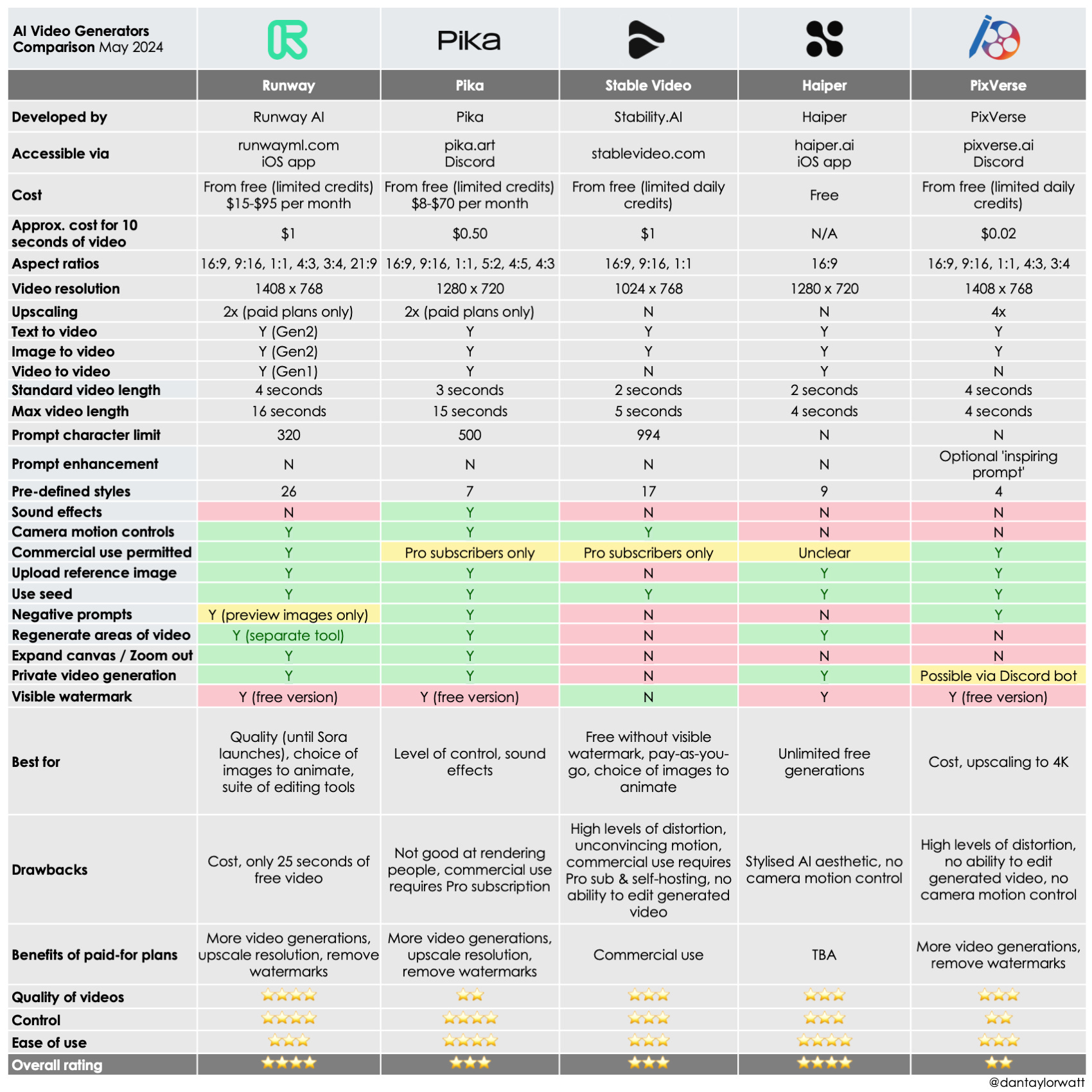
If local control, licensing clarity, or repeatable batch workflows matter more than invite-only access, compare Sora 2 against open tools and self-hosted workflows immediately. An open source AI video generation model may not match the best-case wow factor of a premium hosted model on every shot, but it can win on control, reproducibility, cost predictability, and deployment flexibility. That matters when you need to run many tests, automate generation, or keep assets in a private environment.
This is also the point where adjacent research paths become useful. If your workflow starts from stills, look at an image to video open source model instead of a pure text-to-video path. If GPU access and privacy matter, explore how to run ai video model locally and benchmark throughput versus hosted generation. If the work is commercial, read the terms carefully around open source ai model license commercial use, because license restrictions can shape your production options just as much as model quality does.
For model comparisons, it is worth tracking newer open stacks and niche experiments, including the happyhorse 1.0 ai video generation model open source transformer and other open source transformer video model projects that prioritize transparency and customizable pipelines. These may appeal more if you want to tune workflows, integrate with internal tooling, or avoid waiting on access invites.
The simplest answer is this: use Sora 2 now if you can access it, your shots are short, and your workflow already depends on post-production assembly. Wait if access is blocked or pricing is still too uncertain for client-facing planning. Compare alternatives if repeatability, local control, licensing, or scalable iteration matter more than the novelty of a closed model.
Conclusion
Sora 2 is exciting, but the practical picture is pretty clear right now. It appears strongest as a short-form clip generator built around concise prompts, 10-second-style outputs, and a workflow that assumes editing happens afterward. Reported pricing signals suggest a useful planning range of about $1 to $5 per 10-second clip, with community estimates clustering around roughly $1 for standard usage and $3 for pro-style usage at 1280x720. Those numbers are workable for tests and select production shots, but retries and alternate versions can push real costs much higher.
If you already have access and you need visually strong short clips, Sora 2 is worth using as a shot-making tool inside a larger editing pipeline. If you do not have access yet, waiting and monitoring official pricing may be the smartest move. And if your work depends on repeatable long-form outputs, stronger character consistency, local deployment, or licensing flexibility, comparing other video models may save you time and money. The winning choice comes down to one question: do you want a powerful short-shot generator right now, or a video workflow that is easier to control end to end?