 HappyHorse Model
WAN 2.5 (Alibaba): Complete Model Guide
If you want to turn prompts or still images into polished short videos with synchronized sound, this wan 2.5 alibaba video model guide shows exactly what the model does well and how to use it effectively.
What WAN 2.5 Is and Why It Matters
Alibaba’s multimodal video model at a glance
WAN 2.5 is Alibaba’s AI video generation model, described by sources as an advanced, natively multimodal system built to create video from prompts with fully synchronized audio. That last part is the real differentiator. A lot of video models can generate movement, style, or atmosphere, but WAN 2.5 is specifically positioned around video and sound working together, which is why it keeps showing up in conversations about talking-head clips, performance content, and fast-turnaround promos.
One beginner-facing guide from Wan Animate describes the model as developed within Alibaba’s Human-AI Collaboration Group, which gives a useful clue about how it is being positioned: not as a lab demo for abstract benchmarks, but as something creators can actually put to work. Across the available materials, the model is repeatedly framed for practical creation tasks like ads, educational snippets, music visuals, and short branded clips.
That practical angle matters because expectations need to be set correctly. WAN 2.5 looks strongest when you treat it like a short-form production tool. One source notes a 10-second length limit, and even where that limit is not emphasized, the examples and platform positioning clearly lean toward concise outputs. If your project depends on long narrative continuity, multi-scene character arcs, or extended shot progression, you will likely be pushing beyond the model’s sweet spot. If you need one strong scene with synced sound and a clear visual idea, that is where WAN 2.5 starts to make a lot more sense.
Core generation modes: text-to-video and image-to-video
WAN 2.5 supports both text-to-video and image-to-video generation, and knowing when to use each mode saves a lot of trial and error.
Text-to-video is the right choice when the core idea starts as a concept, not an asset. You describe the subject, action, scene, camera behavior, lighting, tone, and audio feel, and the model builds the clip from scratch. This works well for things like “a singer on a neon-lit stage, slow dolly-in, smoky atmosphere, crowd ambience, cinematic close-up.” If you are ideating, prototyping ad concepts, or generating visuals before design assets exist, text-to-video is usually the fastest route.
Image-to-video is the better option when consistency matters more than invention. If you already have a product shot, brand character, portrait, or campaign still, starting from an image helps preserve identity and appearance. That is especially useful for explainers, product promos, and branded social clips where the wrong costume, logo detail, or facial structure can break the result. If your goal is “animate this exact look” rather than “invent a new look,” image-to-video is the smarter workflow.
That distinction is foundational to any good wan 2.5 alibaba video model guide, because the model gets much easier to control once you match the mode to the actual production need.
WAN 2.5 Alibaba Video Model Guide to Features and Output Quality
Synchronized audio and lip movement
The headline feature in WAN 2.5 is audio-synced video generation. Sources describe it as capable of producing synchronized audio and even audio-synced lip movement, which makes it stand out for clips where speech, singing, or performance timing matters. That opens the door to short talking-head videos, presenter-style explainers, stylized music visuals, and product announcements that feel more finished straight out of generation.
For practical use, this means your prompt should not treat sound as an afterthought. If you want a spokesperson clip, say so directly: specify that the character speaks to camera, the mouth movement should align with narration, and the soundtrack should fit the setting. If you want a concert-style clip, mention beat-driven editing feel, performance energy, crowd noise, or instrumental mood. When a platform supports audio guidance, one review notes that audio samples may help shape the soundtrack direction. That kind of reference can be useful if you need a specific vibe like ambient synth, upbeat promo music, or restrained corporate background audio.
The lip-sync angle is where WAN 2.5 becomes especially attractive for short commercial work. A five- to ten-second presenter clip with believable mouth motion and matching sound can replace a lot of editing steps that would otherwise require separate animation, voice, and compositing decisions.
Resolution options and visual control
Across sources, WAN 2.5 is commonly cited as supporting 480p, 720p, and 1080p output. Each one has a practical place.
Use 480p for fast concepting, rough iterations, and prompt testing. If you are still deciding on staging, pacing, or visual direction, generating low first helps you move quickly and avoid wasting credits or time on high-resolution passes that will be discarded.
Use 720p for social drafts, internal approvals, and most web-first experiments. It is often enough to judge motion quality, lip-sync feel, shot composition, and whether the concept is landing.
Use 1080p when the prompt is already stable and you need delivery-ready output for paid social, product demos, landing pages, or polished client review. Higher resolution helps when you need clearer faces, cleaner product edges, and more professional final presentation.
Visual control improves when you use references. One review specifically notes that reference images can influence visual style. In practice, that means you can anchor color palette, wardrobe, product design, facial features, or general art direction before generation begins. If you are trying to keep a brand world consistent, this is much more reliable than hoping a pure prompt will recreate the same look repeatedly.
Another useful strength reported in guides is WAN 2.5’s understanding of cinematic camera language. That means prompting with film-style direction is worth doing. Instead of saying “make it cool,” specify “medium close-up, slow push-in, shallow depth of field, warm key light, subtle handheld motion.” Instead of “show the product,” say “hero shot on glossy table, 35mm lens feel, low-angle reveal, soft rim light, slow orbit.” The model is more likely to respond well when the visual request sounds like a shot list instead of a vague adjective cloud.
How to Use WAN 2.5 for Text-to-Video and Image-to-Video Projects
A simple text-to-video workflow
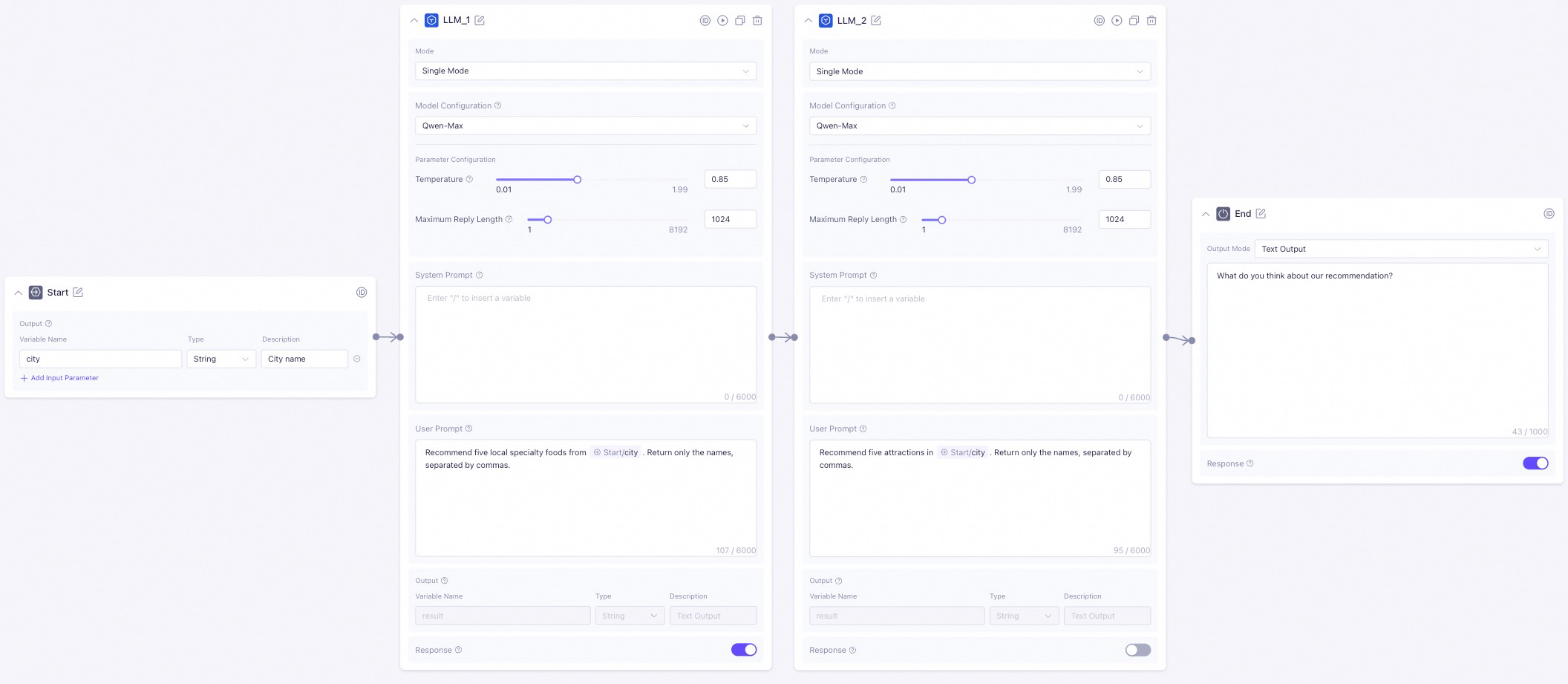
The easiest way to get a strong first result from WAN 2.5 is to keep the workflow structured.
Start by choosing the mode. If you are inventing a scene from scratch, go with text-to-video. If you already have a still image, product photo, character portrait, or branded frame that must stay recognizable, use image-to-video instead.
Next, write the prompt with six parts in mind: subject, action, scene, camera motion, lighting/mood, and audio intent. That structure keeps the output coherent. A strong prompt might look like this:
Subject: a confident skincare founder
Action: speaking directly to camera while holding a serum bottle
Scene: modern studio with soft beige backdrop and minimal shelves
Camera motion: gentle slow push-in from medium shot to medium close-up
Lighting/mood: soft commercial lighting, clean highlights, premium calm feel
Audio intent: polished ad voice delivery with subtle ambient music, lips synced naturally
Then set the resolution based on the stage of the project. For first tests, use 480p or 720p. Once the concept works, switch to 1080p for final output. If the platform supports references, add them before you generate. A product image can preserve packaging details. A portrait can lock in face shape and styling. An audio sample, where supported, can help steer soundtrack mood.
After the first render, refine one variable at a time. If the motion is too busy, reduce camera movement. If the face drifts, strengthen the reference or simplify the action. If the soundtrack feels off, rewrite the audio direction in more concrete terms.
Here are a few direct examples that work well:
- Promo video: “A sleek wireless earbud case opens on a reflective black surface, dramatic side light, slow rotating product reveal, premium tech ad style, subtle electronic soundtrack.”
- Explainer clip: “A friendly teacher points to floating graphics beside her, bright classroom-inspired set, locked medium shot, clear spoken delivery, upbeat educational background music.”
- Music visual: “A vocalist performs under blue and magenta stage lights, drifting haze, slow handheld movement, emotional close-ups, beat-matched performance energy, synced vocal lip movement.”
- Talking-head style clip: “Startup founder addressing camera in a modern office, natural hand gestures, shallow depth of field, soft daylight, clean narration synced to mouth movement.”
That kind of specificity usually beats long, rambling prompts.
When image-to-video works better than prompting from scratch
Image-to-video is the move when consistency is the whole game. If you need the same character, product, or branded environment to look right on the first usable pass, giving the model an actual image is more dependable than describing everything from scratch.
This matters most for product shots and identity-driven content. Say you are creating a six-second ad for a beverage can with a distinctive label. Text-only prompting might generate something stylish but slightly wrong: changed typography, altered proportions, or a can color that misses brand standards. With image-to-video, the still becomes the anchor, and the motion builds around it.
The same applies to digital spokesperson clips. If you need a presenter to match an existing campaign photo, start from that image and prompt the motion lightly: “subtle head turn, natural blink, direct-to-camera speaking, soft studio light, calm professional delivery.” You are no longer asking WAN 2.5 to invent the identity; you are asking it to animate it.
Image-to-video is also useful when testing multiple moods from one approved frame. You can take a single hero image and generate variants with different camera moves, soundtrack feels, and lighting energy for A/B testing. That is efficient for ads, ecommerce, and social campaigns.
If you are also researching alternatives like an open source ai video generation model, an image to video open source model, or wondering whether you can run ai video model locally, WAN 2.5 occupies a different lane. It is less about local experimentation and more about managed or API-based generation with synced audio as a core selling point. That makes it especially handy when speed to output matters more than deep infrastructure control.
Best Platforms to Access WAN 2.5 and What Each Option Offers
Alibaba Cloud Model Studio
Alibaba Cloud Model Studio is the clearest managed access path for Wan video workflows. Its video generation offerings include text-to-video, image-to-video, reference-to-video, and specialized digital human features. If you want a hands-on environment where you can create clips, test references, and work through generation tasks without building your own stack, this is the most natural starting point.
The managed interface route makes the most sense when you are focused on creation rather than engineering. If you are producing campaign assets, concept videos, social snippets, or internal demos, a studio-style workflow is easier because you can iterate visually and keep the process close to the content team. It is also the better choice if multiple people need to review outputs, compare variations, and refine prompts collaboratively.
Reference-to-video support is especially useful if you already know consistency is critical. That feature category suggests a workflow where approved visuals help direct style and motion more tightly than text-only input can.
WaveSpeedAI API and managed access
WaveSpeedAI offers WAN 2.5 through a ready-to-use REST inference API and markets that access with claims around best performance, no cold starts, and affordable pricing. It also explicitly pitches WAN 2.5 as faster and more affordable than Google Veo 3. Whether that claim holds for your exact workflow depends on your volume and use case, but it is a concrete market positioning point worth noting.
Use an API path when the goal is integration rather than manual creation. If you are building a tool that auto-generates product promos, social clips, talking-head explainers, or creator templates at scale, the API route is the better fit. It lets you plug generation directly into your app, workflow automation, or internal content pipeline.
The decision between managed interface and API is mostly about how you work:
- Choose a managed interface if you want direct control, visual iteration, and team-friendly creation.
- Choose an API if you want automation, application embedding, or large-scale clip generation.
One thing worth clarifying in any serious wan 2.5 alibaba video model guide is that not every Alibaba AI access path refers to WAN 2.5 specifically. Some tutorials and free-access discussions online focus on other Alibaba models, such as Qwen 2.5 Max. That does not automatically mean the same free route applies to WAN 2.5 video generation. If you are sourcing access, confirm that the platform explicitly lists Wan video support rather than assuming all Alibaba AI endpoints are interchangeable.
If your broader research includes terms like open source transformer video model, happyhorse 1.0 ai video generation model open source transformer, or open source ai model license commercial use, keep that separate from WAN 2.5 discovery. Those topics matter when evaluating self-hosted and licensing-heavy stacks, but they do not substitute for confirmed WAN 2.5 availability.
Best Use Cases, Limits, and Prompting Tips in This WAN 2.5 Alibaba Video Model Guide
Where WAN 2.5 performs best
WAN 2.5 is strongest when the deliverable is short, focused, and benefits from synchronized sound. Across sources, the most commonly mentioned use cases are social ads, promotional materials, educational clips, music videos, product shots, and talking-head content. Those are not random examples; they line up directly with the model’s core strengths.
For social ads, WAN 2.5 works well because a short clip can concentrate on one visual hook and one audio beat. A product reveal with a synced sonic accent, a spokesperson line with matching mouth movement, or a beauty close-up with premium soundtrack energy all fit the model’s strengths.
For educational content, it is useful for micro-explainers rather than full lessons. Think one concept, one presenter, one concise visual setup. A six- to ten-second “what this feature does” clip is a much better fit than a multi-minute instructional sequence.
For music visuals and performance clips, audio synchronization is the obvious attraction. If you want a vocalist, performer, or stylized rhythm-driven shot, WAN 2.5 is naturally aligned with that job.
How to work within short-video limits
One source reports a 10-second maximum length, and whether your platform exposes that exact cap or not, planning as if WAN 2.5 is a short-video model leads to better results. Instead of fighting for a full narrative in one generation, break the idea into modular scenes.
A practical production approach looks like this:
- Write one action per clip.
- Keep the environment stable.
- Limit subject count.
- Use simple camera movement.
- Design clean cut points between shots.
For example, instead of prompting a 30-second ad in one go, split it into three clips: product hero shot, user interaction close-up, spokesperson payoff line. That gives you much better control and much cleaner editing options later.
Prompting should also respect duration. If you only have up to around 10 seconds, do not ask for a character to enter a room, notice an object, pick it up, explain its features, and then transition outdoors. Pick one clear behavior. “Founder speaks one key sentence to camera” is realistic. “Product rotates while light sweeps across packaging” is realistic. “Singer delivers one emotionally charged phrase in close-up” is realistic.
Keep scene changes minimal. WAN 2.5 can shine inside a single well-defined setup, especially when the camera direction is clear. If you need variety, generate multiple clips and edit them together rather than forcing multiple visual beats into one prompt.
Match audio expectations to duration too. A very short clip can support a short spoken line, a musical accent, or background ambience. It is not the place for dense narration or elaborate soundtrack evolution.
Choose WAN 2.5 when synchronized sound and quick turnaround matter more than long-form storytelling. That is the simple rule. If your deadline is tight and the format is short, the model becomes much easier to recommend.
WAN 2.5 vs Veo, Sora, and Kling: When to Choose Alibaba’s Model
How WAN 2.5 is positioned in the market
WAN 2.5 is being discussed in the same breath as leading AI video systems like Veo, Sora, and Kling, which already tells you where it sits in the market conversation. Comparison content has explicitly put Sora 2, Veo 3, Kling 2.5 Turbo, and Wan 2.5 head-to-head, and broader community discussions keep placing Veo and Kling near the top of the field. WAN 2.5 enters that landscape not by claiming to dominate every category, but by leaning into a specific mix of strengths: synced audio, short-form practicality, multiple resolution options up to 1080p, and access through both managed interfaces and API routes.
WaveSpeedAI goes further and claims WAN 2.5 is faster and more affordable than Google Veo 3. That does not automatically make it the better all-around creative model for every use case, but it does make it compelling if turnaround speed and cost efficiency matter. If you are shipping lots of short clips rather than chasing the absolute most ambitious cinematic generation, those operational benefits can matter more than leaderboard arguments.
Against Sora and Veo, WAN 2.5 feels most compelling when the project is tightly scoped and audio-synced. Against Kling, the choice may come down to the exact balance you need between style, motion, cost, and access. WAN 2.5’s practical edge is that it is clearly designed for creator-ready workflows rather than just spectacle.
A practical model-selection checklist
Choose WAN 2.5 if most of these are true:
- You need short clips, not long narrative scenes.
- You care about synchronized audio and possibly lip movement.
- You are creating talking-head outputs, promo spots, music visuals, or product snippets.
- You want text-to-video and image-to-video in one ecosystem.
- You need platform flexibility, with options like Alibaba Cloud Model Studio or API-based access.
- You want to iterate fast at 480p or 720p, then deliver in 1080p.
Consider alternatives if these needs dominate instead:
- Longer-form scene continuity
- More experimental cinematic sequences across multiple beats
- A workflow centered on local customization, especially if you are comparing an open source ai video generation model or checking whether you can run ai video model locally
- Licensing and deployment scenarios where open source ai model license commercial use is the deciding factor
A simple recommendation framework works well:
- Need a short ad with polished synced sound? Choose WAN 2.5.
- Need a talking-head or presenter clip quickly? Choose WAN 2.5.
- Need to preserve a product or face from a still image? Use WAN 2.5 image-to-video.
- Need long-form story progression or strengths outside short synchronized clips? Compare alternatives first.
- Need app integration and automated generation? Favor WAN 2.5 through API access.
- Need a manual studio workflow with references and digital human features? Start with Alibaba Cloud Model Studio.
That is where this wan 2.5 alibaba video model guide lands: WAN 2.5 is not the answer to every video generation problem, but it is a very sharp tool for short-form, audio-aware production.
Conclusion
WAN 2.5 makes the most sense when your video job is short, specific, and sound-sensitive. If you need a talking-head clip, a product promo, a social ad, a music visual, or a concise explainer with synchronized audio, it lines up extremely well with the work. The model supports both text-to-video and image-to-video, offers commonly cited output options at 480p, 720p, and 1080p, and gives you a practical path through either Alibaba Cloud Model Studio or API access from providers like WaveSpeedAI.
The best starting point is simple. If your concept exists only as an idea, begin with text-to-video and write a prompt that clearly defines subject, action, setting, camera motion, lighting, mood, and audio intent. If consistency matters and you already have an approved still, go straight to image-to-video. For first tests, use lower resolution and refine fast. Once the shot is working, move up to 1080p for final delivery.
If your workflow depends on synchronized sound and quick-turn short clips, WAN 2.5 is easy to justify. If your project depends on long narrative continuity, heavier local control, or open-source infrastructure research, compare it against other options before committing. For short-form commercial and creator workflows, though, this wan 2.5 alibaba video model guide points to a clear verdict: start with the mode that matches your assets, use a platform that matches your workflow, and keep every clip focused enough to let the model do its best work.